
Copyright 2026 © swekartor. All Rights Reserved.



Information about Screenshot
App Feature
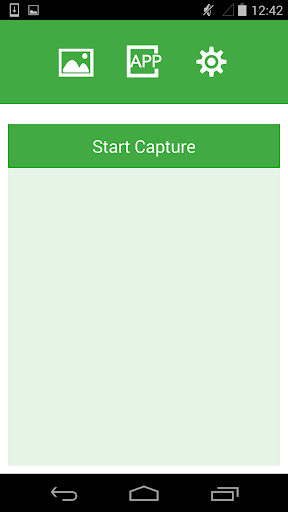
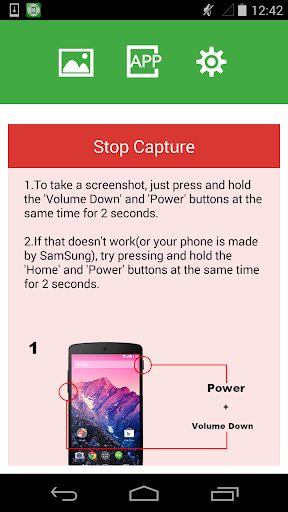
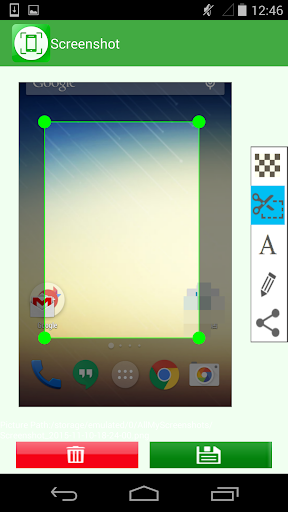
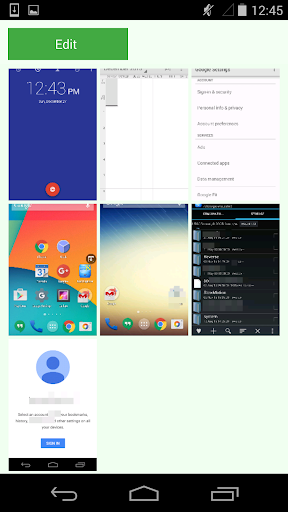
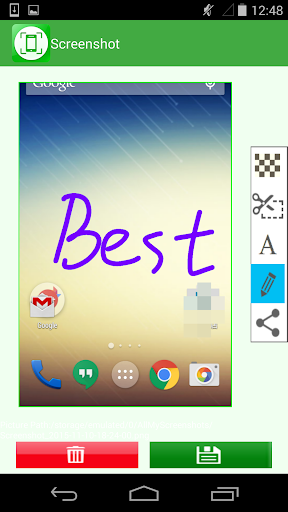
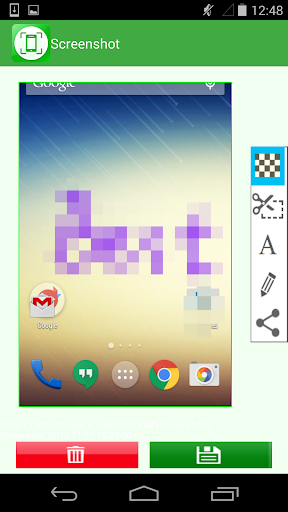
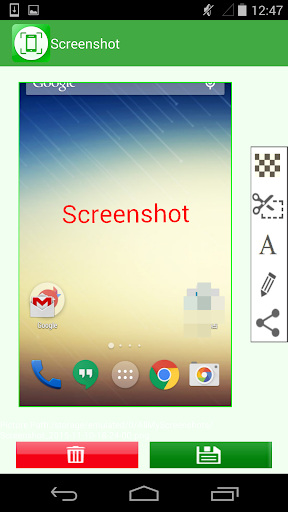
Screenshot is a lightweight Android tool that helps you capture screenshots using the standard hardware-button combo and immediately edit them with built-in tools like crop, draw, mosaic, and text. It organizes past captures, lets you set a save path, review before saving, and share directly from the app.
Verdict
Verdict: A simple, reliable screenshot helper with handy editing, best if you want a no-frills workflow and minimal overhead.
Who is it for
Best for:
- Users whose phones lack good built-in editing or sharing after screenshots
- Anyone wanting quick markup (crop, draw, text, mosaic) and fast sharing
- People who prefer a lightweight, ad‑light utility over feature-heavy suites
Not ideal for:
- Users seeking advanced capture methods (floating buttons, gestures, scrolling capture)
- Those needing to record screen video or capture secure/banking screens
- Power users who already have robust OEM screenshot and editor tools
Real-world User Experience
Users like it:
Consistently praised for doing exactly what it promises: captures reliably via the power + volume-down combo, then makes it easy to crop, annotate, and share. Many highlight its simplicity, low friction, and minimal ads. Users appreciate the ability to save, discard, and manage history, and some report successful printing and emailing for documentation.
Users complain about:
A few note the reliance on hardware buttons (which can be awkward and may contribute to wear on older devices). It cannot capture secure apps (by design). If your phone already has robust built-in screenshot and markup tools, the app may feel redundant.
Is it Worth Paying For?
The app is free with ads and offers no in-app purchases. Given its reliability, editing tools, and light ad presence reported by users, it delivers solid value at no cost.
How it Compares to Alternatives
Compared to built-in Android/OEM tools, Screenshot focuses on a consistent, streamlined capture-and-edit flow without extra fluff. Versus feature-rich alternatives (e.g., apps with overlays, gestures, scrolling/page capture, or screen recording), it is lighter and simpler but lacks advanced capture modes. If you need scrolling capture or a floating shutter, alternatives may suit better; if you want quick edits and sharing after a standard screenshot, this app is sufficient.
Summary
Screenshot by Geeks.Lab.2015 is a straightforward, high-rated utility (4.4, 10M+ installs) that streamlines the standard Android screenshot process with practical post-capture tools: crop, draw, mosaic, text, save path control, and easy sharing. It’s ideal for users who want a dependable, light app to annotate and distribute screenshots without wrestling with complex settings. It won’t bypass secure screens and doesn’t offer advanced capture methods like overlays or scrolling capture, but it shines in simplicity and low overhead. With minimal ads and no paywall, it’s a no-risk upgrade for phones lacking good built-in editing or for anyone who values a clean, efficient workflow.
Ratings
Trending APP












Alternative to this app










