
Copyright 2026 © swekartor. All Rights Reserved.


Information about Phone Clone
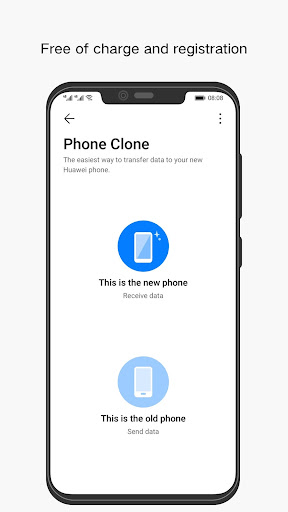
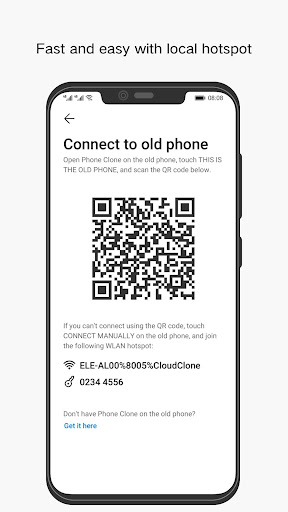
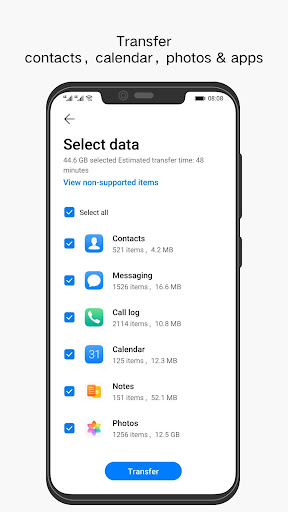
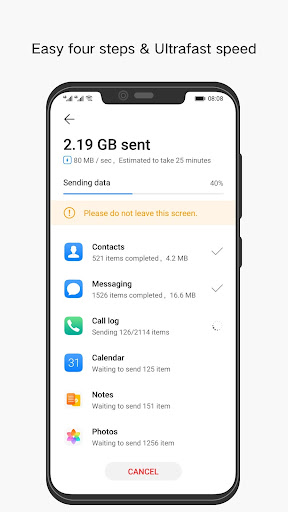
App Feature
Phone Clone is a free utility for quickly moving your data—contacts, messages, photos, apps, videos, and settings—from an old phone to a new one. It focuses on simple, wireless transfers over the same Wi‑Fi network and includes backup-and-restore so the switch to a new device is seamless and low‑effort.
Verdict
Verdict: A convenient, free phone‑to‑phone transfer tool that excels at basic migrations, but may frustrate if you need perfect cross‑brand compatibility or advanced controls.
Who is it for
Best for:
- Users upgrading phones who want a fast, cable‑free data transfer
- People who value one‑tap simplicity over advanced customization
- Anyone seeking a no‑cost solution with backup and restore
Not ideal for:
- Power users needing granular transfer selection, logs, or automation
- Those frequently switching across brands or older OS versions
- Users with extremely large media libraries who prioritize speed guarantees
Real-world User Experience
Users like it:
Easy setup and straightforward, wireless transfers that move core items (contacts, messages, photos, apps) with minimal steps. The backup/restore flow reduces downtime when setting up a new phone, and being free adds strong value.
Users complain about:
Reports often mention occasional connection drops on Wi‑Fi, slower performance with very large transfers, and compatibility hiccups across certain device models or OS versions. Some users want more control and clearer progress feedback.
Is it Worth Paying For?
It’s free with no noted in‑app purchases, so there’s nothing to pay for—excellent value if your devices are compatible and your needs are straightforward.
How it Compares to Alternatives
Compared to Samsung Smart Switch (great within Samsung’s ecosystem) and Move to iOS (optimized for Android‑to‑iPhone), Phone Clone is a strong, platform‑agnostic option for basic migrations. Google’s built‑in Data Restore Tool is simple for Android‑to‑Android via cable or cloud, but Phone Clone’s wireless cloning and broader data coverage can feel more complete. For edge cases and extensive cross‑brand moves, vendor‑specific tools may prove more reliable.
Summary
Phone Clone focuses on making phone upgrades painless by offering a free, wireless way to clone your old device to your new one, including contacts, messages, media, apps, and settings. It’s widely adopted and earns a solid rating, reflecting strong usability for common scenarios. Expect smooth transfers in most cases, but be aware of potential Wi‑Fi stability issues, slower speeds on very large libraries, and occasional compatibility snags across brands or older OS versions. If you need a no‑cost, straightforward migration tool, it’s an easy recommendation; if your setup is complex or you demand fine‑grained control, you may prefer brand‑specific alternatives or a cable‑based method.
Ratings
Trending APP












Alternative to this app










