Copyright 2026 © swekartor. All Rights Reserved.



Information about Location Settings
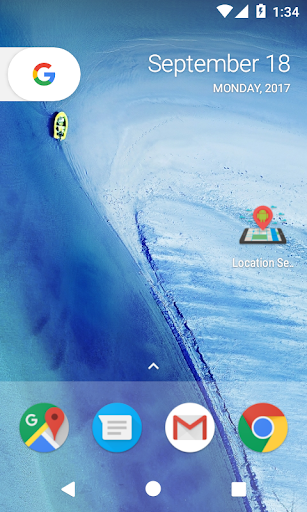
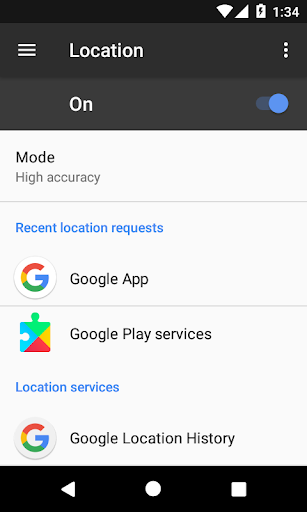
App Feature
Location Settings is a lightweight shortcut that opens Android’s built‑in Location Settings instantly, saving you from digging through Privacy menus. It focuses on quick access rather than in‑app controls, relying on the system screen for switching modes (High accuracy, Battery saving, Device only).
Verdict
Verdict: A handy, no‑frills shortcut for frequent location togglers, but too limited if you want automation or in‑app controls.
Who is it for
Best for:
- Users who often switch location modes and want one‑tap access
- Minimalists who prefer small, ad‑free utilities that do one job well
- Older/stock Android users where Location is buried under Privacy
Not ideal for:
- Power users seeking automation, geofencing, or profile scheduling
- Anyone expecting to toggle GPS directly from the app (OS‑restricted)
- Users whose devices already offer a convenient Quick Settings tile
Real-world User Experience
Users like it:
Fast access to the hidden Location screen, simple and reliable operation, tiny footprint, and no ads or upsells. The 4.5+ score suggests it delivers on the promise with minimal friction.
Users complain about:
Functionality is inherently limited to opening system settings; no true automation or profiles. Behavior can vary by Android version/OEM skin, and some may find it redundant if their Quick Settings already suffice.
Is it Worth Paying For?
It’s free with no ads or IAP, so there’s nothing to pay for—and the value is excellent if you just want a clean shortcut.
How it Compares to Alternatives
Compared to full automation tools (Tasker, MacroDroid), this app is far simpler and safer but lacks triggers, schedules, or geofencing. Versus other shortcut widgets, it’s ad‑free, lightweight, and focused. If your device’s Quick Settings tile already gives easy access, this adds little; if not, it’s a meaningful quality‑of‑life improvement.
Summary
Location Settings does exactly one thing: it jumps you straight to Android’s Location Settings so you can switch modes or toggle services without navigating deep menus. With a solid rating, no ads, and a tiny footprint, it’s an effective convenience tool for people who frequently adjust location settings—especially on devices where that screen is buried. It doesn’t (and can’t, due to Android restrictions) automate GPS toggling or manage location profiles by itself, so power users should look to automation apps. For everyone else, it’s a free, reliable shortcut that reduces taps and saves time.
Ratings
Trending APP












Alternative to this app