
Copyright 2026 © swekartor. All Rights Reserved.



Information about Junk File Destroyer
App Feature
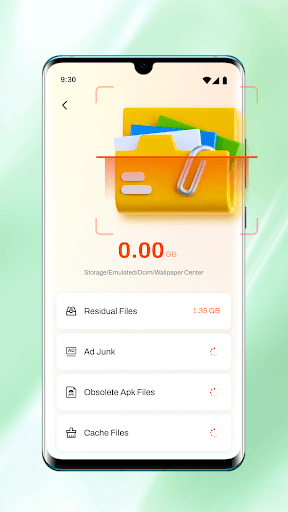
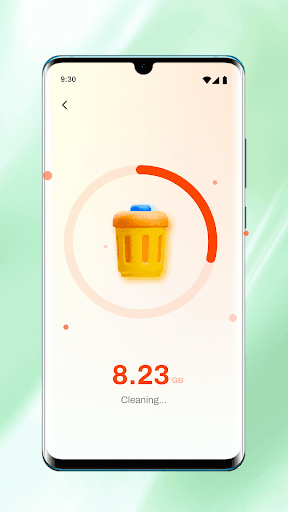
Junk File Destroyer is a free Android cleaner focused on reclaiming storage by scanning for unnecessary files, presenting results in clear categories, and letting you customize what to delete via a straightforward, beginner‑friendly interface.
Verdict
Verdict: A practical, no-frills storage cleaner that’s easy to use, but light on advanced optimization tools.
Who is it for
Best for:
- Users who want quick, simple storage cleanup without a learning curve
- Budget-conscious users seeking a free, lightweight cleaner
- Phones with limited storage that need periodic junk file removal
Not ideal for:
- Power users who want deep automation, scheduling, or root-level tools
- Anyone expecting broader device tuning (battery/CPU/thermal management)
- Users wary of potential false positives who prefer ultra-conservative cleaners
Real-world User Experience
Users like it:
The 4.0 rating and 50K+ downloads suggest many find it effective at identifying junk and freeing space, with an intuitive layout that makes cleanup straightforward.
Users complain about:
Some users may encounter aggressive detections or occasional false positives, ads or prompts common to free cleaners, and limited advanced features compared to pro-grade utilities.
Is it Worth Paying For?
It’s free and no in‑app purchases are indicated here. As a cost-free tool, it offers good value for basic cleanup; there’s nothing to buy unless future versions add paid features.
How it Compares to Alternatives
Compared to Files by Google, it offers similar basic cleaning but lacks Google’s broader file management and conservative safety defaults. CCleaner adds scheduling, performance dashboards, and cross-vendor trust but may include more upsells. SD Maid (for advanced users) provides deeper system scans and granular control, particularly on older devices, but has a steeper learning curve. Junk File Destroyer sits in the simple-and-free middle ground: easier than power tools, lighter than feature-heavy suites.
Summary
Junk File Destroyer focuses on the essentials: fast scanning, clear categorization, and user-controlled deletion to reclaim storage with minimal fuss. Its clean interface makes it accessible for casual users, and the customizable cleaning options help avoid deleting what you want to keep. While it won’t replace advanced toolkits with automation, scheduling, or deep system tuning, it’s a solid everyday cleaner for freeing space on devices that are running low. If you need a straightforward, free solution to remove obvious clutter, it’s a sensible pick; if you want broader optimization or highly granular control, consider more advanced alternatives.
Ratings
Trending APP












Alternative to this app










