Copyright 2026 © swekartor. All Rights Reserved.



Information about Microsoft Family Safety
App Feature
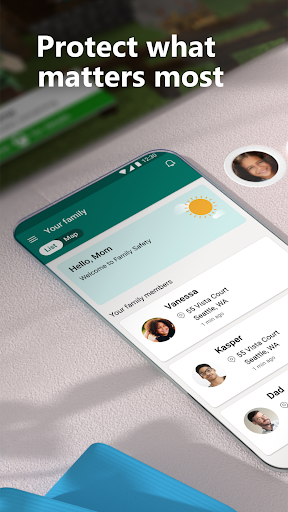
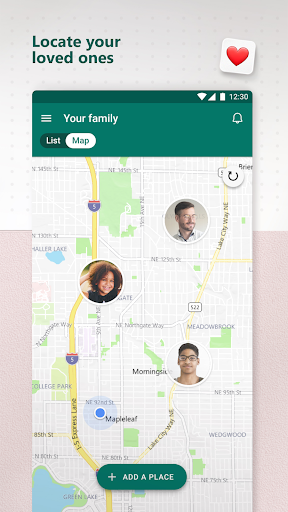
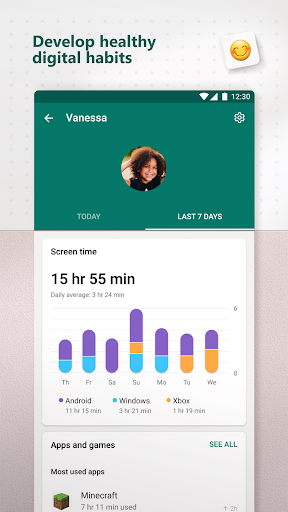
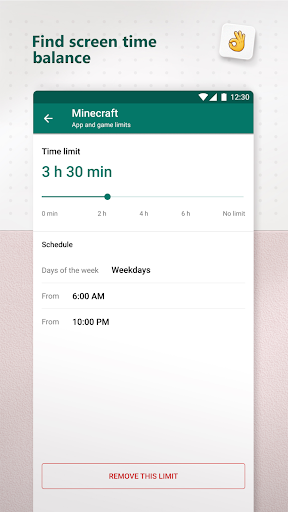
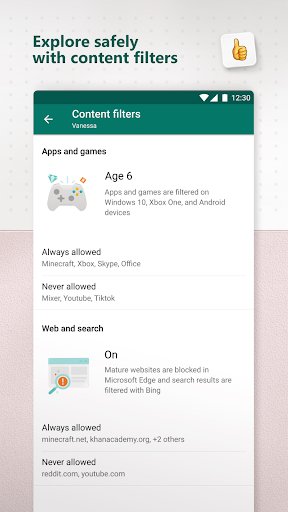
Microsoft Family Safety helps parents manage kids’ digital habits with cross-device screen time limits (Android, Windows, Xbox), detailed activity reports, content filtering via Microsoft Edge, app/game blocklists, and optional location tracking with geofencing alerts.
Verdict
Verdict: A capable, free parental control suite best for Microsoft-centric families, but setup and Edge-dependent web filtering may limit appeal for others.
Who is it for
Best for:
- Families using Windows/Xbox and Android who want unified screen-time controls
- Parents seeking free activity reports, app/game limits, and geofencing
- Households comfortable with Microsoft Edge for web filtering
Not ideal for:
- Parents wanting advanced social/media content monitoring without extra tools
- Families relying on non-Edge browsers for filtering
- Users who need a quick, zero-friction setup experience
Real-world User Experience
Users like it:
Robust app and device limits (including specific games like Roblox), real-time push notifications for time extension requests, and reliable ability to lock/turn off devices once configured.
Users complain about:
Initial setup can be confusing or time-consuming before everything works smoothly.
Is it Worth Paying For?
The app is free and offers substantial value without in‑app purchases. For most families, the no-cost feature set (screen time, activity reports, filters, location) is sufficient; paid alternatives may only be necessary for advanced monitoring needs.
How it Compares to Alternatives
Compared to Google Family Link, Microsoft Family Safety is stronger for Windows/Xbox integration but more dependent on Microsoft Edge for web filtering; Family Link feels more native on Android. Versus Qustodio, it’s free but lacks some premium, cross-browser filtering and granular controls Qustodio offers. Paired with Bark, it complements content/communication monitoring—Bark covers social and messaging analysis while Family Safety handles time limits and device controls.
Summary
Microsoft Family Safety is a well-rounded parental control app that centralizes screen-time limits, app/game management, weekly activity reports, content filtering through Microsoft Edge, and optional location/geofencing. It shines in Microsoft ecosystems, letting parents coordinate rules across Android phones, Windows PCs, and Xbox consoles, and provides convenient prompts when kids request more time. While the initial setup can take effort and the strongest web filtering depends on using Edge, its free price, reliable controls, and broad device coverage make it a compelling choice—especially when combined with a dedicated content-monitoring tool for deeper insights.

Ratings
Trending APP












Alternative to this app