Copyright 2026 © swekartor. All Rights Reserved.



Information about Microsoft OneDrive
App Feature
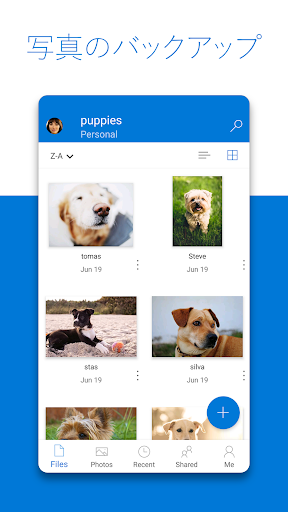
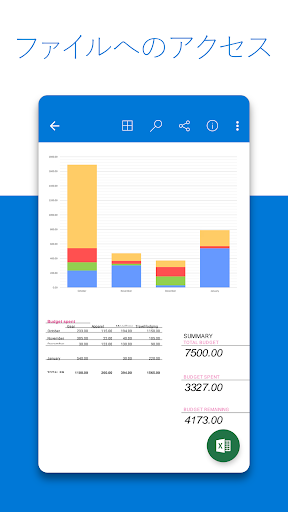
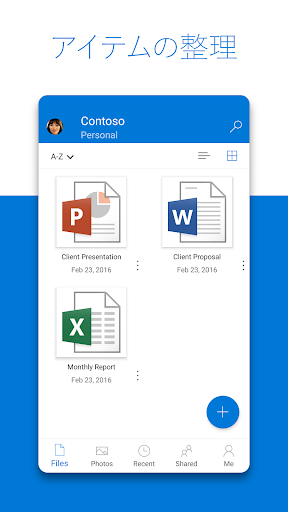
Microsoft OneDrive is a cloud storage and backup app that secures, syncs, and shares your photos, videos, and documents across devices. It offers automatic camera uploads, file/folder sharing with link controls, offline access, Personal Vault, version history, ransomware recovery, document scanning, and deep integration with Microsoft 365 (Word, Excel, PowerPoint, OneNote).
Verdict
Verdict: A polished, reliable cloud storage app—especially compelling if you use Microsoft 365 and want seamless cross‑device backup and collaboration.
Who is it for
Best for:
- Users in the Microsoft ecosystem who collaborate in Office apps
- Anyone wanting automatic photo/video backup with strong security
- Families needing large, affordable shared storage across devices
Not ideal for:
- Users who prefer entirely device‑based storage with no cloud reliance
- Those who need granular local-only photo retention rules by date
- People locked into competing ecosystems (e.g., iCloud‑only workflows)
Real-world User Experience
Users like it:
Fast, dependable syncing across phone, tablet, PC, and web; simple interface for organizing and sharing; automatic camera uploads that ‘just work’; strong value with Microsoft 365 (1TB per user, up to 6 users on Family); features like Personal Vault, version history, and easy recovery; convenient document scanning and powerful search.
Users complain about:
Occasional sync hiccups or stalled uploads; some controls feel hidden on mobile and can confuse new users; shared folders sometimes disappear on mobile until reinstall; limited options for selectively removing only older local photos; niche issues like Xbox capture round‑trips.
Is it Worth Paying For?
Yes. The free tier (5 GB) suits casual use, but Microsoft 365 Personal/Family adds 1 TB per person plus premium sharing and security, making it one of the best values in cloud storage—especially if you already use Office apps. If you don’t need Office or large storage, the free tier may suffice.
How it Compares to Alternatives
Versus Google Drive, OneDrive’s advantage is deep Office integration, Personal Vault, and strong Windows tie‑ins; Drive pairs better with Google Docs and Android‑native workflows. Compared to Dropbox, OneDrive offers better value per dollar with 365 bundles but Dropbox still has a reputation for rock‑solid sync polish in edge cases. Against iCloud, OneDrive is more cross‑platform and collaboration‑friendly beyond Apple devices. Box remains enterprise‑oriented; OneDrive is more consumer‑friendly while still secure.
Summary
Microsoft OneDrive delivers a mature, secure cloud storage experience with excellent cross‑device syncing, automatic photo backup, robust sharing controls, and standout integration with Word, Excel, PowerPoint, and OneNote. Personal Vault, version history, and ransomware recovery add peace of mind, while document scanning and smart search round out a practical daily toolkit. Minor frustrations—like occasional sync stalls, hidden mobile controls, or limited local‑retention options—don’t overshadow its reliability and value. For anyone using Microsoft 365 or seeking affordable, family‑ready cloud storage that works across platforms, OneDrive is an easy recommendation.
Ratings
Trending APP












Alternative to this app