
Copyright 2026 © swekartor. All Rights Reserved.



Information about Phone Optimizer


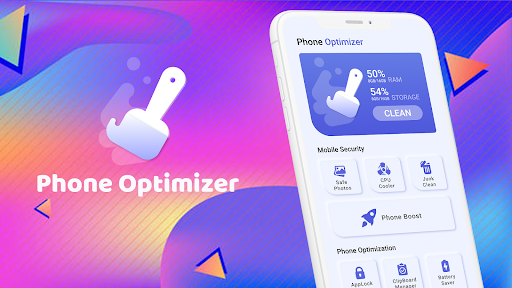

App Feature
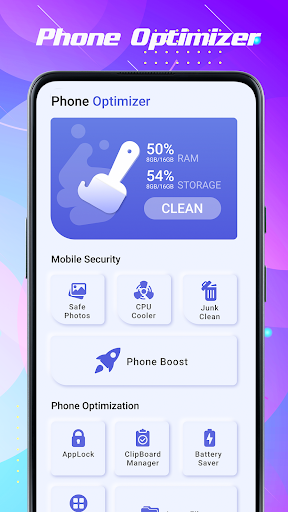
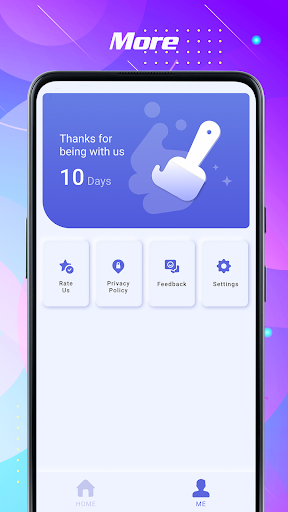
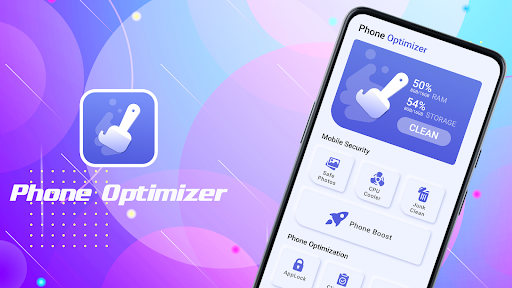
Phone Optimizer is a free Android utility focused on cleaning junk files, removing cache and spam, blocking malware, managing background apps to save battery, and reducing CPU temperature for smoother performance.
Verdict
Verdict: A capable all‑in‑one cleaner for quick tune‑ups, but keep its background activity in check to avoid unintended slowdowns.
Who is it for
Best for:
- Users who want one-tap junk cleaning and storage recovery
- People seeking basic malware blocking with performance boosts
- Owners of older phones needing occasional battery and CPU optimization
Not ideal for:
- Users who prefer set‑and‑forget tools that never run in the background
- Advanced users wanting granular controls, diagnostics, or deep analytics
- Phones already struggling due to hardware limits or critical low storage
Real-world User Experience
Users like it:
Overall strong satisfaction (4.4 rating) with faster performance after clearing junk, reclaimed storage space, and helpful battery/CPU controls for quick refreshes.
Users complain about:
When left running persistently, background processes can feel intrusive and may worsen performance on struggling devices; best used on-demand and closed afterward.
Is it Worth Paying For?
The app is free (no paid plan mentioned). For typical cleanup and basic protection, the free offering is sufficient and good value.
How it Compares to Alternatives
Compared to mainstream cleaners (e.g., Files by Google for safe storage cleanup or CCleaner/Avast-style utilities), Phone Optimizer emphasizes an all-in-one bundle—junk clean, malware block, battery saver, and CPU cooling—in a single tap. Files by Google is generally safer and lighter for storage-only tasks, while premium cleaners may offer deeper scheduling and analytics. Phone Optimizer sits in the middle: broader than simple storage cleaners, lighter and simpler than heavy, feature-rich suites.
Summary
Phone Optimizer packages junk cleaning, malware blocking, battery saving, and CPU temperature controls into a straightforward, free tool. It’s well-rated and effective for quick tune-ups that reclaim space and smooth out lag, especially on older devices. However, its background activity can be counterproductive if you let it run constantly; use it on-demand and close it afterward to avoid resource drain. If you need a simple, no-cost way to tidy storage and nudge better performance, it’s a solid pick, while power users or those wanting background automation and deep insights may prefer more advanced alternatives.
Ratings
Trending APP












Alternative to this app










