
Copyright 2026 © swekartor. All Rights Reserved.



Information about Pure Cleaner Pro
App Feature
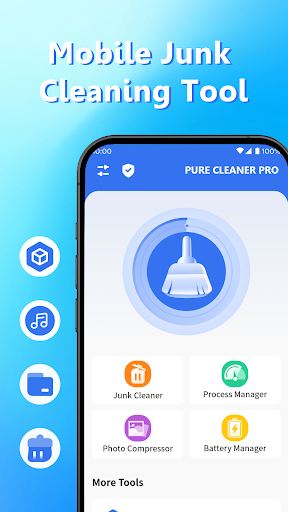
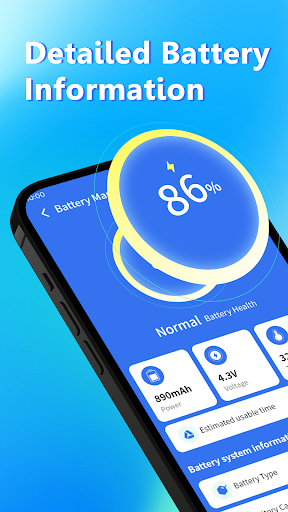
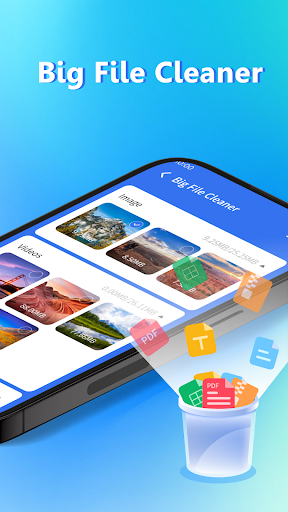
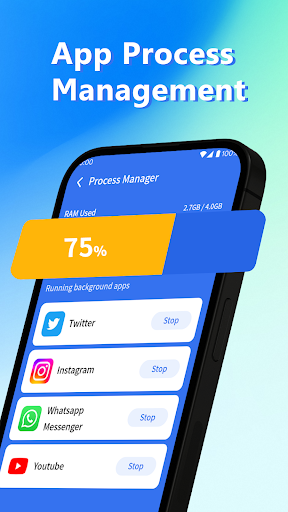
Pure Cleaner Pro is a free Android utility focused on basic device maintenance: cleaning junk/cache files, scanning for large files, showing battery status, managing/closing background apps to free RAM, and offering an app manager for uninstall and control.
Verdict
Verdict: A straightforward, ad-supported cleaner best for simple storage and RAM tidying, not for deep system tuning or antivirus needs.
Who is it for
Best for:
- Users who want quick junk cleanup and space recovery
- People with older or slower phones needing occasional RAM boosts
- Anyone seeking a simple interface for basic device housekeeping
Not ideal for:
- Power users wanting advanced automation, schedules, or granular system tools
- Users expecting full antivirus/anti-malware protection
- Those who prefer completely ad-free utilities
Real-world User Experience
Users like it:
Reports of smoother performance after cleaning; effective junk removal with minimal ad interruptions according to highlighted feedback.
Users complain about:
No notable negatives in the provided reviews; the app contains ads and it’s not a dedicated antivirus despite one user attributing virus removal to it.
Is it Worth Paying For?
The app is free with ads and offers no in-app purchases; there’s nothing to buy, and the free value is solid if you’re fine with ads.
How it Compares to Alternatives
Compared to Files by Google, Pure Cleaner Pro adds memory boosting and running-app management but lacks Google’s smart suggestions and trusted brand polish. Versus CCleaner or SD Maid, it’s simpler with fewer expert options (e.g., scheduled cleaning, detailed storage analytics, advanced automation), but easier for quick, no-frills cleanups. It sits in the lightweight, beginner-friendly segment rather than the power-user tier.
Summary
Pure Cleaner Pro delivers the essentials—junk cleaning, large-file scanning, battery info, and app/process management—in a clean, beginner-friendly package. Its high rating and positive comments suggest noticeable performance improvements after cleanup with ads that aren’t overly intrusive for many users. However, it’s not a substitute for a full antivirus suite and lacks the deeper controls and automation that advanced cleaners provide. If you want a free, simple way to reclaim storage and nudge an aging phone toward smoother performance, it’s a practical pick; if you need comprehensive system tools or ad-free operation, look to premium alternatives.
Ratings
Trending APP












Alternative to this app










