
Copyright 2026 © swekartor. All Rights Reserved.



Information about Powerful Cleaner
App Feature
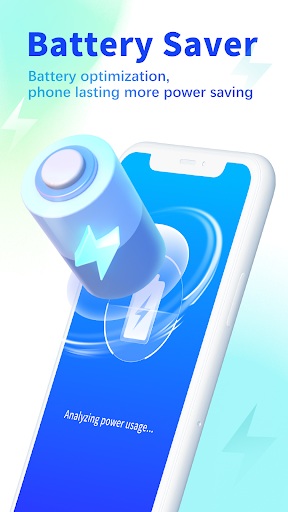
Powerful Cleaner is a free Android utility focused on one-tap junk removal, phone boosting, battery saving via background app management, and basic privacy protection with password-locked access to selected apps.
Verdict
Verdict: A capable all-in-one Android cleaner with strong basics, but background interference and missing photo cleanup limit its appeal.
Who is it for
Best for:
- Users who want one-tap junk cleaning and speed boosts
- People seeking simple battery-saving and app-lock privacy features
- Older or storage-constrained devices needing quick space recovery
Not ideal for:
- Users who need photo-cleaning or gallery management
- Those sensitive to background services potentially affecting performance
- Advanced users who prefer granular, manual system control
Real-world User Experience
Users like it:
Quick one-click cleanup and acceleration, noticeable storage recovery, battery-saving through closing background apps, and password protection for privacy-sensitive apps.
Users complain about:
Runs persistently in the background and can feel intrusive; may worsen performance on already struggling phones; lacks photo-cleaning functionality.
Is it Worth Paying For?
The app is free with no noted in-app purchases, so there’s nothing to pay for—making it low-risk to try if you need basic cleaning, boosting, and app-lock features.
How it Compares to Alternatives
Compared to similar Android optimizers, Powerful Cleaner covers standard essentials (junk clean, boost, battery saver) and adds simple privacy locking. It falls behind alternatives like Bravo Cleaner: Speed Booster and Bravo Booster: One-tap Cleaner if you need photo-cleaning. Users concerned about background activity should manually close it after use, as recommended in the tips.
Summary
Powerful Cleaner delivers the core utility toolkit—junk file removal, system boosting, battery optimization, and a lightweight app-lock—wrapped in an easy one-tap experience. Its 4.5 rating and 10M+ downloads suggest broad satisfaction with the basics. However, it lacks photo-cleaning and can be too persistent in the background, potentially hindering performance on already sluggish devices. It’s best used on-demand: run a quick clean or boost, then shut it down to avoid interference. If you need gallery cleanup or fine-grained control, consider alternatives like Bravo Cleaner or Bravo Booster; otherwise, this free app is a straightforward way to reclaim space, nudge performance, and add simple privacy protection.



Ratings
Trending APP












Alternative to this app










