
Copyright 2026 © swekartor. All Rights Reserved.


Information about TP-Link Tether
App Feature
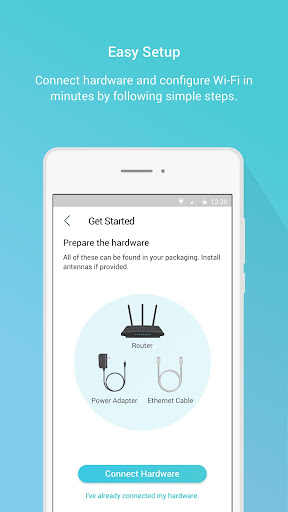
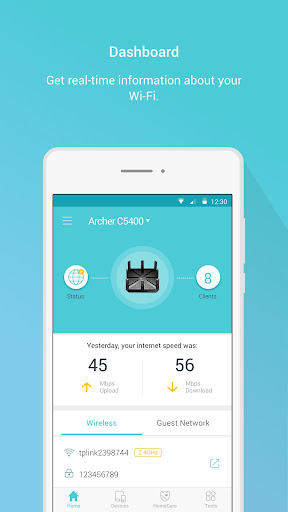
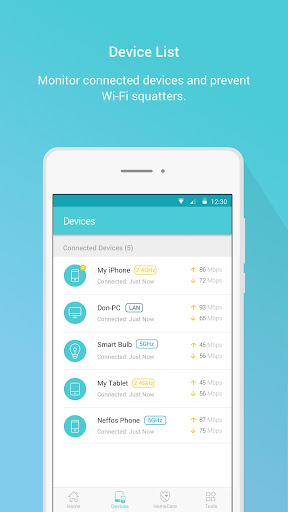
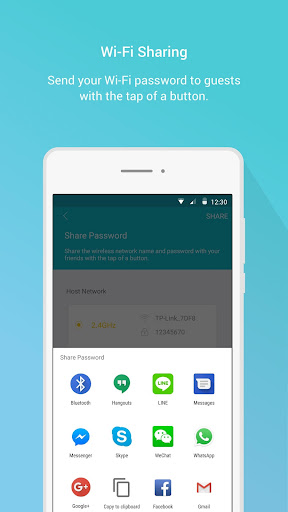
TP-Link Tether is a mobile companion for TP-Link routers and range extenders that simplifies setup, device management, parental controls, guest networks, and basic diagnostics, with remote access via a TP-Link ID and tools to view, rename, and block connected clients.
Verdict
Verdict: An easy, reliable TP-Link network manager for most households, though power users may still need the web UI for advanced features.
Who is it for
Best for:
- TP-Link router/extender owners who want fast, simple setup and control
- Home users who need parental controls, guest networks, and basic monitoring
- People who want to block intruders and reboot/check devices remotely
Not ideal for:
- Advanced users needing full router configuration (e.g., detailed VPN/QoS/logging)
- Those on non-TP-Link hardware or managing mixed-vendor networks
- Users expecting management over guest Wi‑Fi (app doesn’t work when connected to guest network)
Real-world User Experience
Users like it:
Consistently praised for a smooth, intuitive UI and extremely easy setup across routers and extenders; quick device discovery and cloud access for remote checks; effective blocking of unknown devices; solid parental controls and guest network management; reliable performance with range extenders when installed per instructions; helpful network diagnostics and ability to reboot devices remotely; stable, ad-free experience.
Users complain about:
Not all router features are exposed in-app (e.g., some VPN settings); occasional device quirks require reboots or firmware updates; notifications lack detail (no device/MAC context, no persistent notification log); some options temporarily went missing after updates; offline devices aren’t retained for a short period, making post-disconnect blocking harder.
Is it Worth Paying For?
Core functionality is free and sufficient for most users. The app lists IAPs (likely for enhanced security suites such as HomeShield), which can add value if you want advanced security/monitoring, but casual users won’t need to pay.
How it Compares to Alternatives
Compared to Netgear Nighthawk, ASUS Router, and Linksys apps, Tether is among the simplest for onboarding and everyday tasks, with reliable remote access and clean device lists. Power features and logging depth trail ASUS/UniFi, and Google Home is more polished for Nest WiFi but less granular. Within the TP-Link ecosystem, Tether is the default and best-supported choice, though some advanced settings still require the router’s web interface.
Summary
TP-Link Tether is a polished, ad-free companion for TP-Link routers and extenders that excels at quick setup, everyday management, and remote monitoring. It makes common tasks—naming devices, blocking unknown clients, enabling guest networks, setting parental controls, and running basic diagnostics—fast and approachable, which is reflected in its strong user sentiment. Limitations exist: certain advanced features (notably some VPN/QoS/logs) still live on the web UI, notifications could be more informative, and occasional firmware/device hiccups may require a reboot. For most households invested in TP-Link gear, the free features cover everything needed day to day, with optional paid security add-ons for those who want more. Overall, it’s a dependable, user-friendly hub for managing a TP-Link home network.
Ratings
Trending APP












Alternative to this app










