
Copyright 2026 © swekartor. All Rights Reserved.


Information about PDF Reader - Document Viewer
App Feature
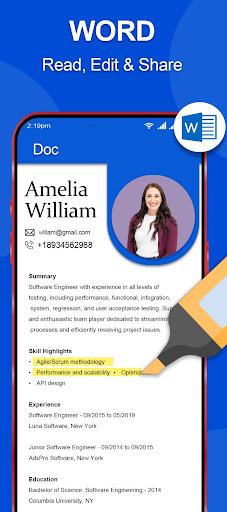
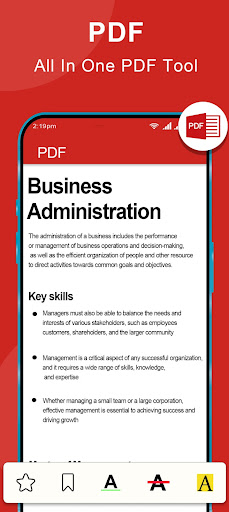
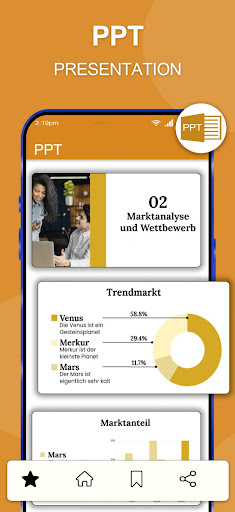
PDF Reader - Document Viewer is a free tool for viewing and managing PDFs with an intuitive interface, built-in annotation (highlight, underline, notes), and seamless cloud storage integration for opening and saving files.
Verdict
Verdict: A clean, capable PDF reader with handy annotations and cloud access, best for straightforward reading and light markup.
Who is it for
Best for:
- Students and professionals needing quick annotations and highlights
- Users who want simple, fast PDF viewing with cloud access
- Anyone prioritizing an easy, clutter-free interface
Not ideal for:
- Power users needing advanced editing, OCR, or form creation
- Teams requiring collaboration workflows and version control
- Heavy e-signature or PDF conversion (Word/Excel) use cases
Real-world User Experience
Users like it:
The high rating suggests users appreciate the clean, user-friendly interface, reliable PDF viewing, and convenient annotation tools, along with the ease of accessing files from cloud services.
Users complain about:
Some users may find limitations around advanced PDF editing features, collaboration tools, or specialized functions like OCR and complex form handling compared to pro-grade apps.
Is it Worth Paying For?
The app is free and there is no indication of paid plans or in-app purchases. For standard reading and light annotation, it offers strong value at no cost.
How it Compares to Alternatives
Compared to Adobe Acrobat Reader and Foxit PDF Reader, this app focuses on simplicity over depth—great for viewing and basic markup, but it lacks the advanced editing, OCR, and e-signature ecosystems those apps provide. Versus Xodo, it matches core annotations and cloud access but may trail in collaboration and form features.
Summary
PDF Reader - Document Viewer delivers a streamlined, easy-to-navigate PDF experience with essential tools: fast viewing, clear UI, practical annotations, and cloud integration. Its 4.8 rating and 100K+ downloads indicate it satisfies most everyday needs, especially for students and professionals who mark up documents and access files across devices. While it does not aim to replace full-fledged PDF editors with OCR, robust form support, or team collaboration, it shines as a lightweight, dependable reader for daily use without the learning curve or cost of heavier alternatives.
Ratings
Trending APP












Alternative to this app










