Copyright 2026 © swekartor. All Rights Reserved.


Information about GFX Tool & Game Optimizer
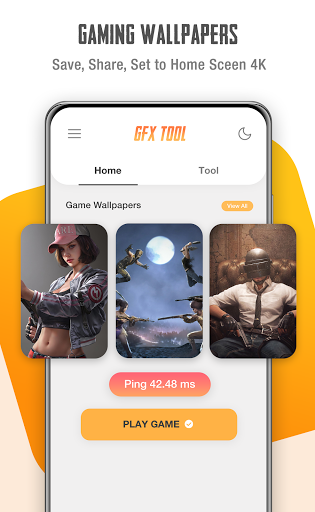
App Feature
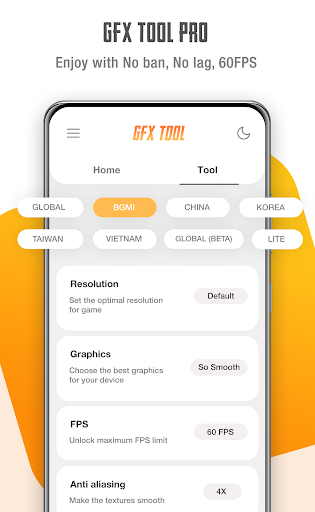
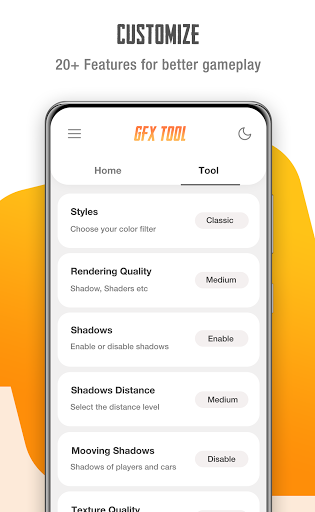
A free game graphics optimizer and launcher that lets you tweak resolution, FPS, anti-aliasing, shadows, textures, and shaders to balance visuals and performance; includes presets like HDR unlock, a ping monitor, battery-saver mode, and the ability to save layout/sensitivity, plus a gallery of gaming wallpapers.
Verdict
Verdict: A powerful, easy-to-use GFX optimizer for smoother gameplay, but occasional compatibility quirks and setting resets may frustrate some users.
Who is it for
Best for:
- Gamers seeking higher FPS or smoother play on mid/low-end devices
- Users who want granular control over graphics (resolution, AA, textures, shadows)
Not ideal for:
- Players who want official, risk-free game settings only (unofficial tool)
- Those who dislike ads or occasional reconfiguration when game versions change
Real-world User Experience
Users like it:
Noticeable FPS boosts (often 60–90fps), smoother gameplay, and clearer graphics even on 1–3GB RAM devices; HDR/frame-rate unlocking works for many; simple setup and effective presets; multilingual support and useful ping monitor.
Users complain about:
Possible crashes or incompatibility on specific game versions; some report game settings (peek/scope/controls) being reset after using the tool; default resolution can look like 'potato graphics' if not adjusted; concerns about third‑party file changes and theoretical ban risk despite most not experiencing issues.
Is it Worth Paying For?
The core app is free with ads and optional IAP. Given the strong performance gains many users report, the free version offers solid value; paying is only worthwhile if the IAP removes ads or unlocks specific advanced conveniences you’ll use frequently.
How it Compares to Alternatives
Similar to other GFX tools and game boosters, it offers deep control over resolution/FPS and visual effects, with a clean flow for picking game versions. Its strengths are effective FPS unlocking, low-end device gains, and extra utilities like ping monitoring and saved layouts. However, like peers, it’s unofficial, may break with updates, and can occasionally reset in-game settings—trade-offs typical in this category.
Summary
GFX Tool & Game Optimizer focuses on unlocking higher FPS and fine-tuning visuals so you can trade fidelity for smoothness—or vice versa—based on your device’s limits. Users widely report smoother play, faster loading, and higher frame rates, even on older or low-RAM phones. While the app is straightforward and feature-rich (HDR unlocks, AA/shadow controls, textures/shaders, battery saver, ping monitor), it can run into version-specific crashes and sometimes alters or resets in-game preferences, and as an unofficial tool it carries a theoretical risk of conflict with game policies. For most Android gamers seeking better performance without manual system tweaks, it’s a high-value, ad-supported option worth trying; just be prepared to tweak settings per update and keep expectations realistic.
Ratings
Trending APP












Alternative to this app