
Copyright 2026 © swekartor. All Rights Reserved.



Information about What's my ip?
App Feature
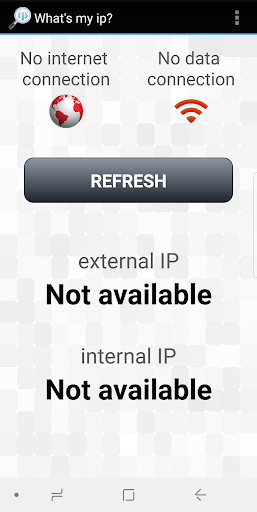
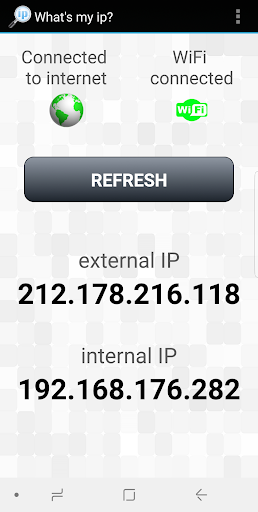
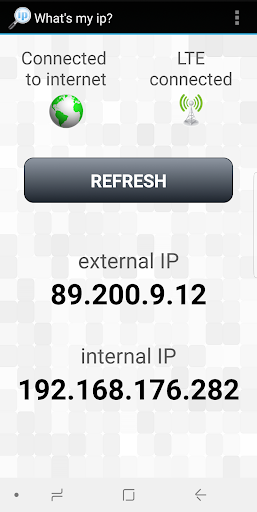
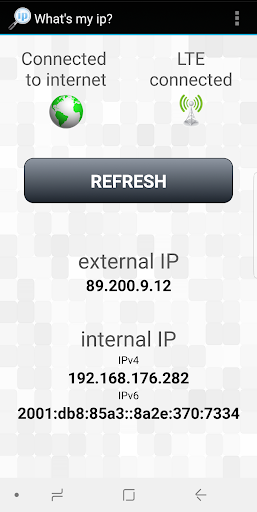
A lightweight utility that instantly shows your current external IP (IPv4/IPv6) alongside rich network and location details (city, region, country, coordinates), plus local network info (hostname, local IP, gateway, DNS) and a Wi‑Fi signal strength graph in a clean, beginner‑friendly interface.
Verdict
Verdict: A precise, no‑frills IP and network info tool that excels at clarity but isn’t a full network suite.
Who is it for
Best for:
- Users who just need their current IP and basic location
- Students or tinkerers learning network basics
- Anyone troubleshooting Wi‑Fi strength at a glance
Not ideal for:
- Power users needing port scanning, traceroute, or security audits
- People seeking automation, alerts, or advanced diagnostics
- Users who want ISP speed testing and QoS analytics
Real-world User Experience
Users like it:
Quick, accurate IP detection with both IPv4/IPv6, clear location/context, and an intuitive interface that surfaces essentials in seconds.
Users complain about:
Limited beyond information display; lacks advanced utilities found in broader network toolkits (e.g., scans, traceroute, speed tests).
Is it Worth Paying For?
Free with no noted in‑app purchases; for its focused purpose, the free offering is complete and good value.
How it Compares to Alternatives
Compared to broader tools like Fing, Network Analyzer, or WiFiman, this app is narrower but faster to the one thing most users need—external IP and basic context. Those suites offer scans, device discovery, traceroute, and speed tests, but at the cost of complexity. As an IP checker, this app is simpler and more immediate.
Summary
What’s my ip? delivers exactly what its name promises: fast, accurate IP identification with helpful extras like IPv6 support, geo details, and local network info, wrapped in an easy interface. The Wi‑Fi signal graph adds practical value for quick connectivity checks. It earns its strong rating by being reliable and straightforward, though it doesn’t try to be a full diagnostic toolkit. If you want an immediate view of your online address and a bit of context without wading through complex menus, it’s an excellent, free pick.
Ratings
Trending APP












Alternative to this app










