
Copyright 2026 © swekartor. All Rights Reserved.



Information about Settings App
App Feature
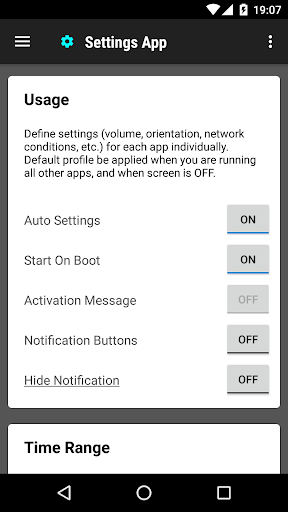
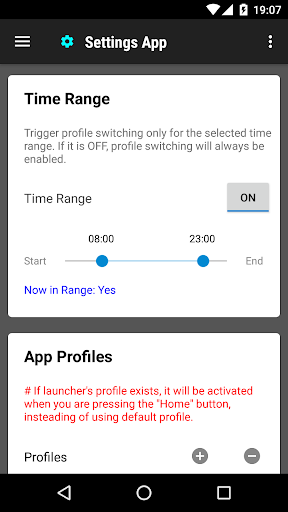
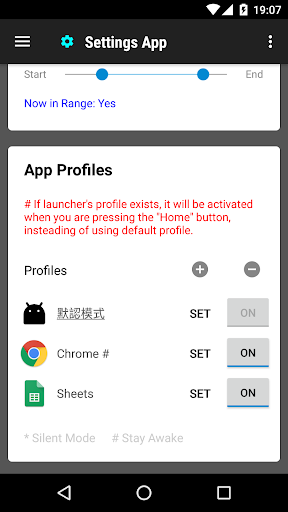
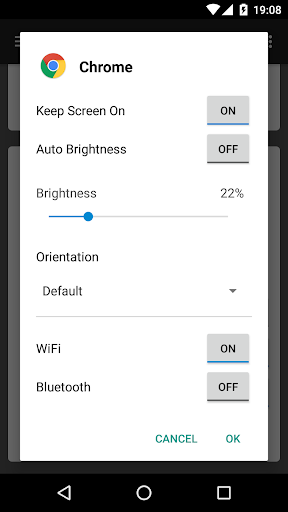
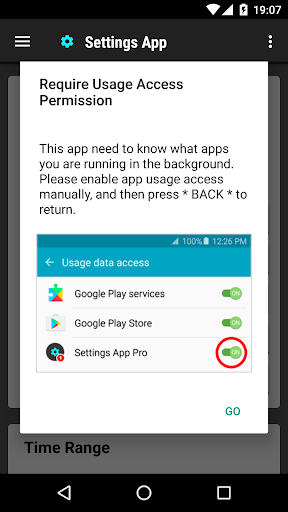
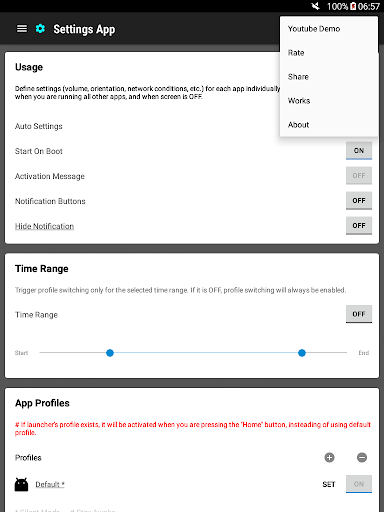
Settings App creates per‑app profiles that automatically apply when you launch an app, adjusting volume, orientation, Wi‑Fi/Bluetooth, screen brightness, and keep‑awake. It acts as a template so you set behaviors once per app and fall back to a default profile for everything else.
Verdict
Verdict: A handy per‑app profile manager that’s simple and effective, but not a replacement for full automation tools.
Who is it for
Best for:
- Users who want quick, per‑app settings (brightness, orientation, volume).
- People optimizing battery and reducing manual toggles for Wi‑Fi/Bluetooth.
- Non‑technical users who prefer a straightforward setup over complex automation.
Not ideal for:
- Power users needing complex, multi‑trigger automation (e.g., Tasker/MacroDroid).
- Those sensitive to occasional reliability issues or background app limits.
- Users who want ad‑free experiences out of the box.
Real-world User Experience
Users like it:
Simplicity and time savings; easy per‑app customization for orientation, brightness, volume, and keeping the screen awake; helps avoid conflicting settings between apps; generally intuitive for less technical users.
Users complain about:
Reports of the app occasionally disappearing/lagging or not staying active; potential conflicts if used alongside other profile/automation tools; some confusion around setting a proper default profile; presence of ads.
Is it Worth Paying For?
The app is free and contains ads; there are no in‑app purchases. Given the utility of automatic per‑app profiles, the free value is strong if you’re comfortable with ads.
How it Compares to Alternatives
Compared to Tasker, MacroDroid, or Automate, Settings App is far simpler and faster to set up but offers fewer triggers and conditions (primarily on app launch). It’s more powerful than basic settings shortcuts and more focused on per‑app behavior than generic permission managers. Power users may outgrow it, but for everyday per‑app tweaks it’s lighter and less intimidating than full automation suites.
Summary
Settings App focuses on one thing and does it well: applying per‑app profiles so brightness, orientation, volume, Wi‑Fi/Bluetooth, and screen‑awake behavior are set automatically when you open an app, then revert via a default profile. Users praise its simplicity and the time it saves, especially for reading, video, and battery‑saving scenarios. Downsides include occasional reliability hiccups, possible conflicts with other automation/profile apps, and ads. If you need straightforward per‑app tuning without the complexity of full automation tools, it’s an easy recommendation; advanced users who want rich triggers, scripting, or routines should look at Tasker‑class alternatives.
Ratings
Trending APP












Alternative to this app










