Copyright 2026 © swekartor. All Rights Reserved.


Information about Universal TV Remote Control
App Feature
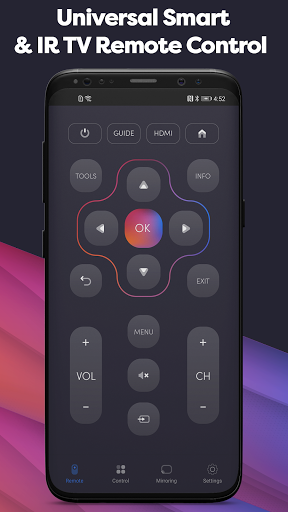
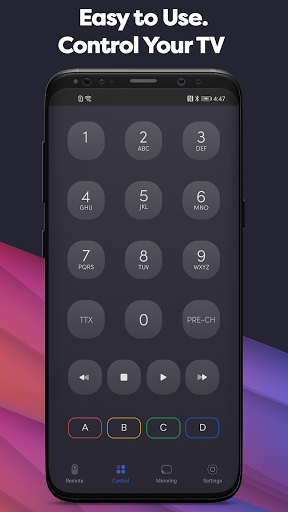
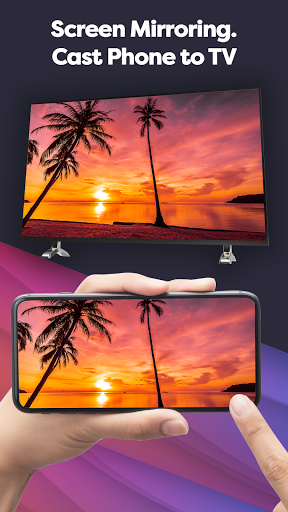
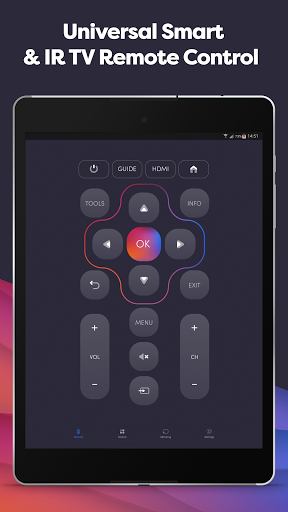
Universal TV Remote Control turns an Android phone into a remote for both Smart TVs over Wi‑Fi and non‑smart TVs via the phone’s IR blaster. It supports major brands (Samsung, LG, Sony, TCL, Hisense, Roku, Vizio, etc.), offers standard controls (power, volume, channels, inputs), and includes extras like screen mirroring and screencasting in a clean, familiar remote-style UI.
Verdict
Verdict: A capable universal remote that reliably covers most TVs, but heavy ads and limited set‑top box control may frustrate some users.
Who is it for
Best for:
- People who lost/broke their TV remote and need a fast, free replacement
- Users with Smart TVs on the same Wi‑Fi or phones with IR blasters
- Anyone wanting simple extras like screencast/mirroring in one app
Not ideal for:
- Viewers who need full control of cable/IPTV/set‑top box services
- Ad‑averse users who won’t tolerate frequent interstitials
- Those expecting guaranteed power-on for all TV models via Wi‑Fi
Real-world User Experience
Users like it:
Quick setup and pairing; works consistently across many brands; faster and less glitchy than some competitors; complete core controls; lifesaver when the physical remote is lost or broken; capable of solving specific issues (e.g., accessing settings/child lock); simple UI.
Users complain about:
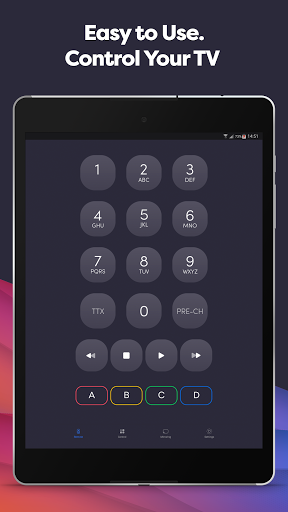
Frequent/annoying ads in the free version; occasional need to reconnect after idle; does not fully control external boxes/services (numeric channel entry or STB functions may not work); some users can’t power on certain TVs; sporadic device-specific hiccups.
Is it Worth Paying For?
The free version works well but is ad-heavy. There’s a paid option (reported around $10) that removes ads and bundles extras; worthwhile if you use it daily and want an uninterrupted experience, but overkill if you only need basic remote functions occasionally.
How it Compares to Alternatives
Compared to OEM apps (Samsung SmartThings, LG ThinQ, Roku, Fire TV), Universal TV Remote Control is more brand-agnostic and useful for mixed-device households, especially with IR support. It’s generally quicker and more stable than some third-party remotes users tried, but it can’t match OEM apps for deep integration with a single ecosystem or Google TV app for supported devices. IR-focused tools (e.g., Mi Remote on compatible phones) may match IR performance but lack this app’s broader Wi‑Fi features and casting.
Summary
Universal TV Remote Control delivers on the essentials: rapid pairing, broad brand coverage, and dependable day‑to‑day TV control over Wi‑Fi or IR. Users repeatedly highlight its reliability versus other remote apps, and its extras—like screen mirroring and casting—add convenience. The trade‑offs are clear: frequent ads in the free tier, limited control of external set‑top boxes, and occasional reconnect quirks, with power-on not guaranteed for every model. If you need a versatile, cross-brand solution—especially as a quick replacement when the physical remote goes missing—this is a strong pick. Heavy users who dislike ads should consider the paid upgrade; casual users will likely be satisfied with the free version.
Ratings
Trending APP












Alternative to this app