
Copyright 2026 © swekartor. All Rights Reserved.






App Feature
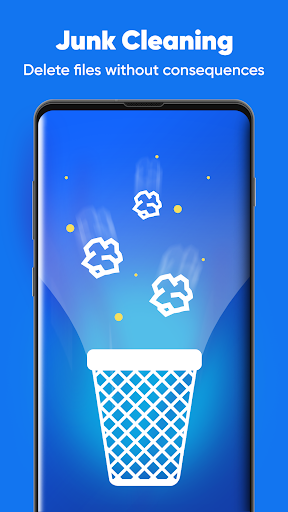
A lightweight utility that optimizes RAM, cleans junk files (cache, residuals, stray APKs), and reduces background drain to help phones feel faster and extend battery life.
Verdict
Verdict: A capable, lightweight booster for basic cleanup and speed-ups, but power users may want deeper controls and transparency.
Who is it for
Best for:
- Users with older or budget Android phones needing quick speed boosts
- People who want one-tap cache/junk cleaning to reclaim storage
- Anyone noticing battery drain from background apps
Not ideal for:
- Users seeking advanced diagnostics, automation rules, or granular controls
- Those who prefer stock Android tools with minimal ads and permissions
- Users expecting permanent performance gains on already fast devices
Real-world User Experience
Users like it:
The strong 4.4 rating and 10M+ installs imply many users see quicker app launches, smoother multitasking after RAM cleanup, and noticeable storage reclaimed from junk file removal.
Users complain about:
As with many cleaners, some users may experience ads, limited long-term impact on newer phones, or aggressive background clearing that briefly closes apps; permissions and notifications can also be points of friction.
Is it Worth Paying For?
The app is free. No specific in‑app purchase details are provided; value is good if you accept potential ads. If a paid upgrade exists, it would mainly be worth it to remove ads rather than unlock essential functionality.
How it Compares to Alternatives
Compared with full-featured suites like CCleaner or SD Maid, this feels lighter and simpler, focusing on RAM boost, junk cleaning, and battery optimization. Versus Google’s Files for storage cleanup, it adds real-time RAM and background app control but may be less transparent. Compared to aggressive “all‑in‑one” boosters, it appears streamlined, trading depth (scheduling, automation, detailed analytics) for ease and speed.
Summary
App Booster Lite – RAM Cleaner targets quick wins: clearing background processes to free RAM, deleting junk to reclaim storage, and curbing battery-draining apps. Its lightweight approach and strong rating suggest it reliably delivers short-term speed-ups and space savings, especially on older or congested devices. Like most cleaners, benefits can be temporary, and advanced users may miss deeper insights or automation. If you want a straightforward, free tool for occasional boosts and tidying up, it’s a practical choice; if you prefer system-first tools, ad-free experiences, or detailed controls, consider alternatives better aligned to those priorities.
Ratings
Trending APP












Alternative to this app










