
Copyright 2026 © swekartor. All Rights Reserved.



App Feature
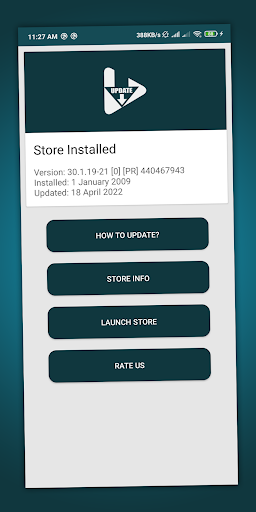
A utility that helps Android users check, download, and switch between the latest and original versions of Google Play Store, keeping the Play Store app current or rolling it back when needed.
Verdict
Verdict: A handy niche updater for Play Store maintenance, best for users who want quick version control without manual APK hunting.
Who is it for
Best for:
- Android users who want the latest Play Store features quickly
- Users needing to revert to a stable/original Play Store version
- People uncomfortable manually finding and installing APKs
Not ideal for:
- Users expecting a full device updater or system optimizer
- Those who only rely on automatic Play Store updates
- Security‑conscious users who prefer first‑party Google workflows only
Real-world User Experience
Users like it:
Straightforward process to update or revert the Play Store; time‑saving compared to manual APK searches; generally reliable per high rating (4.6) and 100K+ installs.
Users complain about:
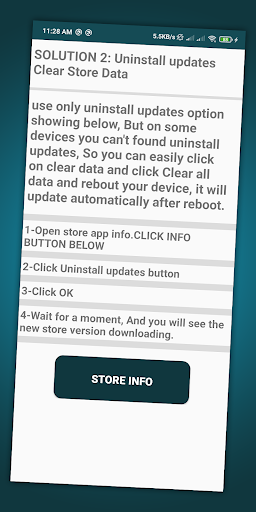
Instructions can be confusing (e.g., uninstall/update steps); niche use if the Play Store already auto‑updates; concerns about using a third‑party tool for a core Google component.
Is it Worth Paying For?
The app is free with no stated in‑app purchases, so there’s no cost barrier—good value if you need Play Store version control.
How it Compares to Alternatives
Compared to manual updates via APK sites (e.g., downloading Play Store APKs), this app centralizes and simplifies version changes. Versus relying on Google’s auto‑update, it offers more control and faster access to new or prior versions. It is more specialized than general updater/optimizer apps, focusing solely on the Play Store.
Summary
Play Store Update focuses on a single job: helping you keep the Google Play Store current or roll it back to a known‑good release. With a clean, purpose‑built approach, it saves time versus manual APK hunting and offers control beyond Google’s automatic updates. While its instructions may feel technical and the use case is niche if your Play Store updates normally, the strong rating and focused feature set make it a practical, no‑cost tool for users who need reliable Play Store version management.
Ratings
Trending APP












Alternative to this app










