
Copyright 2026 © swekartor. All Rights Reserved.





App Feature
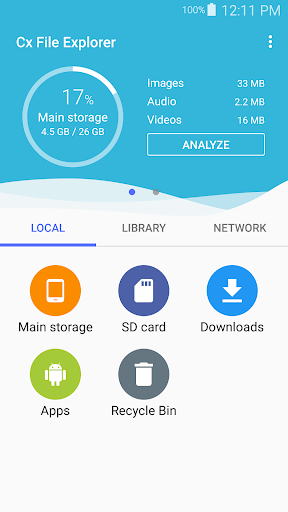
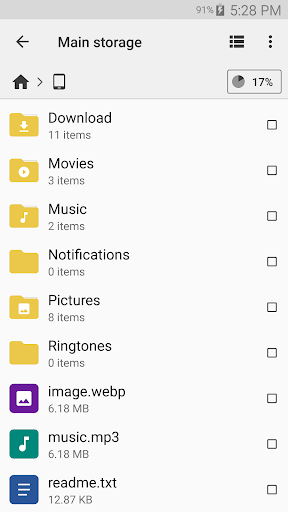
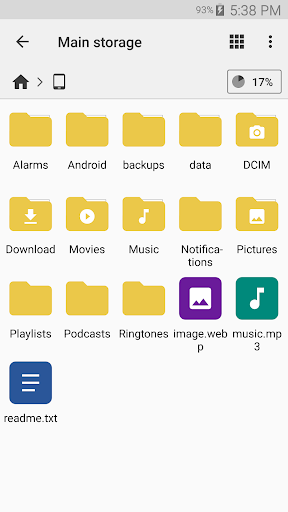
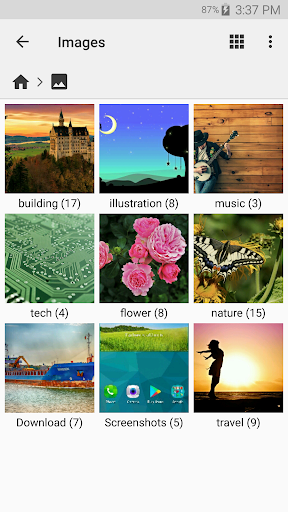
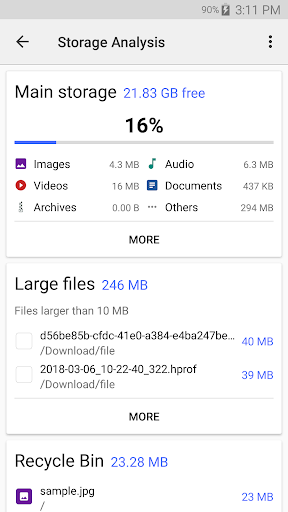
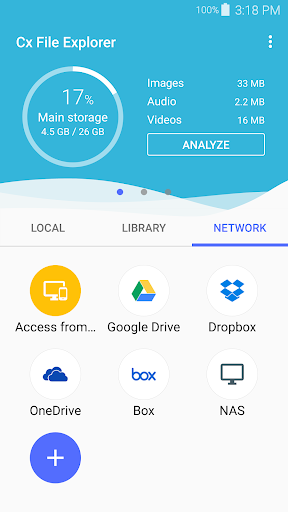
Cx File Explorer is a fast, ad‑free Android file manager and storage cleaner with a clean Material Design UI. It covers core management tasks (browse, copy/move, rename, compress/extract, share, recycle bin), offers visual storage analysis, and connects to cloud and network locations (FTP/FTPS/SFTP, SMB, WebDAV, LAN). It also supports viewing media, managing apps, and works on phones, tablets, and Android TV.
Verdict
Verdict: A lean, powerful, and ad‑free file manager that excels at everyday and network/cloud workflows, though it lacks some advanced niceties and customization.
Who is it for
Best for:
- Users who want a fast, lightweight, ad‑free file manager
- Anyone moving files across local, NAS/SMB, and cloud storage
- Android TV users needing a simple, capable explorer
Not ideal for:
- Those who want heavy customization, themes, or dark mode
- Users needing built‑in advanced editors/viewers (e.g., robust text editor, native PDF/RAR)
- People who require deep automation or power‑user features beyond core management
Real-world User Experience
Users like it:
Consistently praised for speed, stability, and a clean, intuitive interface. Ad‑free with no bloat yet feature‑rich (storage analysis, recycle bin, app management). Strong network/NAS and cloud integration; many users replaced ES File Explorer and report reliable SMB/FTP transfers and browsing. Handy built‑ins (media viewers, simple text editing), smooth handling of SD card and external storage, and effective cross‑device use (phone/tablet/TV).
Users complain about:
Common requests include dark mode/themes and a more accessible standalone text editor. Occasional cloud sign‑in issues (e.g., OneDrive), intermittent stuck transfer notifications, and search navigation that loses result lists after opening a file. TV UI can make cursor focus hard to see; photo viewing on TV lacks auto‑fit/zoom. Wishlist items include native PDF/RAR support, animated thumbnails, and auto‑empty trash.
Is it Worth Paying For?
It’s free, ad‑free, and has no in‑app purchases—excellent value with no cost barrier.
How it Compares to Alternatives
Compared to ES File Explorer (legacy), Cx File Explorer is leaner, ad‑free, and avoids bloat while still covering NAS/SMB/FTP and cloud tasks. Versus Astro and similar managers, it feels faster and simpler, with a more focused feature set and effective storage analysis. It lacks some polish seen in premium options (themes/dark mode, advanced viewers/editors), but many users prefer its clean approach and reliability—especially for network/cloud workflows and Android TV use.
Summary
Cx File Explorer delivers a rare combination of speed, clarity, and capability: a truly ad‑free, streamlined file manager that handles local, SD card, cloud, and NAS/SMB/FTP tasks with ease. Its visual storage analysis and recycle bin make cleanup straightforward, while built‑in viewers and app management cover common needs. Users consistently report replacing heavier alternatives thanks to its stability and intuitive design. There are trade‑offs—no dark mode, limited editing/viewing tools, and occasional cloud or notification quirks—but for most Android users, including Android TV owners, it’s an outstanding everyday file manager that prioritizes productivity without bloat.
Ratings
Trending APP












Alternative to this app










