
Copyright 2026 © swekartor. All Rights Reserved.



App Feature
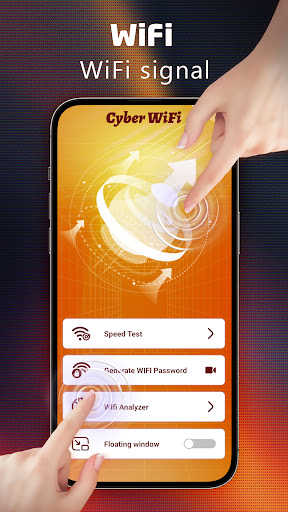
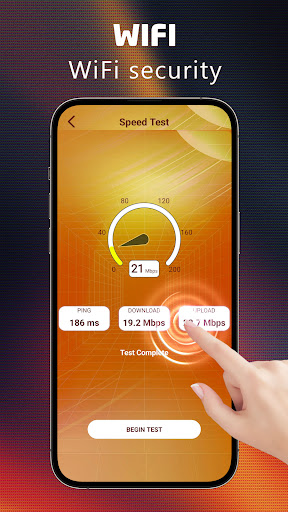
Cyber WiFi combines a smart Wi‑Fi analyzer with a customizable Android launcher. It scans nearby networks, visualizes signal strength and channel congestion, identifies connected devices and weak security, and suggests better access points. As a launcher, it offers categorized app drawers, icon pack support, layout tweaks, and gesture controls.
Verdict
Verdict: A handy all‑in‑one Wi‑Fi toolkit and lightweight launcher, best for everyday optimization rather than deep professional diagnostics.
Who is it for
Best for:
- Users who want quick Wi‑Fi checks (signal, congestion, devices) in one place
- Android users who like a customizable, fast launcher with smart app organization
- Privacy‑minded users seeking simple encrypted connections on public Wi‑Fi
Not ideal for:
- Network engineers needing enterprise‑grade metrics, heatmaps, or exportable surveys
- Users who dislike any ads in utility apps
- People satisfied with their current advanced launcher setup
Real-world User Experience
Users like it:
Short but positive reviews highlight that it’s nice to have and generally good, suggesting straightforward utility and low friction. The 4.2 rating with 100K+ installs indicates many users find it reliable for basic Wi‑Fi tasks.
Users complain about:
No specific complaints surfaced in top reviews, but the presence of ads and limited detailed feedback may leave advanced users uncertain about depth of analytics and long‑term polish.
Is it Worth Paying For?
The app is free and lists no in‑app purchases, so there’s nothing to buy—making it an easy, no‑risk try if you want a Wi‑Fi analyzer plus launcher.
How it Compares to Alternatives
Compared with dedicated analyzers like WiFi Analyzer or NetSpot, Cyber WiFi appears simpler and more consumer‑friendly, focusing on quick insights and optimization rather than pro‑level surveying. Versus speed‑test‑centric tools (e.g., Ookla), it offers broader network context (signal, congestion, device list) but not benchmark‑heavy charts. As a launcher, it resembles lightweight options (e.g., Niagara, Smart Launcher) with categorization and icon pack support, though power users may still prefer highly granular launchers like Nova for deeper customization.
Summary
Cyber WiFi blends a practical Wi‑Fi analyzer with a customizable Android launcher, letting you visualize signal strength and congestion, spot devices and weak security, optimize connections, and personalize your home screen with gestures and icon packs. Its 4.2 rating and 100K+ installs point to dependable everyday value, especially for users who want quick network insight without complex setup. While ads are present and advanced professionals may find the analytics limited, the app’s simplicity, privacy‑oriented connection features, and snappy app organization make it a solid, free utility to improve both your network awareness and phone workflow.
Ratings
Trending APP












Alternative to this app










