
Copyright 2026 © swekartor. All Rights Reserved.







App Feature
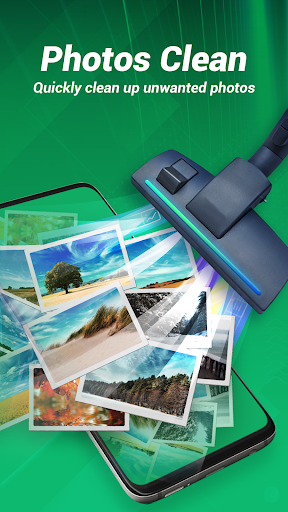
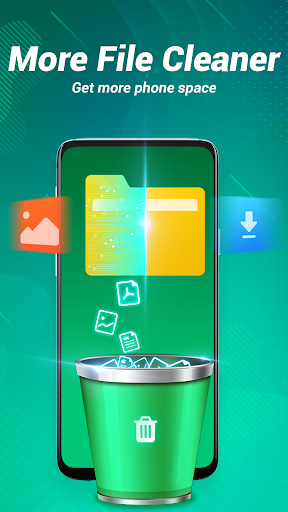
Storage Cleaner is a free Android utility focused on reclaiming storage and improving responsiveness. It scans and removes junk files and caches, frees RAM to speed up the phone, finds and deletes duplicate/similar photos, and offers app-specific cleaning (e.g., TikTok/WhatsApp) for one-tap space recovery.
Verdict
A capable one-tap Android cleaner for quick space gains, best for simple, hands-off maintenance rather than deep system tuning.
Who is it for
Best for:
- Users who want fast, one-tap cache and junk removal
- People with storage-constrained devices needing photo duplicate cleanup
- Non-technical users who prefer simple, automated optimization
Not ideal for:
- Power users seeking granular, root-level or scheduler-based controls
- Anyone highly sensitive to ads or background notifications
- Users who already manage storage manually with built-in tools
Real-world User Experience
Users like it:
Given the 4.2 rating and 5M+ installs, many likely appreciate noticeable storage recovery, easy one-tap cleaning, and quick performance boosts, especially from cache removal and duplicate-photo cleanup.
Users complain about:
As with many cleaner apps, common pain points may include frequent ads, aggressive prompts, or occasional over-cleaning that clears useful caches; some devices may see only short-lived speed gains.
Is it Worth Paying For?
The app is free and no in-app purchases are mentioned. If you can tolerate potential ads, there’s no cost barrier—making it easy to try for basic cleaning without financial commitment.
How it Compares to Alternatives
Compared to Files by Google, Storage Cleaner emphasizes one-tap RAM and app-specific cleaning while Files by Google offers trusted, ad-light storage management and smart suggestions. CCleaner provides brand recognition and balanced controls with a cleaner UI in some cases. SD Maid (often more advanced) offers deeper, more technical cleaning and scheduling for power users. Storage Cleaner’s edge is simplicity plus duplicate/similar photo cleanup and targeted app cache removal (TikTok/WhatsApp), but it may trail competitors in transparency, ad experience, and advanced controls.
Summary
Storage Cleaner targets the essentials: free up space, remove junk and caches, kill background clutter, and eliminate duplicate/similar photos with minimal effort. Its one-tap approach and app-specific cleaners make it convenient for quick wins, and its 4.2 rating suggests broadly positive outcomes for everyday users. Expect the typical trade-offs of this category—ads, occasional aggressive cleaning, and benefits that can be temporary for speed boosts. If you want straightforward, no-cost maintenance to keep an aging or storage-limited phone feeling lighter, it’s a practical pick; if you need fine-grained control, fewer ads, or deeper system optimization, alternatives like Files by Google or SD Maid may fit better.
Ratings
Trending APP












Alternative to this app










