
Copyright 2026 © swekartor. All Rights Reserved.



App Feature
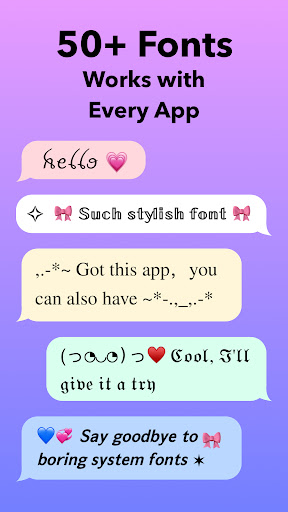
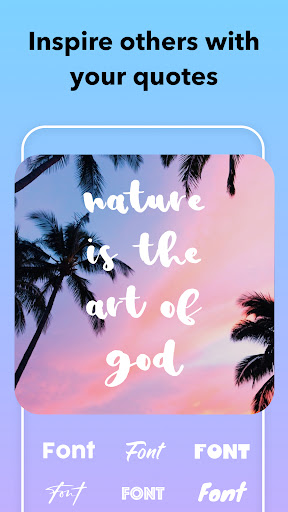
FontMaster is a free Android app focused on easy font customization. It offers a wide range of stylish fonts (elegant, funky, handwritten) and streamlines setup with one‑click installation to quickly personalize your device’s look.
Verdict
Verdict: A convenient font changer with broad styles, but a mixed, device-dependent experience.
Who is it for
Best for:
- Android users who want a quick visual refresh with minimal setup
- People who enjoy experimenting with different font styles
- Users who prioritize simplicity over deep customization
Not ideal for:
- Power users seeking granular, system-wide theming or per-app font control
- Devices/Android versions with strict font/theme restrictions where compatibility may vary
- Anyone expecting guaranteed support across all OEM skins and updates
Real-world User Experience
Users like it:
The straightforward, one-click installation and broad selection of fonts that make it easy to personalize a device without complex steps.
Users complain about:
A mixed reliability profile consistent with a 3.6 rating—some users encounter compatibility issues across devices or Android versions and occasional failures to apply fonts.
Is it Worth Paying For?
The app is free and no in‑app purchases are indicated, making it low-risk to try if you want quick font customization.
How it Compares to Alternatives
Compared with other font changer apps (e.g., zFont, FontFix), FontMaster emphasizes simplicity and one‑tap setup over advanced theming or patching features. Its library appears broad for everyday use, but users who need deeper customization or wider device compatibility often look to more established alternatives.
Summary
FontMaster aims to make Android font customization effortless, offering a diverse catalog of styles and one‑click installation. With 50K+ downloads and a 3.6 rating, it delivers on ease of use and variety, but real‑world results can depend on your device, Android version, and OEM skin. If you want a fast, free way to refresh your phone’s typography and are willing to accept potential compatibility quirks, it’s a practical pick; advanced themers or users on restrictive setups may prefer more robust alternatives.
Ratings
Trending APP












Alternative to this app










