
Copyright 2026 © swekartor. All Rights Reserved.


App Feature
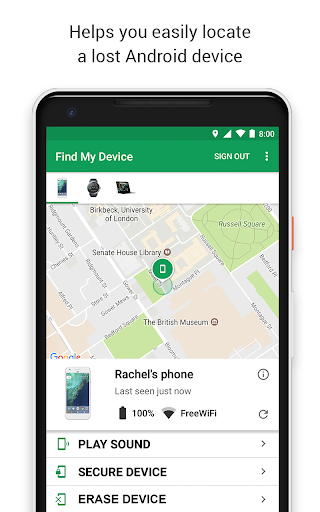
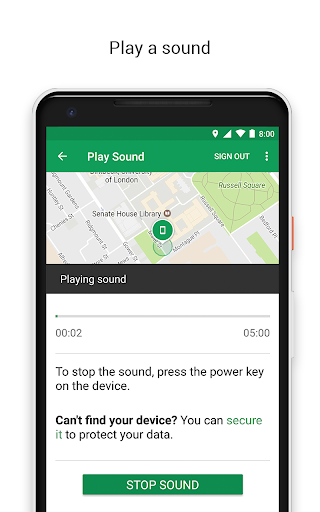
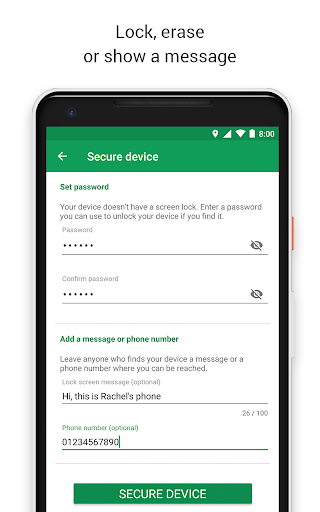
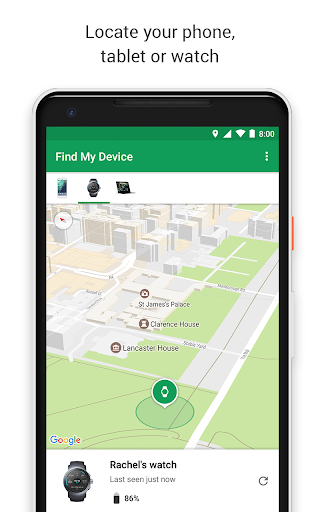
Google’s Find Hub helps you locate, secure, and manage lost Android devices and compatible accessories on a map, play a locating sound (even if on silent), remotely lock or erase with a custom lock‑screen message, and share live location with trusted contacts. It supports offline finding via the Find network, shows battery status, and works on phones, tablets, watches, headphones, and Wear OS.
Verdict
Verdict: A reliable, privacy‑minded Android locator that excels at everyday recoveries but can’t help much when a device is powered off or location is disabled.
Who is it for
Best for:
- Android users who misplace devices at home, work, or public venues
- Families and friends who need simple, trusted live location sharing
- Owners of multiple Android/Wear OS devices and accessories
Not ideal for:
- Situations where the device is powered off or battery dead
- Users needing remote toggling of location, data, or power states
- Those wanting cross‑platform tracking beyond Google’s ecosystem
Real-world User Experience
Users like it:
Fast, straightforward device listing and one‑tap sound playback; accurate enough maps to pinpoint in homes, parks, and venues; effective remote lock/erase with custom messages; reliable over years, with success stories recovering stolen or discarded phones; loud, distinct ring and visibility of battery/last‑seen details; no ads and intuitive interface.
Users complain about:
Approximate or delayed location in crowded indoor areas; limited utility when devices are off or location was disabled; requests for missing controls like remotely enabling location or powering on/off; occasional initial misses that require refreshing; desire for extra theft‑deterrent features (e.g., remote photo capture).
Is it Worth Paying For?
It’s free with no ads or in‑app purchases, so there’s nothing to buy—excellent value as a must‑install safety tool for Android users.
How it Compares to Alternatives
Compared to Apple’s Find My, Find Hub offers similar core functions for Android, with easy sound playback, remote lock/erase, and network‑assisted finding; Apple retains an advantage within its tightly integrated hardware ecosystem. Versus Tile and other tag apps, Find Hub benefits from massive Android/Google network reach and system‑level integration but is less focused on cross‑platform tag ecosystems. Against third‑party security suites, it’s simpler, faster, and ad‑free, though it lacks some premium anti‑theft extras those suites may bundle.
Summary
Google’s Find Hub is a polished, high‑trust way to locate and secure Android devices and compatible accessories. It combines map‑based tracking, loud remote ringing, remote lock/erase with custom messaging, and live location sharing in an easy interface, backed by an encrypted finding network. Real users report frequent, tangible recoveries—from amusement parks to homes—and appreciate the reliability, clarity, and lack of ads. Its main limits mirror the category: results degrade when a device is powered off, dead, or has location disabled, and power/location toggling can’t be forced remotely. For most Android owners, it’s an essential, zero‑cost install that meaningfully improves the odds of getting a lost device back.
Ratings
Trending APP












Alternative to this app










