
Copyright 2026 © swekartor. All Rights Reserved.



App Feature
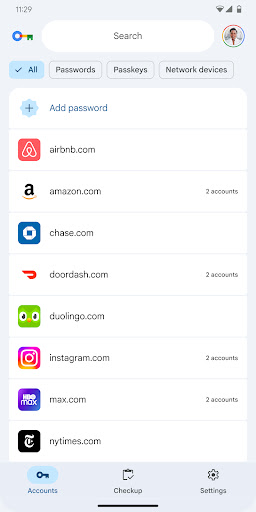
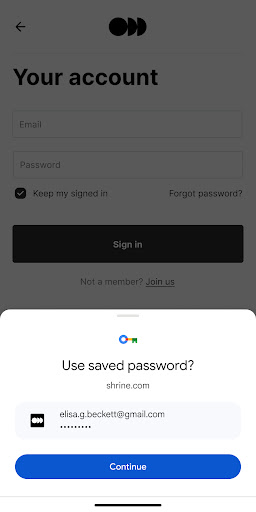
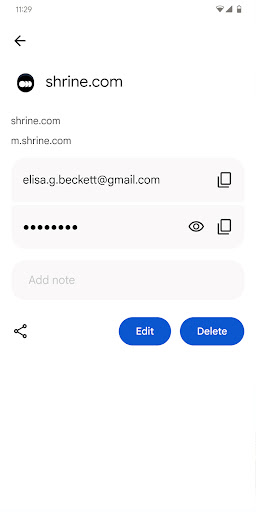
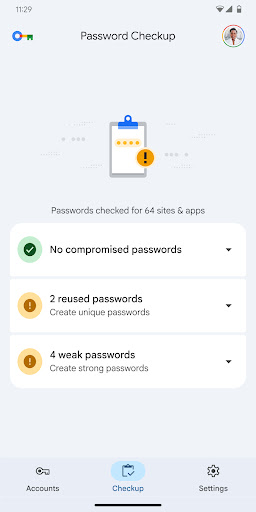
Google Password Manager is a free shortcut to the built‑in Google password and passkey manager on Android, letting you securely store credentials, autofill logins in apps and Chrome, and manage entries through a clean, simple interface.
Verdict
Verdict: A fast, seamlessly integrated password manager for Android/Chrome users, but light on advanced security and organization controls.
Who is it for
Best for:
- Android and Chrome users who want frictionless autofill and sync
- People who prefer a simple, no‑setup password manager tied to their Google account
- Users switching from buggy third‑party tools seeking reliability
Not ideal for:
- Power users who want app‑specific PINs, vault‑level locks, or rich folders/tags
- Those heavily invested in non‑Google ecosystems (e.g., Safari-first, Apple‑only)
- Enterprises needing granular policies, shared vaults, or detailed auditing
Real-world User Experience
Users like it:
Consistently reliable autofill, fast performance, and tight integration with Android and Chrome; simple editing and management of passwords; perceived improvement in convenience and security vs. manual entry.
Users complain about:
Desire for an extra in‑app lock (separate PIN/biometric) beyond device lock; requests for better organization (customizable folders); general calls for more security options.
Is it Worth Paying For?
It’s free with no ads or in‑app purchases, so there’s nothing to buy—excellent value if you already use Google services.
How it Compares to Alternatives
Compared to Bitwarden, 1Password, and LastPass, Google’s manager excels in Android/Chrome integration, speed, and zero cost but lacks advanced features like multi‑vault organization, robust shared items, and an app‑specific lock. Bitwarden offers open‑source transparency and rich features across platforms; 1Password provides polished cross‑ecosystem apps and strong organizational tools; LastPass focuses on sharing and enterprise options. Google Password Manager is best for simplicity and day‑to‑day use within Google’s ecosystem.
Summary
Google Password Manager delivers a streamlined, secure, and highly reliable way to store passwords and passkeys, with effortless autofill across Android and Chrome. The app here is essentially a shortcut to the manager already built into Android, making access quicker. Users praise its set‑and‑forget reliability and ease of editing logins, though advanced users miss an extra vault‑level lock and richer organization features. If you live in Google’s ecosystem and want something free, simple, and dependable, it’s an excellent pick; if you need granular security controls, shared vaults, or sophisticated categorization, a dedicated third‑party manager may suit you better.
Ratings
Trending APP












Alternative to this app










