
Copyright 2026 © swekartor. All Rights Reserved.



App Feature
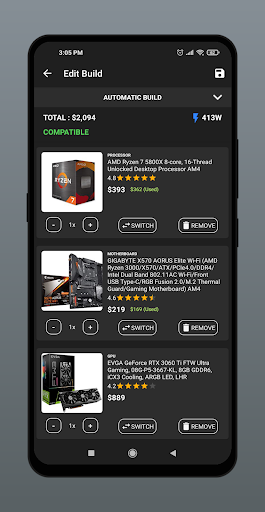
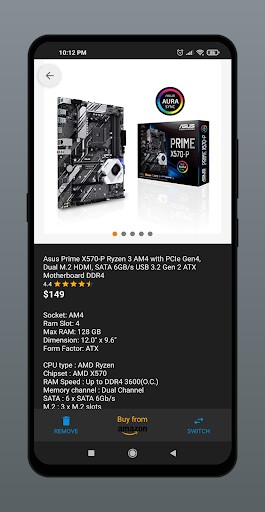
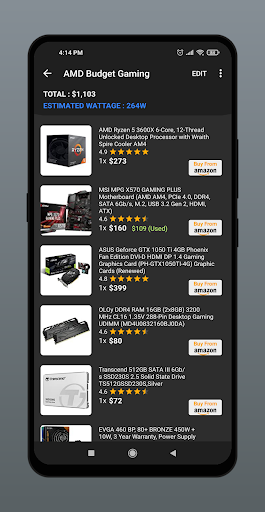
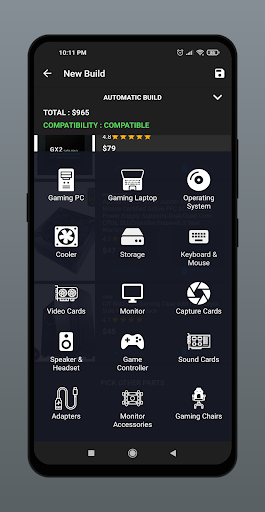
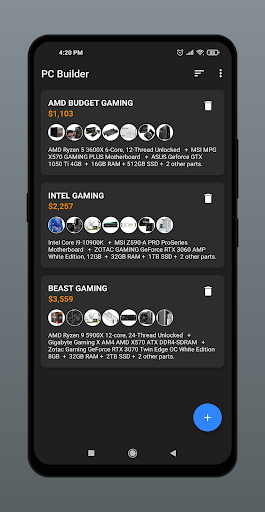
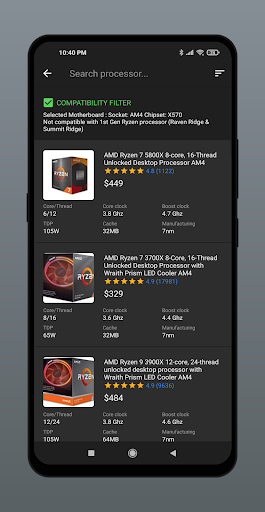
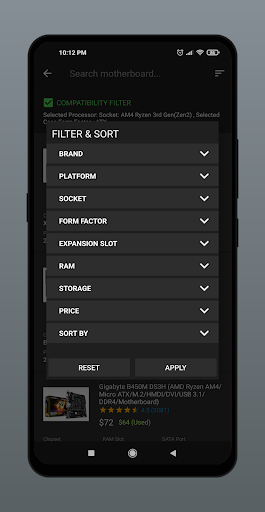
PC Builder: Part Picker helps you design custom PC builds on mobile with automatic part selection by budget, real-time compatibility checks, estimated wattage, multi-retailer price comparison with daily updates, currency conversion, and support for multiple global regions and peripheral categories.
Verdict
Verdict: A polished, high-value PC part picker for mobile that excels at compatibility and budget builds, though power users may still prefer desktop-class tools for deeper analysis.
Who is it for
Best for:
- Beginners and intermediate builders who want guided, compatible part lists
- Shoppers comparing prices across retailers and regions on the go
- Budget-focused users leveraging the automatic builder and wattage estimates
Not ideal for:
- Enthusiasts needing granular analytics, historical pricing graphs, or community build databases
- Regions not yet fully supported or with limited retailer coverage
- Users who prefer desktop workflows and advanced filtering/reporting
Real-world User Experience
Users like it:
High rating (4.6) and strong adoption suggest users appreciate the clear part catalogs, reliable compatibility checks, easy budgeting via the automatic builder, frequent price updates, and the convenience of multi-region and currency support.
Users complain about:
Common friction points for apps in this category include occasional price/stock mismatches, incomplete listings in certain regions, and limited advanced filters; some may prefer richer analytics and community features found in desktop/web tools.
Is it Worth Paying For?
The app is free with no ads or in-app purchases; it funds itself via affiliate links. Given the feature set and lack of paywalls, it offers excellent value at zero cost.
How it Compares to Alternatives
Compared to PCPartPicker and similar web-first tools, this app stands out for mobile-first convenience, automatic builds by budget, and built-in currency/region handling. However, desktop alternatives typically offer deeper data (historical prices, community builds, more retailers, advanced filters) and richer planning utilities. For quick, on-the-go part selection and compatibility checks, this app is competitive; for deep research and niche components, web platforms still lead.
Summary
PC Builder: Part Picker delivers a streamlined, mobile-friendly way to plan custom PCs with confidence. Its automatic builder, compatibility engine, wattage estimates, daily price updates, and multi-region/currency support make it easy to assemble a parts list that fits your budget and needs. The high rating and large install base imply dependable performance and a generally positive experience. While hardcore enthusiasts may still prefer desktop-heavy tools with richer analytics, community builds, and historical pricing, this free, ad-free app is an excellent everyday companion for researching, validating, and pricing PC components—especially when you want fast answers from your phone.
Ratings
Trending APP












Alternative to this app










