
Copyright 2026 © swekartor. All Rights Reserved.



App Feature
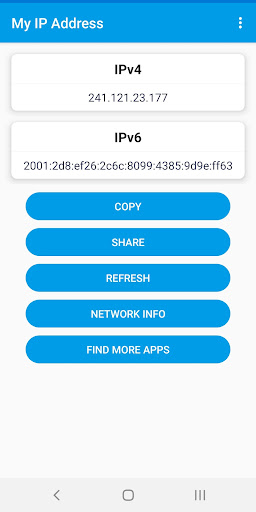
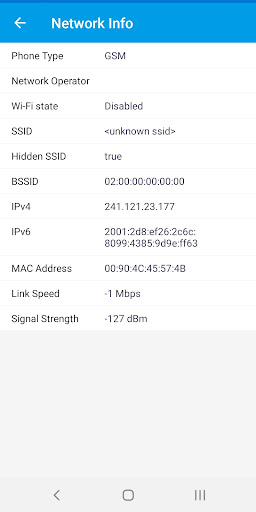
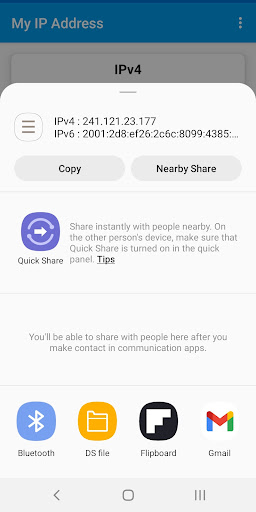
Lightweight tool to reveal your device’s current public and private IP addresses with IPv4/IPv6 support, basic network details (subnet, gateway), location/ISP lookup, quick copy/share, and a simple refresh to renew or recheck.
Verdict
Verdict: A straightforward IP checker that does its job well, best for quick lookups rather than deep diagnostics.
Who is it for
Best for:
- Users who need instant public/private IP and ISP info
- People troubleshooting basic connectivity with simple, ad-supported tools
- Anyone who wants IPv6 awareness without complex setup
Not ideal for:
- Power users seeking advanced network diagnostics and scanning
- Privacy purists who avoid ad-supported utilities
- Users needing historical logs or automation/integration features
Real-world User Experience
Users like it:
Overall score around 4.26 suggests most find it accurate, fast, and easy to use for quick IP checks with helpful extras like copy/share and IPv6 support.
Users complain about:
As a free, ad-supported tool with a focused scope, some likely note ads, occasional inconsistencies from third-party geo/IP data, and limited depth versus full network suites.
Is it Worth Paying For?
Free with ads and no in-app purchases; there’s nothing to buy, and the free value is solid for quick IP and basic network info.
How it Compares to Alternatives
Compared to broader utilities like Fing or IP Tools, My IP Address is lighter, faster to launch, and simpler for one-off IP lookups but lacks advanced features (device discovery, port scanning, monitoring dashboards). Versus web-based checkers, it’s more convenient on-device with private IP, gateway, and copy/share built in.
Summary
My IP Address focuses on doing one thing well: quickly exposing your device’s public/private IP information with IPv4/IPv6 support and basic network, location, and ISP details. It’s lightweight, easy to use, and handy for troubleshooting or sharing IPs. The ad-supported model keeps it free but may deter users who want a premium, no-ads option, and the feature set stops short of advanced diagnostics. If you primarily need fast, reliable IP and basic context on Android, it’s a practical pick; if you need deeper network analysis, consider a more comprehensive toolkit.
Ratings
Trending APP












Alternative to this app










