
Copyright 2026 © swekartor. All Rights Reserved.





App Feature
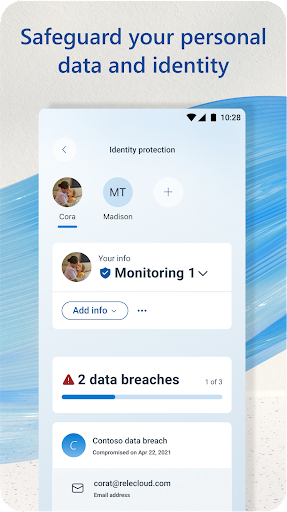
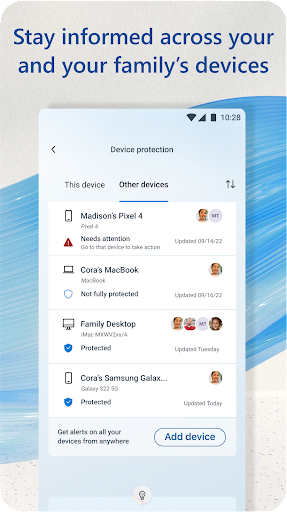
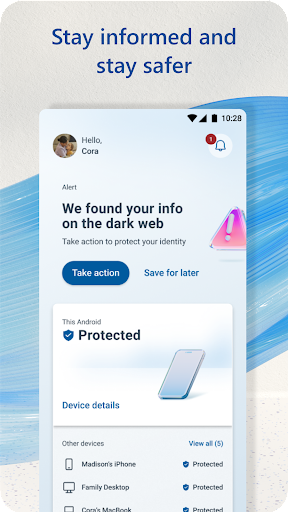
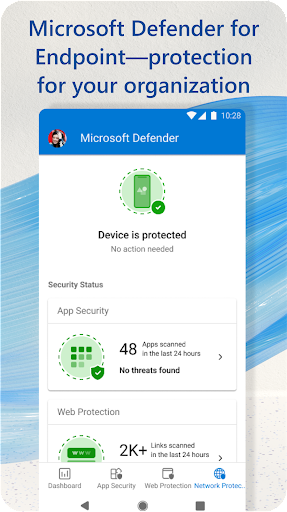
Microsoft Defender is an all‑in‑one security app that provides real‑time antivirus and web protection, a unified dashboard to view security status across devices, dark web and identity monitoring (region‑dependent), credit monitoring in the US, and enterprise integration via Defender for Endpoint. It also supports permission/privacy management and sends proactive alerts with recommended actions.
Verdict
Verdict: A strong, low‑noise security suite—excellent if you’re in the Microsoft ecosystem, but less compelling if you need broad premium features without a Microsoft 365 subscription.
Who is it for
Best for:
- Microsoft 365 Personal/Family users who want cross‑device security and simple management
- People who prefer lightweight protection that runs quietly without performance hits
- Families seeking identity/dark web monitoring and centralized status checks (US features where available)
Not ideal for:
- Users wanting a standalone, fully featured suite without any subscription ties
- Those outside supported regions who need identity/credit monitoring or VPN extras
- Power users needing advanced tools like anti‑theft, unlimited VPN, or extensive tuning
Real-world User Experience
Users like it:
Runs quietly in the background with minimal impact on performance; clean, intuitive UI; reliable real‑time scanning and web protection; helpful cross‑device dashboard; strong integration with Windows and other Microsoft services; positive experiences with dark web alerts and privacy features; some users note included VPN data works fine on public Wi‑Fi.
Users complain about:
Confusion about licensing (consumer vs. business accounts) and subscription requirements; some features are region‑restricted (identity/credit monitoring); occasional friction with web/private browsing on certain sites; a few users disappointed it’s not a full standalone product without Microsoft 365.
Is it Worth Paying For?
If you already pay for Microsoft 365 Personal/Family, Defender adds solid value with cross‑device visibility and (where available) identity/dark web monitoring—making it an easy yes. As a purely free option, it delivers capable baseline protection with low overhead, but advanced features (e.g., identity/credit monitoring) are tied to subscription and regional availability, so heavy privacy/VPN needs may warrant a different paid suite.
How it Compares to Alternatives
Compared to Avast, McAfee, Norton, and Bitdefender, Defender emphasizes simplicity, low resource use, and tight Microsoft integration over kitchen‑sink features. It has fewer nags than many third‑party AVs and a cleaner dashboard, but competitors may offer broader extras (anti‑theft, call filtering, unlimited VPN, cross‑platform parental controls) out of the box. Versus Google Play Protect, Defender provides more proactive scanning and cross‑device insight. For enterprises, Defender for Endpoint rivals top EDR solutions when licensed.
Summary
Microsoft Defender delivers quiet, competent protection with real‑time antivirus, web filtering, and a unified dashboard that shines for households and individuals invested in Microsoft 365. Reviews consistently cite strong performance with negligible slowdown, straightforward design, and useful privacy features like dark web monitoring, while noting that some perks are US‑only and that licensing can be confusing (consumer vs. business). If you’re already in the Microsoft ecosystem, it’s an easy way to consolidate security across phone and PC. If you need a standalone suite with expansive extras—especially unlimited VPN, anti‑theft, or globally available identity services—third‑party security apps may fit better.
Ratings
Trending APP












Alternative to this app










