
Copyright 2026 © swekartor. All Rights Reserved.





App Feature
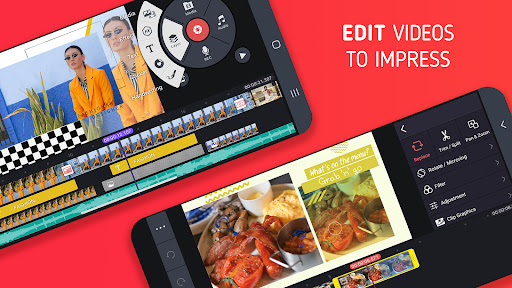
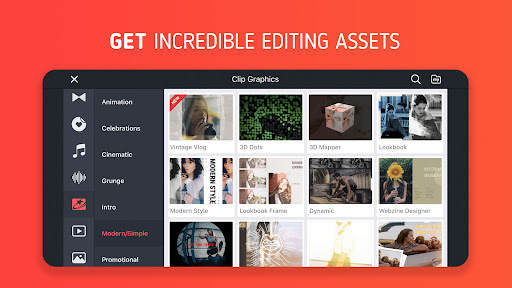
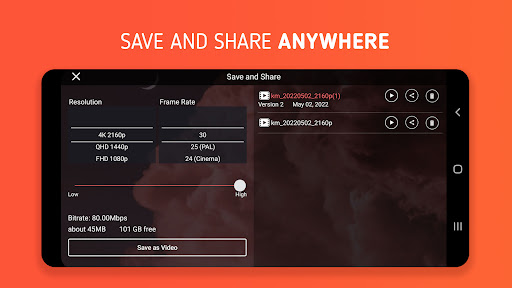
KineMaster is a mobile-first, pro-leaning video editor for creating movies, vlogs, Reels, and Shorts. It combines multi-layer timelines (video, audio, images, GIFs), keyframe animation, chroma key, speed control, and rich assets with modern AI tools (auto captions, text-to-speech, voice effects, noise/vocal separation, tracking, background removal, upscaling, and AI styles). It supports templates, cloud backup (KineCloud), portrait/landscape editing, multiple undo/redo, magnetic guides, and exports up to 4K 60fps with optional transparent backgrounds.
Verdict
Verdict: A powerful, mobile-friendly editor with standout layering and AI tools, but the free plan’s watermark and occasional glitches may frustrate some users.
Who is it for
Best for:
- Mobile creators who want multi-layer timelines, keyframes, and chroma key on the go
- Beginners to intermediate editors seeking templates, assets, and AI-assisted workflows
- YouTubers/TikTokers/Instagram users needing fast 4K/60fps exports and social-optimized output
Not ideal for:
- Free-only users who refuse visible watermarks
- Editors needing desktop-grade color grading, compositing, or advanced media management
- Buy-once preference buyers (subscription model, not a one-time unlock)
Real-world User Experience
Users like it:
Easy to learn for basic-to-intermediate edits; versatile timeline with precise cutting and zooming; strong chroma key and keyframing; smooth slow motion; minimal ads; rich effects/transitions/templates; reliable for YouTube/TikTok; saves project progress; long-term users praise stability and capability.
Users complain about:
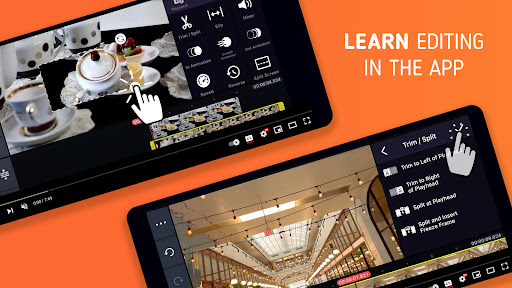
Watermark in free exports; subscription upsells and lack of one-time purchase; occasional lag, preview pauses, or export glitches; some asset store/network issues; onboarding could include clearer tutorials; media browser and cropping/workflow quirks noted by some.
Is it Worth Paying For?
If you create regularly and need watermark-free exports, premium effects/assets, and a smoother workflow, the subscription is good value—especially given multi-layer editing, chroma key, and AI features on mobile. Casual users can stay on the free plan to test the workflow but must accept the watermark and fewer assets.
How it Compares to Alternatives
Compared to CapCut, KineMaster offers more traditional timeline control and keyframe depth, while CapCut leans into templates/AI and often exports without a watermark in the free tier. Versus InShot or VN, KineMaster is more feature-dense (layers, chroma key, precise keyframing); VN is strong for free but slightly lighter on pro-layer controls. Desktop options like Filmora provide broader media management and effects libraries, but KineMaster remains one of the most capable editors purely on mobile.
Summary
KineMaster - Video Editor brings near-desktop editing power to mobile with a clean UI, multi-layer timelines, keyframing, chroma key, and an expansive asset store. Its recent AI additions (captions, TTS, voice and noise tools, tracking, upscaling, styles) speed up complex edits, while templates and KineCloud help creators move fast and stay organized. Real users consistently praise its capability and ease once learned, though the free version’s watermark, subscription-centric monetization, and occasional hiccups (preview lags, asset store glitches) are common complaints. If you publish frequently and want a robust, all-in-one mobile editor, the premium plan is easy to justify; casual editors can start free and upgrade when watermark-free exports and more assets become essential.
Ratings
Trending APP








Alternative to this app









