
Copyright 2026 © swekartor. All Rights Reserved.



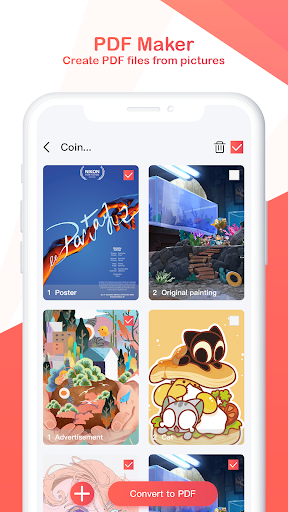
App Feature
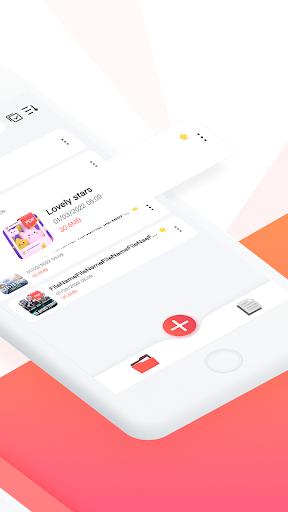
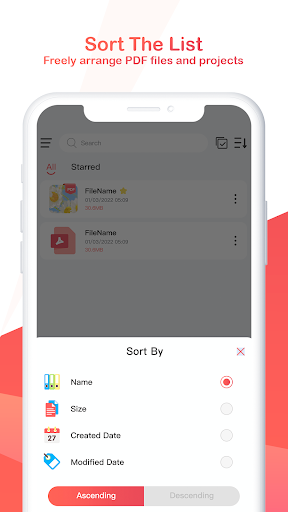
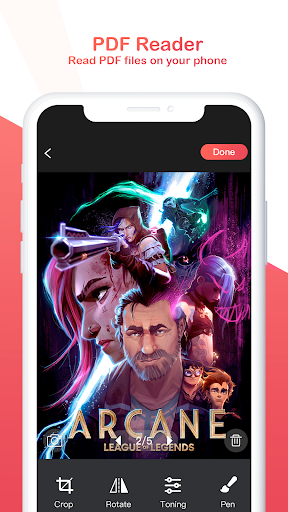
PDF Expert - Reader & Maker is a free mobile tool for creating, editing, and reading PDFs. It lets you scan with the camera or import images, perform quick edits (crop, rotate, color tweaks, doodles), auto-save projects, and read PDFs with search, bookmarks, table of contents, starring, and basic encrypt/decrypt.
Verdict
Verdict: A clean, capable PDF scanner/reader for everyday use, but light on pro-grade features.
Who is it for
Best for:
- Students and professionals needing quick scans to PDF
- Users who want an all-in-one reader + basic editor
- Anyone who values auto-save and simple organization
Not ideal for:
- Power users needing OCR, form filling, or e-sign workflows
- Teams requiring cloud sync, collaboration, or versioning
- Design/print pros needing advanced color and layout control
Real-world User Experience
Users like it:
The high 4.6 rating suggests people appreciate the easy scanning from camera or gallery, straightforward image edits, reliable auto-saving, and a competent PDF reader with search, bookmarks, and file starring.
Users complain about:
Some users may find limitations around advanced features (e.g., OCR, form handling, cloud sync) and could encounter occasional performance hiccups or ads if monetization exists.
Is it Worth Paying For?
The app is listed as free and no in-app purchases are specified here. As presented, it offers strong value at no cost; if optional paid features exist, assess them against needs like OCR, cloud backup, or ad removal.
How it Compares to Alternatives
Compared to Adobe Acrobat Reader or Xodo, it appears simpler with faster scan-to-PDF and lightweight editing but fewer pro tools (forms, comments at scale, cloud). Against CamScanner or Microsoft Lens, it offers a more integrated PDF reading experience yet may trail in OCR quality and cloud integrations. It’s a good middle ground for quick scanning and reading without heavy workflows.
Summary
PDF Expert - Reader & Maker focuses on the essentials: capture or import images, tidy them up, and produce readable, organized PDFs. Its auto-save reduces friction and the built-in reader covers daily needs with search, bookmarks, and encryption options. While it may not replace pro suites that include OCR, advanced annotation, form workflows, and cloud collaboration, its approachable design and strong rating make it a reliable everyday companion for scanning, editing, and reading PDFs—especially for users who value speed and simplicity over exhaustive features.
Ratings
Trending APP












Alternative to this app










