
Copyright 2026 © swekartor. All Rights Reserved.


App Feature
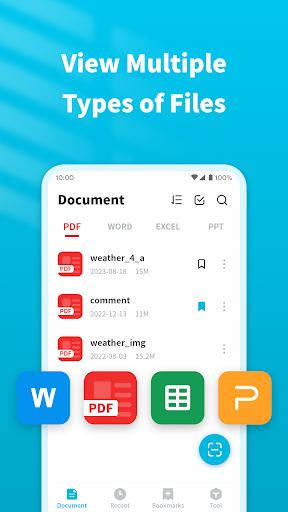
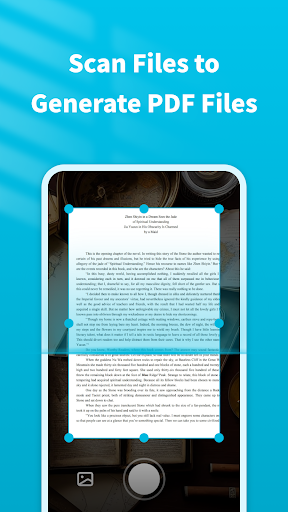
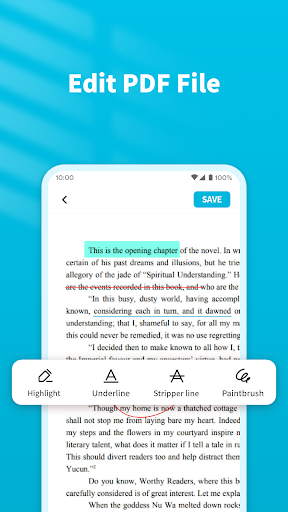
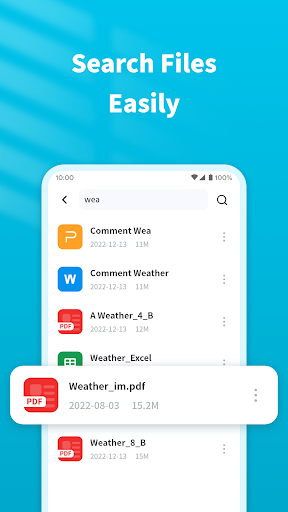
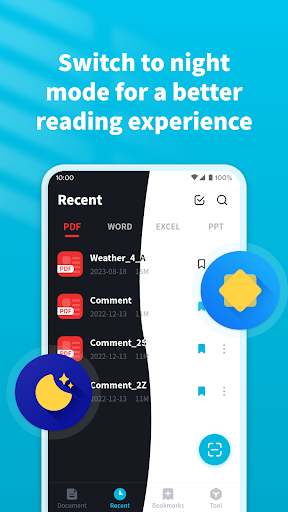
PDF Viewer&Scanner is a free document utility that lets you view PDFs and common office files (Word, PPT, Excel), scan paper documents to PDF with auto edge detection and enhancement, annotate PDFs (highlight/underline/strikethrough), merge/split files, and password‑protect documents—wrapped in a simple, intuitive interface.
Verdict
Verdict: A capable, ad-supported PDF reader/scanner for everyday use, best if you want quick tools without heavy pro features.
Who is it for
Best for:
- Users who need fast PDF viewing, scanning, and simple annotations
- Students and professionals sending scanned documents on the go
- Seniors or novices who value a straightforward, clean interface
Not ideal for:
- Power users needing advanced editing, OCR, or deep cloud workflows
- Teams requiring collaborative review, e-sign suites, or enterprise features
Real-world User Experience
Users like it:
Reviewers praise the easy-to-use interface, reliable scanning (including auto detection), smooth PDF reading, and trouble-free sharing—several note it simplifies everyday document tasks.
Users complain about:
The provided reviews don’t highlight clear negatives; however, the overall 3.7 rating suggests experiences may vary outside these samples (potentially due to ads or missing pro features).
Is it Worth Paying For?
The app is free with no in‑app purchases; value is strong if you can tolerate ads since core features—viewing, scanning, annotating, merging/splitting, and basic security—are included at no cost.
How it Compares to Alternatives
Compared to Adobe Acrobat Reader, it’s lighter and simpler but lacks Acrobat’s deep editing, e-sign, and cloud integrations. Versus Microsoft Lens or CamScanner, its scanning is competitive and bundled with PDF tools, but it may trail on advanced OCR, organization, and premium collaboration. It’s a solid all‑in‑one for casual needs without subscription upsells.
Summary
PDF Viewer&Scanner focuses on the essentials: clean PDF reading, dependable mobile scanning with auto edge detection, basic annotations, file combine/split, and password protection. Users highlight its simplicity and reliability for scanning and sharing documents, making it a practical choice for students, freelancers, and anyone who occasionally processes paperwork on their phone. While it doesn’t target power users or enterprise workflows, its no‑cost, ad-supported model delivers strong everyday utility, especially if you value speed and an uncomplicated interface over advanced editing or cloud-centric features.
Ratings
Trending APP












Alternative to this app










