
Copyright 2026 © swekartor. All Rights Reserved.



App Feature
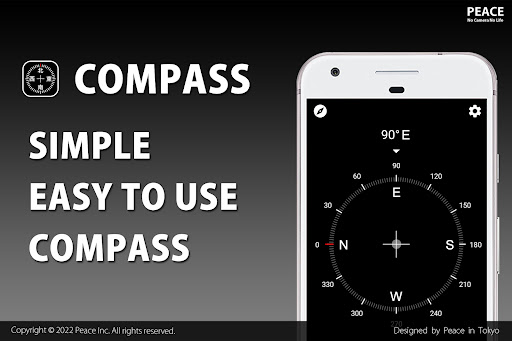
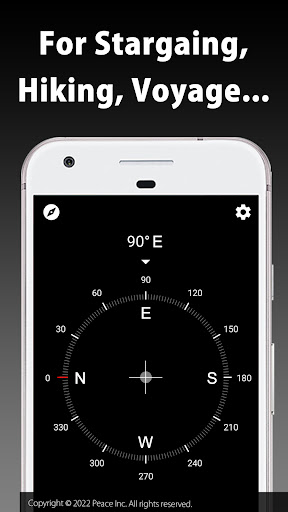
Compass is a lightweight Android compass app focused on accurate azimuth readings with a clean, intuitive UI. It adds handy extras like a level tool and magnetic field detector, works without special permissions, and targets outdoor and everyday orientation needs.
Verdict
Verdict: A precise, privacy‑friendly compass with a sleek interface, best for straightforward navigation rather than advanced surveying.
Who is it for
Best for:
- Hikers and travelers needing quick, accurate bearings
- Users who value a clean, no-permissions, low-friction tool
- Anyone wanting simple extras like a level and magnetic field readout
Not ideal for:
- Professionals requiring map overlays, waypoints, or offline topo features
- Users sensitive to ads who don’t plan to upgrade
- Devices with weak or uncalibrated magnetometers (can affect accuracy)
Real-world User Experience
Users like it:
Consistently praised for accurate direction readings, an elegant and easy-to-use design, fast startup, and minimal permissions that inspire trust. The added level and magnetic field indicators are useful bonuses without clutter.
Users complain about:
Some reports of calibration or sensitivity issues depending on device hardware and nearby metal/interference. Ads can be distracting, and power users may miss advanced features such as waypoints, maps, or logging.
Is it Worth Paying For?
The core app is free and fully functional. If an IAP removes ads or unlocks small extras, it’s reasonable value for frequent users who prefer a distraction-free experience; casual users can comfortably stay on the free version.
How it Compares to Alternatives
Compared with generic compass apps, Compass stands out for its no-permission stance, polished UI, and reliable accuracy. It is leaner than feature-heavy alternatives that bundle maps, waypoints, or AR views, but also less capable for advanced navigation tasks. For users wanting simplicity and privacy, it’s competitive; for hikers needing route planning, other navigation suites will be more suitable.
Summary
Compass delivers a precise, no-nonsense bearing tool wrapped in a clean interface and backed by a privacy-friendly approach that requires no permissions. It covers common use cases—from hiking and stargazing to quick indoor orientation—and adds helpful tools like a level and magnetic field detector without overwhelming the user. While ads may bother some and hardware-dependent calibration can affect results on certain phones, the overall experience is smooth and dependable. Power users seeking waypoints, map overlays, or route management should look elsewhere, but for everyday direction finding, Compass is a trustworthy and pleasant choice.
Ratings
Trending APP












Alternative to this app










