
Copyright 2026 © swekartor. All Rights Reserved.







App Feature
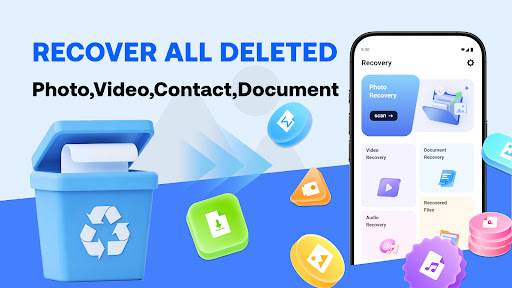
Photo Recovery scans local storage to find and restore deleted photos, videos, documents, and some contacts without root access. It offers quick and deep scan modes, on-device processing (no uploads), file previews for selective restore, and supports common formats like JPEG/PNG/WEBP, MP4/MOV/AVI, and PDF/DOCX/XLSX/PPTX.
Verdict
A capable, privacy-friendly recovery utility for basic photo/video/document restores, but results vary if data has been overwritten.
Who is it for
Best for:
- Users who need a free, on-device recovery tool with no root required
- Anyone wanting quick scans with selective preview/restore of common media and documents
- Privacy-conscious users who prefer offline processing
Not ideal for:
- People expecting guaranteed recovery after heavy device use or overwrites
- Power users needing forensic-level depth, file system imaging, or root-only access
- Those who dislike ads in utilities
Real-world User Experience
Users like it:
Overall rating is strong (≈4.5) with light review volume, suggesting users appreciate its simple workflow, quick results for recently deleted files, and success restoring common photos and videos without root.
Users complain about:
As with all recovery tools, some report mixed results—especially for older deletions—plus longer deep-scan times and the presence of ads. A few may find limitations on newer Android versions where access is more restricted.
Is it Worth Paying For?
The app is free with ads and no in-app purchases. There’s nothing to pay for, making it low-risk to try before considering premium recovery suites.
How it Compares to Alternatives
Compared to alternatives like DiskDigger, Dumpster, or EaseUS mobile tools, Photo Recovery emphasizes offline, no-root scanning and selective restore. It’s simpler and private but may recover less than root-enabled or desktop-assisted solutions. Unlike recycle-bin style apps (e.g., Dumpster) that protect future deletes, this focuses on after-the-fact recovery. Many competitors lock deep recovery behind subscriptions; here you get core features free, albeit with ads.
Summary
Photo Recovery is a straightforward, ad-supported utility that helps you scan and restore recently deleted photos, videos, documents, and some contacts directly on your device. It offers quick and deep scans, previews for selective recovery, broad file-type support, and operates fully offline without root—good for privacy and ease of use. As with any recovery app, success depends on how much new data has overwritten the deleted sectors, so it’s best used as soon as possible after deletion. For a free tool with a solid user rating and no paywall, it’s a practical first attempt before turning to root-required, subscription-based, or desktop-grade recovery options.
Ratings
Trending APP












Alternative to this app










