
Copyright 2026 © swekartor. All Rights Reserved.



App Feature
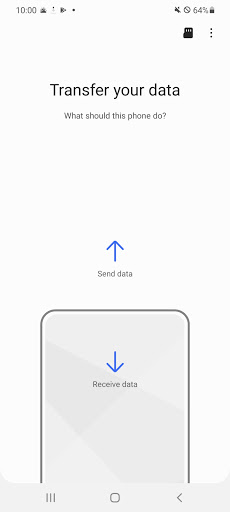
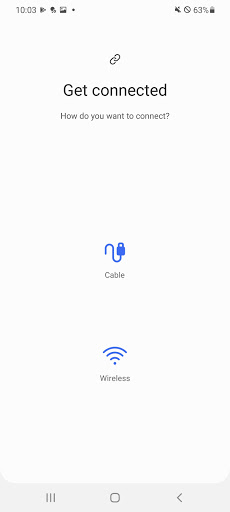
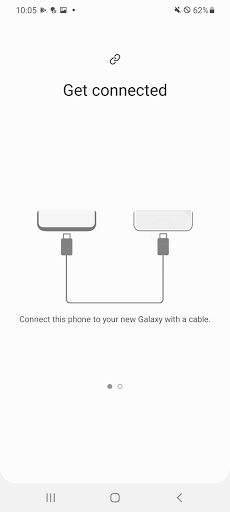
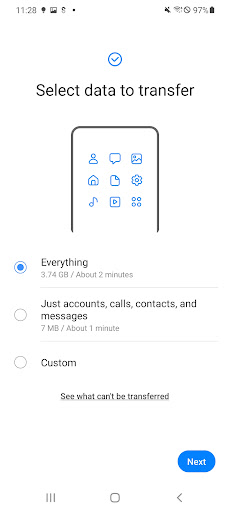
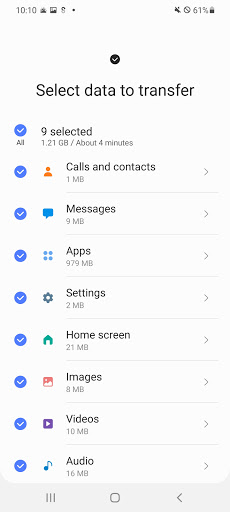
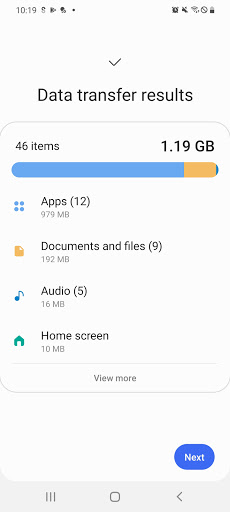
Samsung Smart Switch Mobile streamlines migrating to a new Galaxy by transferring contacts, messages, photos/videos, music (non‑DRM), call logs, device settings, Wi‑Fi, alarms, wallpapers, many apps and some app data/home layouts (best on Galaxy-to-Galaxy). It supports Android and iOS sources, works wired or wirelessly (Wi‑Fi Direct/QR), and can also pull from iCloud or via PC/Mac.
Verdict
Verdict: A fast, reliable phone‑to‑phone migrator for new Galaxy owners, but expect some re‑logins and a few data types that won’t carry over.
Who is it for
Best for:
- New Samsung Galaxy users wanting a near mirror of their old device
- Transfers from Android or iOS with minimal setup using cable or wireless
- Anyone prioritizing speed and breadth of content (settings, apps, layout)
Not ideal for:
- Users needing guaranteed transfer of all app data/DRM media/third‑party account info
- Non‑Samsung target devices (limited features and support)
- Those unwilling to spend time re‑authenticating apps post‑transfer
Real-world User Experience
Users like it:
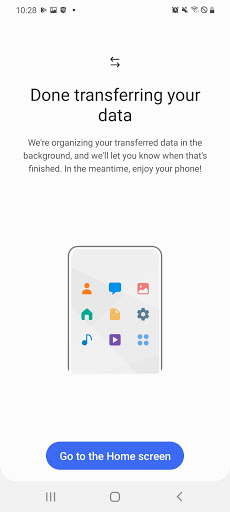
Consistently praised for mirroring old phones—apps, icons/layouts, wallpapers, alarms, contacts, messages—often completing large moves in about an hour via cable or Wi‑Fi. Reviewers highlight ease of use, reliability, and that even older/removed apps may be side‑loaded. Works well when both devices run the latest Smart Switch and a quality cable is used.
Users complain about:
Some encounter app launch or connection issues until updating or reinstalling; transfers can be time‑consuming for big libraries. Not all data types move (e.g., WhatsApp chats require separate setup; DRM media and certain app data/settings may not transfer). Users often need to sign back into apps afterward, and occasional quirks like missed notes/bookmarks are reported.
Is it Worth Paying For?
It’s free with no ads or in‑app purchases, so there’s nothing to pay for; given its breadth and reliability for Galaxy setups, it delivers excellent value at zero cost.
How it Compares to Alternatives
Compared to Google’s Data Restore Tool, Smart Switch generally carries more device‑specific settings, home layouts, and app data when moving to Galaxy. Versus Apple’s Move to iOS, it’s the analogous choice for the Samsung ecosystem and supports broader Android/iOS sources into Galaxy. Third‑party cloners (e.g., SHAREit/CLONEit) can move files quickly but rarely match Smart Switch’s depth of settings/layout migration or seamless Galaxy integration.
Summary
Samsung Smart Switch Mobile is a purpose‑built migration tool that excels when your destination is a Galaxy device. It transfers a wide range of content—including contacts, messages, media, call logs, settings, Wi‑Fi, wallpapers, many apps, and even home screen layouts—via cable or wireless, and can import from Android, iOS, or iCloud. Real‑world users report smooth, dependable transfers that make a new phone feel instantly familiar, though you should plan time for large moves and re‑logging into apps afterward. Some data types (DRM media, certain app data, WhatsApp chats) require alternative steps. With 1B+ installs, a solid 3.8 rating, and no cost, it’s a strong, ecosystem‑integrated choice for anyone upgrading to Galaxy and wanting the least friction possible.
Ratings
Trending APP












Alternative to this app










