
Copyright 2026 © swekartor. All Rights Reserved.



App Feature
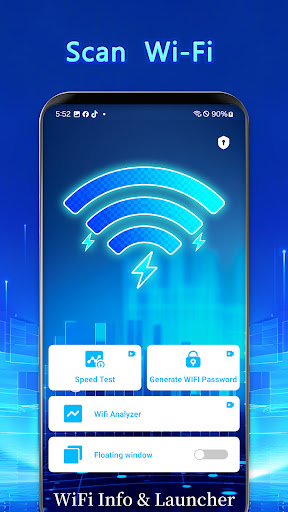
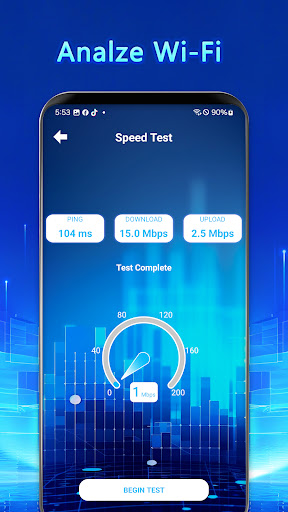
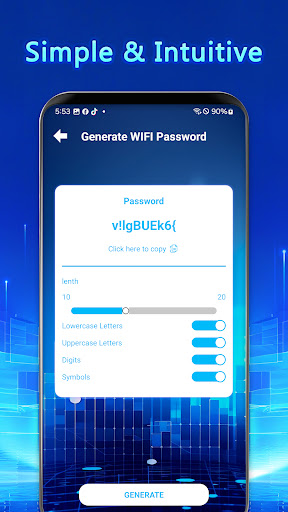
A 2‑in‑1 Android utility that combines Wi‑Fi diagnostics with a lightweight, customizable launcher. It scans nearby networks, shows live signal strength and channel info, and offers quick shortcuts to Wi‑Fi settings and frequently used apps.
Verdict
Verdict: A handy, lightweight Wi‑Fi toolkit with a built‑in launcher, best for quick diagnostics and convenience rather than deep network analysis.
Who is it for
Best for:
- Users who want quick Wi‑Fi insights (SSID/BSSID, signal, channel) without complex tools
- People who like customizable app groups/shortcuts for faster daily use
- Home users troubleshooting basic coverage or interference issues
Not ideal for:
- Network professionals needing enterprise‑grade surveying, heatmaps, or exportable reports
- Users who dislike ads or want strictly ad‑free experiences
- Those seeking a full‑featured standalone launcher with advanced theming and gestures
Real-world User Experience
Users like it:
Clear presentation of Wi‑Fi details, responsive real‑time signal and channel readouts, and the convenience of bundling a simple launcher with quick shortcuts. Overall sentiment is positive (4.1 rating) with appreciation for utility and ease of use.
Users complain about:
Presence of ads, occasional limitations compared with dedicated analyzers, and sporadic device/OS compatibility quirks. With relatively few written reviews, feedback breadth is limited.
Is it Worth Paying For?
The app is free with ads and no in‑app purchases. There’s no cost barrier, so it’s easy to try; value is solid if you’re fine with ads and don’t need pro‑level features.
How it Compares to Alternatives
Compared with WiFi Analyzer, WiFiman, or NetSpot‑style tools, it’s simpler and more approachable but lacks advanced surveying and reporting. Its differentiator is the integrated launcher and shortcuts, which standard analyzers don’t offer. Versus typical Android launchers, it’s leaner and more network‑centric, but less feature‑rich in customization and gestures.
Summary
WiFi Info & Launcher blends practical Wi‑Fi diagnostics with a lightweight launcher, making it a good everyday companion for checking signal quality, channels, and nearby access points while streamlining app access. It shines for quick troubleshooting and convenience, not for professional‑grade analysis. The interface is clean, customization is modest but useful, and real‑time metrics help diagnose basic coverage or interference problems. Ads are the main trade‑off, and power users may outgrow its analytics. For most casual users and tinkerers, it’s an easy, low‑friction download that adds network awareness and everyday shortcuts in a single tool.
Ratings
Trending APP












Alternative to this app










