
Copyright 2026 © swekartor. All Rights Reserved.



App Feature
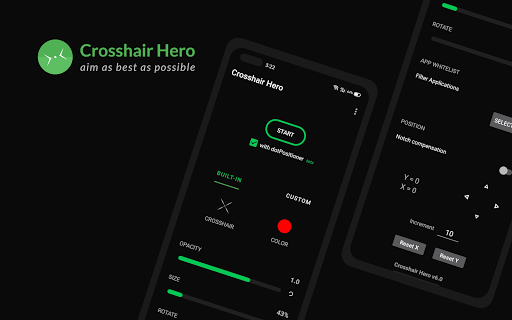
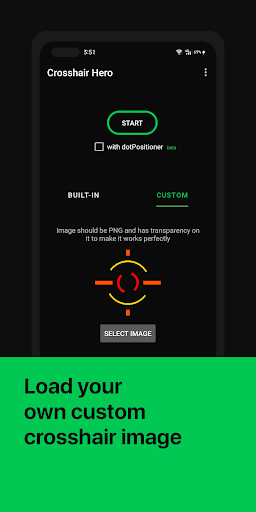
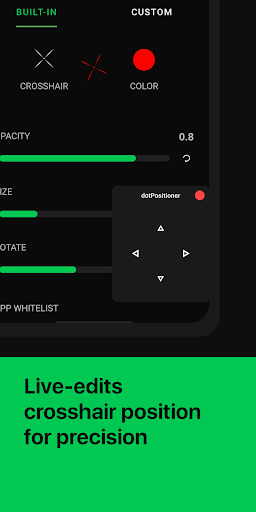
Crosshair Hero adds a customizable on-screen crosshair overlay across apps and games. It supports over 30 built‑in styles, custom PNG imports, adjustable size/color/opacity, precise X/Y offset, and quick in-game tweaking. Lightweight and designed to stay on top of fullscreen games.
Verdict
Verdict: A simple, effective crosshair overlay that excels at customization and ease of use, but occasional stability quirks and limited power-user features hold it back.
Who is it for
Best for:
- Mobile FPS players who want a persistent, customizable crosshair overlay
- Users who need fine-grained alignment (X/Y offsets, size, color) and custom PNG support
- Players seeking a lightweight, free tool with minimal setup
Not ideal for:
- Those expecting advanced training analytics, aim drills, or heatmaps
- Players who need multiple crosshairs at once or per-game auto-profiles
- Anyone concerned about overlays in competitive titles with strict policies
Real-world User Experience
Users like it:
Noticeable aim improvement in shooters like PUBG Mobile, CODM, and Free Fire; easy setup and in-game adjustment; generous preset library and custom image support; developer responsiveness (e.g., better mini-settings toggle); lightweight overlay that generally works across apps.
Users complain about:
Occasional crosshair disappearance that interrupts play; uncertainty around potential bans in certain games; overlay precision can be affected by game recoil/scopes; a few users want multiple simultaneous crosshairs and savable layouts.
Is it Worth Paying For?
The app is free with ads and no in‑app purchases. Given its functionality and customization, it’s absolutely worth trying at no cost. There’s no paid tier; some users even request a pro version for advanced features.
How it Compares to Alternatives
Compared to other Android crosshair overlays, Crosshair Hero stands out with custom PNG imports, precise X/Y calibration, and a clean, lightweight approach. Many alternatives offer similar presets and color/size controls but may add per-app profiles, cloud sync, or richer UI. Crosshair Hero lacks multiple simultaneous crosshairs and advanced features (e.g., aim stats or training modes), but it remains one of the most straightforward and reliable free options for pure overlay needs.
Summary
Crosshair Hero is a focused, lightweight tool that overlays a customizable, pixel‑accurate crosshair across games and apps. With 30+ styles, custom PNG imports, and fine-tuned color/size/opacity/offset controls, it delivers what FPS players want most: a clear, consistent point of aim that’s easy to tweak mid-game. Reviews consistently note improved precision and ease of use, though some report occasional overlay disappearance and raise questions about usage in competitive titles. There’s no paid tier or complex extras—just a solid, free utility for players who want a customizable reticle on any screen. If you need multi-crosshair layouts, automatic per-game profiles, or analytics, you may outgrow it, but for most users seeking a dependable crosshair overlay, it’s an excellent pick.
Ratings
Trending APP












Alternative to this app










