
Copyright 2026 © swekartor. All Rights Reserved.





App Feature
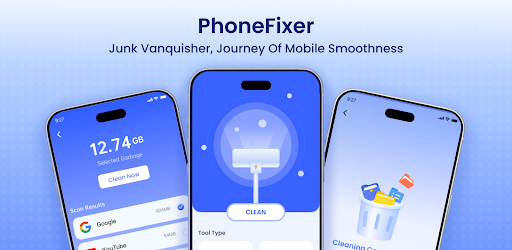
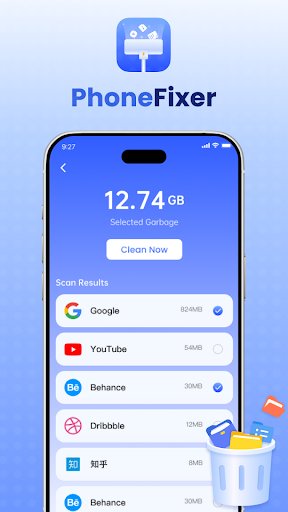
PhoneFixer-Memory Cleaner is a free utility focused on speeding up Android devices by freeing RAM, clearing cache, and managing background processes. It also offers straightforward storage cleanup plus app management tools to uninstall, back up, and restore apps, all wrapped in a clean, beginner-friendly interface.
Verdict
Verdict: A capable, easy-to-use optimizer for everyday cleanup and app management, best for quick wins rather than deep system tuning.
Who is it for
Best for:
- Users who want one-tap speed boosts and cache cleaning
- People who prefer a simple, beginner-friendly interface
- Anyone needing basic uninstall, backup, and restore tools
Not ideal for:
- Power users seeking granular, system-level tuning and automation
- Those who want detailed analytics or advanced monitoring dashboards
- Users expecting aggressive, configurable task-killer behavior
Real-world User Experience
Users like it:
The clean UI and quick optimization flows make routine cleanup simple, and features like RAM freeing, cache clearing, and easy app management deliver noticeable day-to-day convenience—reflected in a solid 4.2 rating and 1M+ downloads.
Users complain about:
Advanced controls and in-depth diagnostics appear limited, and some users may find that improvements are incremental rather than transformative on already well-maintained devices.
Is it Worth Paying For?
The app is free, and no in-app purchases are indicated here, so there’s no cost barrier—solid value if you need basic optimization without premium features.
How it Compares to Alternatives
Compared with well-known cleaners and file managers, PhoneFixer emphasizes simplicity and quick actions over deep system analytics. It offers broader app management (backup/restore) than many minimalist cleaners, but likely lacks the granular controls, schedulers, or detailed reporting seen in power-user tools. Against general file managers that focus on storage insights, it stands out with RAM and background process management.
Summary
PhoneFixer-Memory Cleaner focuses on practical, everyday optimization: free RAM, clear cache, manage background apps, and keep storage tidy—all via a clean, intuitive interface. Its app management perks (uninstall, backup, restore) add utility beyond basic cleaning, making it a sensible pick for users who want quick, low-effort improvements. While advanced tuners may desire deeper controls and analytics, the strong rating and large install base suggest it succeeds at what it promises: convenient, no-fuss device housekeeping.
Ratings
Trending APP












Alternative to this app










