
Copyright 2026 © swekartor. All Rights Reserved.



App Feature
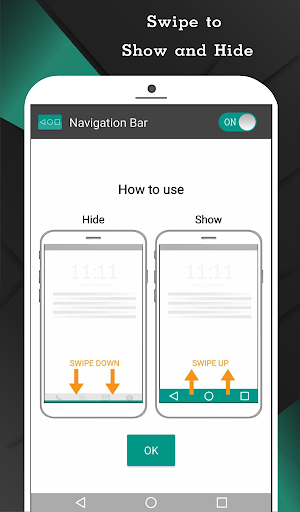
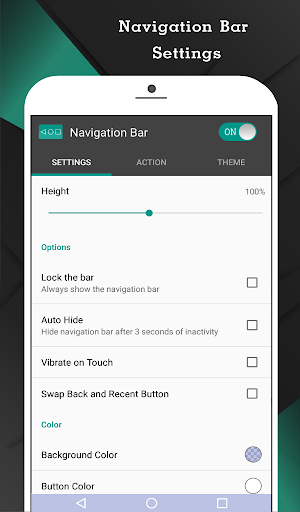
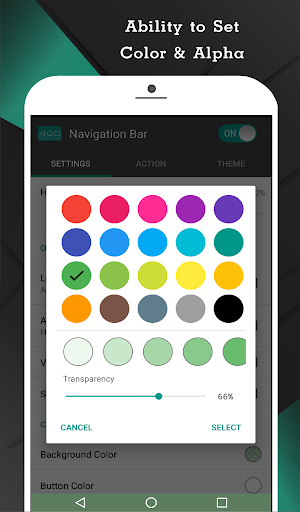
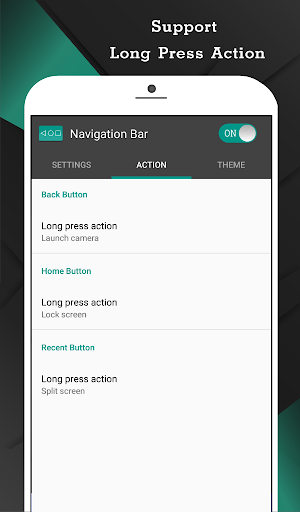
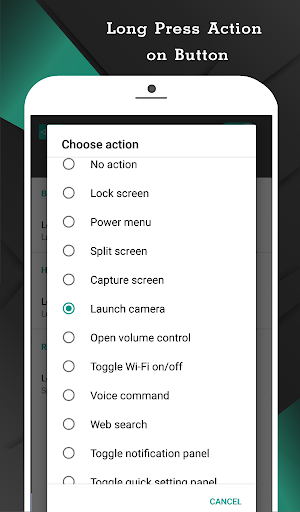
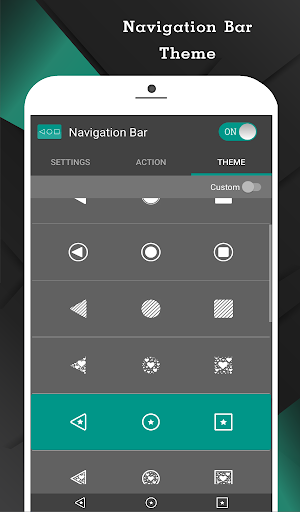
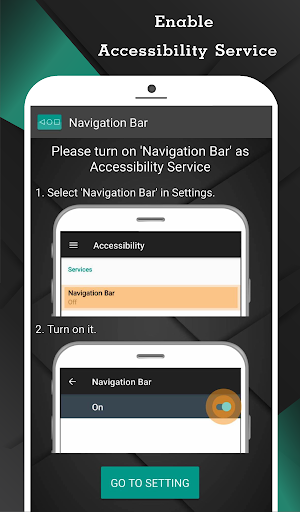
An overlay navigation bar that replaces missing or broken hardware/software buttons with customizable Back, Home, and Recent keys. It supports themes, colors, height/position tweaks, swipe-to-show/hide, keyboard-aware auto-hide, and extensive single/long‑press actions (e.g., Wi‑Fi toggle, notifications, quick settings, power menu, split screen, app launch). Requires Accessibility Service for core actions. Pro unlocks extras like quick settings tile, click‑limit area, launch any app, take screenshots, and ad removal.
Verdict
Verdict: A capable, highly customizable 3‑button navigation substitute that fixes broken buttons and restores classic controls, with minor quirks in certain apps.
Who is it for
Best for:
- Users with broken or unreliable navigation buttons needing a reliable overlay.
- People who prefer 3‑button navigation or want to swap Back/Recents on devices like Pixel.
- Tinkerers who want rich customization and long‑press shortcuts.
Not ideal for:
- Gesture‑navigation fans who don’t want on‑screen buttons.
- Users expecting flawless behavior in every full‑screen/keyboard scenario.
- Anyone uncomfortable granting Accessibility permissions to third‑party apps.
Real-world User Experience
Users like it:
Consistently solves broken button issues; easy setup; robust customization (size, color, position); can overlay or nearly cover native bar; long‑press shortcuts (screenshot, power, settings) are genuinely useful; minimal or removable ads; inexpensive Pro with no subscription; works well across many phones (Pixel, Moto).
Users complain about:
Occasional conflicts with system actions (e.g., long‑press Home invoking Google Assistant), intermittent Recent button responsiveness, auto‑hide and keyboard/full‑screen behavior not always reliable, swipe‑up sensitivity can feel inconsistent on some devices, and you cannot make original system buttons fully transparent on all phones.
Is it Worth Paying For?
Yes. The free version covers core navigation and customization with light ads, while the ~$2 one‑time Pro upgrade removes ads and adds high‑value features (quick tile, limit touch area, launch any app, screenshots). For frequent use or power users, Pro is excellent value.
How it Compares to Alternatives
Compared to Android’s built‑in navigation, this app offers far more customization and lets Pixel users swap Back/Recents—something stock often blocks. Versus other navbar overlays, it stands out for its deep long‑press actions and themes at a low one‑time price. Some competitors may better hide the original bar or focus on gesture navigation, but often require root or offer fewer shortcuts. With 10M+ installs and a 3.9 rating, it’s a mature, widely adopted option with occasional edge‑case quirks.
Summary
Navigation Bar for Android is a practical fix for broken or inconvenient navigation keys and a strong alternative for anyone who wants classic 3‑button controls with modern flexibility. It overlays a customizable bar you can resize, recolor, reposition, auto‑hide, and augment with powerful long‑press shortcuts—enabled via Accessibility Service. Real‑world users praise its reliability, breadth of options, and low‑friction setup, while noting minor friction with Google Assistant long‑press, Recents responsiveness, and inconsistent behavior in some full‑screen or keyboard scenarios. The free tier is sufficient for most, and the inexpensive Pro unlock meaningfully enhances everyday use. If you want to restore or refine 3‑button navigation without rooting your device, this app is one of the best, budget‑friendly choices.
Ratings
Trending APP












Alternative to this app










