
Copyright 2026 © swekartor. All Rights Reserved.



App Feature
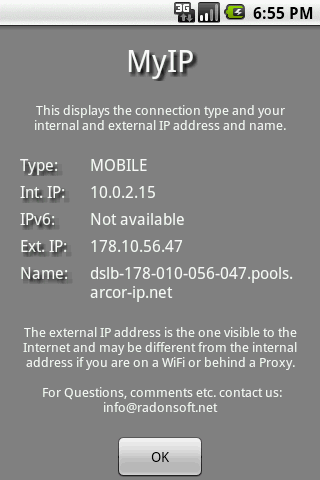
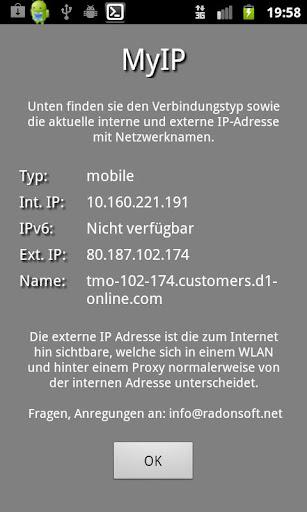
MyIP is a lightweight Android tool that shows your current external and internal IP addresses, hostname, and connection type, with quick visibility into basic network details like gateway, subnet, and DNS.
Verdict
Verdict: A handy, no-frills IP checker for quick lookups, but too limited for deep network diagnostics.
Who is it for
Best for:
- Users who want a one-tap way to see external/internal IP and connection type
- People who prefer a small, simple, ad-supported utility with minimal setup
Not ideal for:
- Power users needing full network toolkits (scanning, traceroute, Wi‑Fi analysis)
- Anyone sensitive to ads or expecting frequent feature updates
Real-world User Experience
Users like it:
Simplicity and speed; reliably shows external/internal IP and connection type without extra steps; useful for quick troubleshooting and confirming connectivity.
Users complain about:
Limited functionality beyond basics; occasional inconsistencies on complex networks (WIFI/proxy/NAT); dated UI and presence of ads reduce polish.
Is it Worth Paying For?
The app is free with ads and no in‑app purchases. Given its narrow, single‑purpose utility, the free tier is appropriate; there’s no paid upgrade to consider.
How it Compares to Alternatives
Compared to fuller suites like IP Tools, Fing, or Network Analyzer, MyIP is far more minimal—faster to open and lighter on resources but lacking advanced diagnostics, scanners, or monitoring. For simple IP checks it competes well with ‘What’s my IP’ websites, with the benefit of offline local IP info and one-tap access.
Summary
MyIP focuses on one job—showing your external/internal IP, hostname, and connection type—and does it quickly. It’s a straightforward, ad-supported utility best suited for confirming connectivity and capturing basic network details like gateway, subnet, and DNS. Users appreciate its speed and simplicity, though the minimalist feature set, occasional quirks on complex networks, and dated UI keep its rating middling. If you need a fast IP check on the go, it’s a practical install; if you want robust diagnostics, look to more comprehensive network toolkits.
Ratings
Trending APP












Alternative to this app










