
Copyright 2026 © swekartor. All Rights Reserved.





App Feature
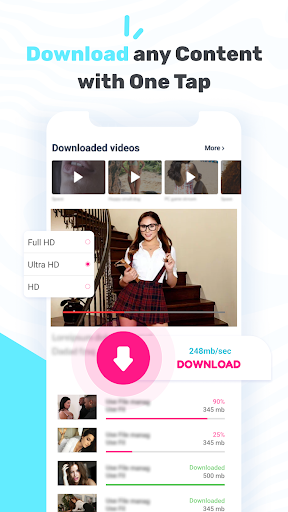
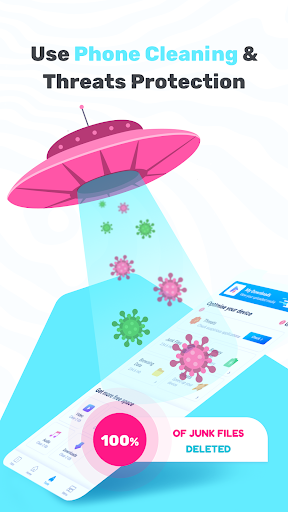
VD Browser & Video Downloader is a free Android browser with a built‑in video detector and downloader that saves clips in one tap from many websites and social networks. It supports multiple formats (MP4, 3GP, FLV, MOV, WMV, MKV), offers a simple, familiar browser UI, and adds extras like a file manager, junk cleaner, basic threat checks, and tools for anonymous browsing and accessing blocked sites.
Verdict
Verdict: A fast, one‑tap video saver for casual offline viewing, but not ideal if you need advanced controls or guaranteed support on every site.
Who is it for
Best for:
- Users who want quick, one‑tap downloads from social/media sites
- People needing broad format support for offline playback
- Anyone who prefers an all‑in‑one browser + downloader with simple navigation
Not ideal for:
- Those expecting downloads from DRM‑protected or restricted platforms
- Power users who need granular scheduling, batch automation, or detailed download management
- Privacy‑focused users who avoid ad‑supported tools or prefer dedicated VPNs
Real-world User Experience
Users like it:
Quick detection and one‑tap downloads, simple interface that feels like a regular browser, and reliable saving across many common formats and sites.
Users complain about:
Not all sites or videos are downloadable (especially DRM/restricted content), presence of ads, occasional detection failures or slowdowns, and concerns about legality or privacy depending on use.
Is it Worth Paying For?
The app is free and there’s no clear indication of paid plans/IAP. For zero cost, it offers strong value if you can tolerate ads; no payment is necessary to access core features.
How it Compares to Alternatives
Compared to managers like 1DM/ADM, VD emphasizes simplicity and auto‑detection over advanced controls (multi‑thread tuning, batch rules, torrent support). Versus browsers like Opera or Firefox (with add‑ons), it integrates detection/downloading more directly but offers fewer customization options. Dedicated VPNs and security apps outperform its anonymity/threat‑check extras, which are convenience features rather than full replacements.
Summary
VD Browser & Video Downloader focuses on fast, one‑tap media saving inside a familiar browser, with broad format support and handy extras like a file manager, cleaner, and basic anonymity tools. It’s a strong fit for casual offline viewing of videos from many sites, backed by a high user rating and massive installs. Expect trade‑offs: ads, occasional failures on restricted platforms, and fewer pro features than heavyweight download managers. If you want a free, straightforward way to grab videos for offline playback without fiddling with settings, it’s an easy pick; if you need exhaustive site compatibility, advanced scheduling, or strict privacy assurances, consider specialized alternatives.
Ratings
Trending APP












Alternative to this app










