
Copyright 2026 © swekartor. All Rights Reserved.



Information about Alight Motion
App Feature
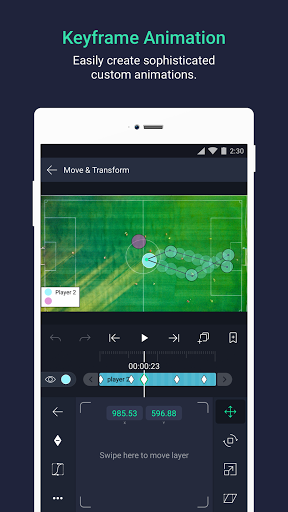
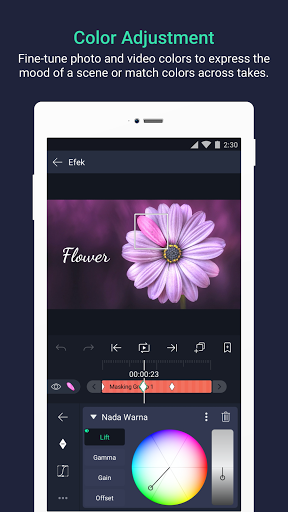
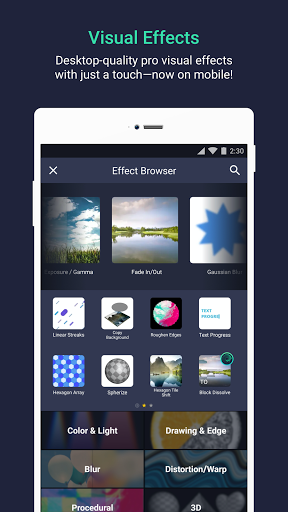
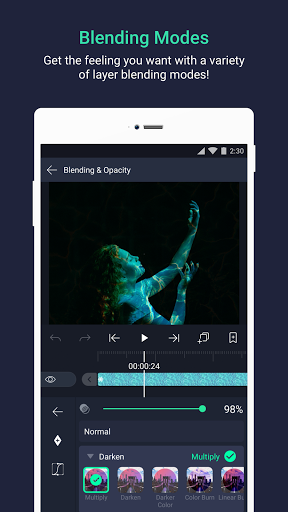
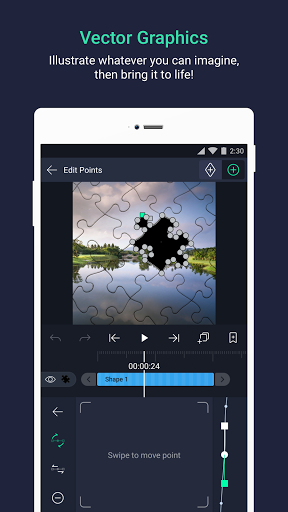
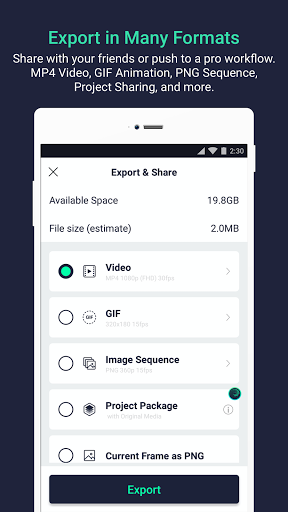
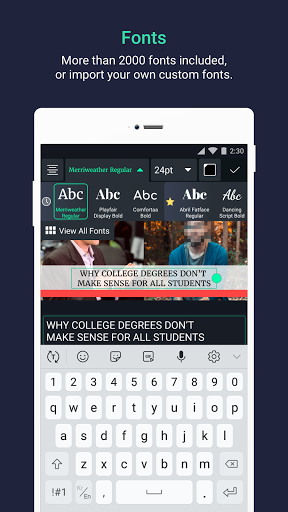
Alight Motion is a mobile motion design and video editor focused on keyframe-based animation, multi-layer compositing, vector/bitmap editing, and rich visual effects. It supports cameras (pan/zoom with blur/fog), masking, grouping, custom easing curves, bookmarks, velocity-based motion blur, and exports to MP4, GIF, PNG sequences, and stills. Projects can be shared, fonts imported, and styles copied; free tier includes a watermark and ad-gated premium effects.
Verdict
Verdict: A powerful, animation-first mobile editor that rivals desktop-style tools, but ads, watermark, and occasional performance hiccups make it less ideal for fast, casual edits.
Who is it for
Best for:
- Creators who want keyframe animation, tweening, masking, and vector support on mobile
- Editors transitioning from desktop motion design (After Effects–style workflows)
- Gacha/short-form editors and mobile animators who value precision controls
Not ideal for:
- Users who want quick, template-driven edits with minimal learning curve
- Those unwilling to tolerate a watermark/ads or occasional lag on lower-end devices
- Teams needing cloud sync or cross-device project backup out of the box
Real-world User Experience
Users like it:
Rich feature set for professional-feeling motion graphics; granular keyframes and custom easing; multiple layers, masking, and vector tools; helpful in-app tutorials; option to watch short ads to unlock many premium effects temporarily; strong community adoption among animators and editors.
Users complain about:
Large watermark on free exports; frequent ads and popups; occasional lag/crashes on some devices; limited free transitions/effects; no reliable account-based cloud backup/sync; a learning curve that can feel complex at first; sporadic effect/export glitches reported.
Is it Worth Paying For?
Yes for serious or frequent users: the subscription removes the watermark, reduces friction from ad-gated features, and unlocks a growing premium library—good value if you animate/edit regularly. Casual users can stay on the free tier, tolerating ads and the watermark, especially since many premium effects can be ad-unlocked per session.
How it Compares to Alternatives
Compared to CapCut, Alight Motion is less template-driven but far more flexible for keyframe animation and custom motion—better for precision, worse for one-tap edits. Versus KineMaster/PowerDirector, it leans into motion graphics (vectors, masking, custom curves) rather than traditional timeline video. It feels closest to a mobile After Effects: more control and effects building blocks, but with a steeper learning curve and heavier performance demands.
Summary
Alight Motion brings desktop-style motion design to mobile with robust keyframing, vector/bitmap layers, masking, custom easing, and 160+ effect building blocks. It enables sophisticated animation and compositing, supports multiple export formats, and offers ad-based access to premium effects on the free plan. The trade-offs are a prominent watermark on free exports, frequent ads, and occasional lag or glitches—especially on lower-spec devices. If you want precise, animation-first editing and don’t mind investing time to learn the tools, it’s one of the best mobile options; heavy users will likely find the subscription worth it to remove the watermark and streamline access to premium features.
Ratings
Trending APP












Alternative to this app









