
Copyright 2026 © swekartor. All Rights Reserved.


Information about TV (Samsung) Remote Control
App Feature
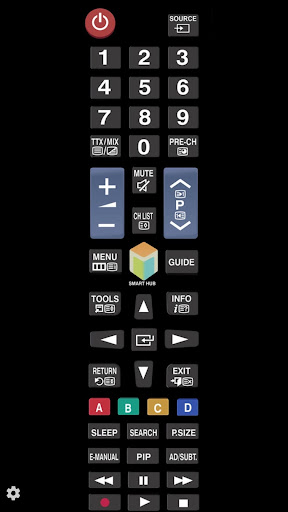
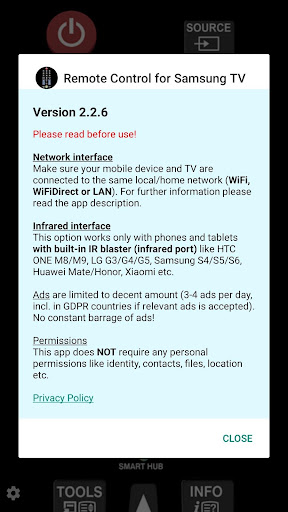
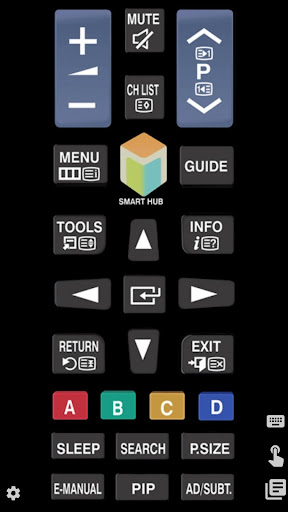
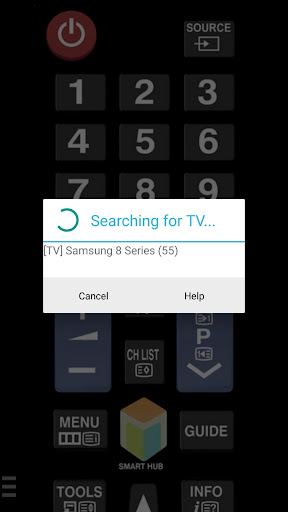
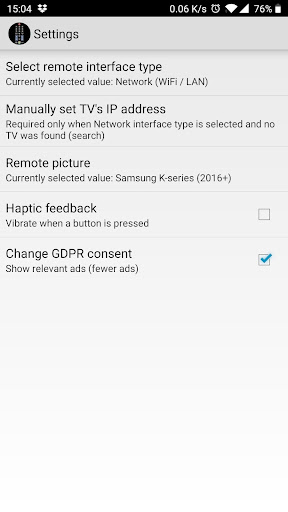
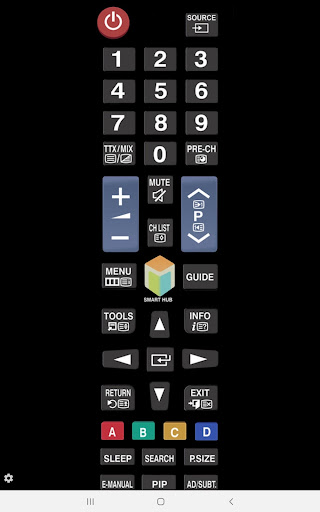
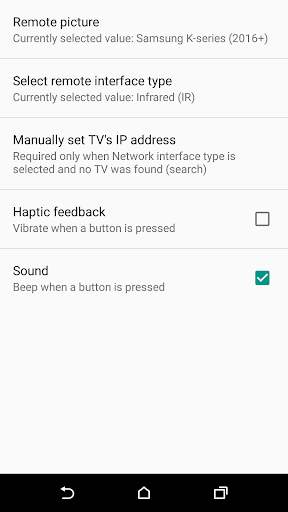
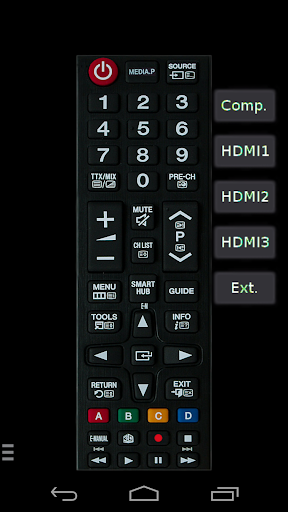
A free, ad-supported remote app that controls Samsung TVs over your local network or via an IR blaster. It mirrors core remote functions (power, volume, channel, navigation), adds a virtual keyboard and optional voice input, and offers quick app shortcuts. Network control supports many Samsung generations (C, D, E, K, M/2016+; not H and most F over IP), while IR works on phones with built‑in IR.
Verdict
Verdict: A fast, reliable Samsung TV remote replacement and backup, especially strong on Wi‑Fi control and extras, but with occasional pairing prompts and connectivity quirks.
Who is it for
Best for:
- Samsung TV owners who frequently misplace the physical remote and want an instant backup
- Users who want text entry and app shortcuts (e.g., Netflix) from their phone
- Phones with IR blasters needing a direct line-of-sight remote
Not ideal for:
- Those needing guaranteed power-on over Wi‑Fi (most consumer TVs lack Wake-on-LAN)
- Users with Samsung H or F series expecting network/IP control specifically
- People unwilling to tweak network settings (e.g., static IP, same Wi‑Fi, disable AP isolation)
Real-world User Experience
Users like it:
Very easy setup and immediate control; often more responsive than the stock remote. Virtual keyboard greatly speeds up search. Minimal, non-intrusive ads. Reliable secondary remote with handy app shortcuts. Many report it rescued them when the physical remote was lost or malfunctioning.
Users complain about:
TV permission pop-up (“allow/accept device”) can require the physical remote, defeating the purpose at first. Discovery/connectivity can fail unless a static IP is set or both devices share the same network without isolation. Cannot wake/power on TVs over Wi‑Fi. Occasional reconnection delays and desire for a simpler, customizable UI.
Is it Worth Paying For?
Free with ads and no in‑app purchases. Given the reliable core functionality and light ads, it’s strong value as-is. Several users would pay to remove ads, but no paid upgrade exists.
How it Compares to Alternatives
Compared to Samsung’s SmartThings, this app is lighter, quicker to start, and focuses on remote essentials and text input rather than whole‑home control; SmartThings offers broader device integration but can feel heavier. Versus generic IR remote apps, it provides better Samsung‑specific layouts and Wi‑Fi control when supported. It lacks advanced automation, multi‑brand universality, and official ecosystem features, but excels as a fast, practical Samsung TV remote.
Summary
TV (Samsung) Remote Control delivers a straightforward, fast Samsung TV remote experience from your Android phone. It supports both network/IP control (for many models) and IR (for phones with blasters), includes a virtual keyboard for quick searches, and offers useful app shortcuts. Reviews highlight smooth setup, dependable performance, and minimal ads, with common caveats around the TV’s connection approval prompt, occasional discovery issues (often fixed by static IP/ensuring the same Wi‑Fi), and the natural limitation that most consumer TVs cannot power on over Wi‑Fi. If you want a reliable backup or daily driver for Samsung TV control without the heft of a full smart‑home suite, this is an excellent pick.
Ratings
Trending APP












Alternative to this app









