
Copyright 2026 © swekartor. All Rights Reserved.



Information about AI Video Editor: ShotCut AI
App Feature
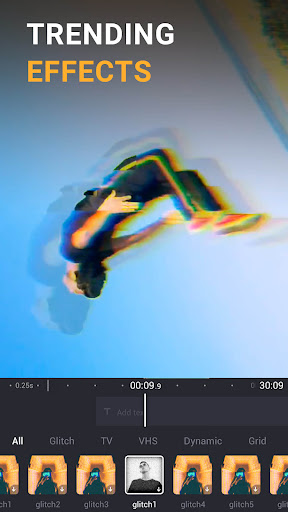
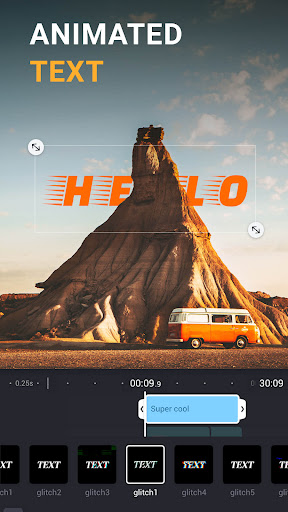
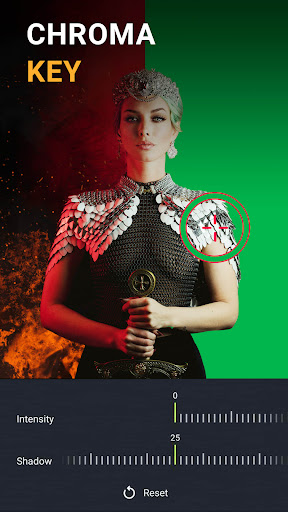
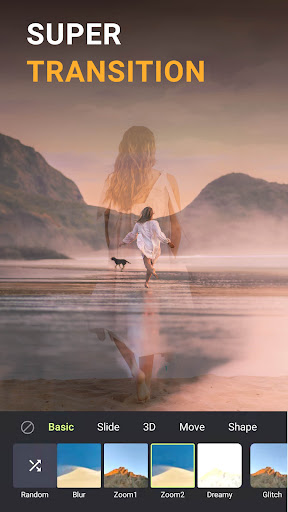
ShotCut AI is a mobile video editor focused on AI-assisted creation and fast social edits. Core features include AI captions (multi-language transcription), AI auto-music matching, and AI text generation (titles/hashtags/descriptions), alongside a full toolkit: trim/cut/split/merge, crop, reverse, speed control, audio extraction/editing, PIP, filters/effects/transitions, slow/stop motion, blur/mosaic, chroma key (green screen), background remover, stabilization, and HD export with an option to remove watermark by watching an ad.
Verdict
Verdict: A powerful, beginner-friendly AI video editor for social content, but some premium locks and pricing may deter heavy or pro users.
Who is it for
Best for:
- Creators who want quick, polished social videos with AI help (captions, auto-music, text).
- Beginners seeking an intuitive editor with generous free tools and templates.
- Mobile editors needing a broad feature set (PIP, chroma key, stabilization) on the go.
Not ideal for:
- Users who dislike ads, watermarks (unless watching ads), or subscription/upcharges.
- Precision editors needing desktop-grade timeline control and frame-perfect trimming.
- Budget-conscious users needing frequent AI generation/export at scale.
Real-world User Experience
Users like it:
Easy to learn with clean UI; rich feature set for free (trim/crop/effects/PIP/stabilization); standout AI captions and music extractor; option to remove watermark by watching an ad; reliable performance and quality exports; good for short-form content and beginners.
Users complain about:
Premium features and AI packs can be pricey (e.g., extra cost for image/script-to-video, lifetime perceived as expensive); occasional lack of an obvious undo workflow; ads unless offline; fine-grained trim on phone can be fiddly; some features gated behind subscription.
Is it Worth Paying For?
If you frequently need AI extras (image/script-to-video, higher quotas, watermark-free convenience, advanced effects), the subscription can be worth it, but several reviewers find certain add-ons and lifetime pricing steep. Casual users can get strong value free, especially with ad-based watermark removal. Heavy AI users might compare plan costs with competitors before committing.
How it Compares to Alternatives
Against CapCut and VN, ShotCut AI holds its own with intuitive controls and strong AI captions/auto-music, while VN is praised for free, pro-leaning editing and CapCut for deep templates and effects. Compared to InShot/KineMaster, ShotCut offers competitive effects, PIP, and chroma key, with an easier learning curve than KineMaster and more AI utilities than InShot. Pricing for certain AI packs may be higher than some alternatives, but free tier is generous.
Summary
AI Video Editor: ShotCut AI blends accessible editing with practical AI tools to speed up captions, music selection, and social-ready text, all within a friendly mobile interface. It covers essentials (trim, crop, merge, audio editing) and advanced options (PIP, green screen, stabilization, slow/stop motion) with decent quality exports. Users praise its ease of use and free value, though ads, a watermark (removable via ad), and premium locks—especially for certain AI and generation features—are common gripes. If you create short-form content and want quick turnarounds with AI assistance, it’s an excellent pick; precision editors or those sensitive to pricing might prefer VN or desktop tools, but many will find ShotCut AI a capable, convenient daily driver.




Ratings
Trending APP












Alternative to this app









