
Copyright 2026 © swekartor. All Rights Reserved.




App Feature
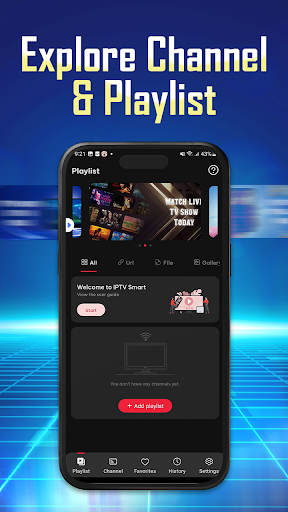
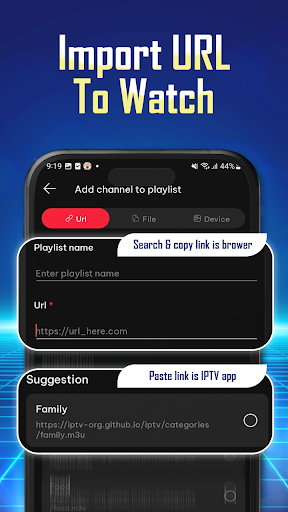
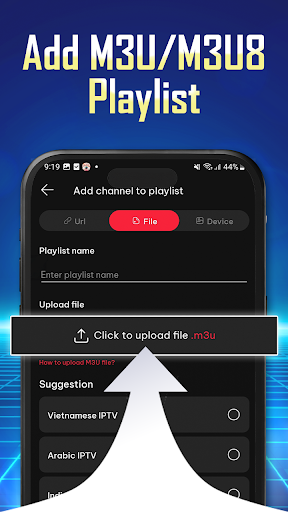
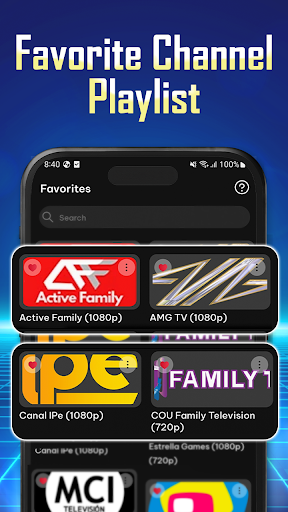
IPTV Player: Smarters Watch TV is a playlist-based IPTV player that lets you import M3U/M3U8 URLs, organize channels, cast/stream to TV, and watch live TV and series via your own playlist provider. It emphasizes an intuitive interface, stable playback with a built-in player, multi-device support, basic customization, and transparent permission handling. Note: it includes no content by default—you must supply your own playlist.
Verdict
Verdict: A capable, no-frills IPTV player if you already have M3U/M3U8 playlists, but not ideal for anyone expecting built-in channels or hand-holding.
Who is it for
Best for:
- Users who already have valid M3U/M3U8 IPTV playlists and want a simple player
- Viewers who value quick setup, casting, and organizing favorites across devices
- People comfortable managing their own sources and troubleshooting stream availability
Not ideal for:
- Anyone expecting preloaded channels, on-demand libraries, or ‘download movies’ functionality
- Beginners unfamiliar with finding/adding playlists who want a turnkey TV app
- Users sensitive to ads who don’t plan to pay to remove them
Real-world User Experience
Users like it:
Many praise its ease of use, simple setup, and good picture quality when streams are valid. Users appreciate watching live sports and TV anywhere, with some noting it exceeds expectations for a lightweight IPTV player.
Users complain about:
Frequent complaints include too many ads, limited or confusing language options, confusion about how to add playlists, and channels not working (often due to the source/region rather than the app).
Is it Worth Paying For?
The app is free with ads and offers in‑app purchases (likely for upgrades such as removing ads). If you already rely on your own playlists and want an ad‑free, cleaner experience, paying may be worthwhile. Otherwise, the free version suffices—just expect ads and a DIY playlist setup.
How it Compares to Alternatives
Compared with IPTV Smarters Pro and TiviMate, this app focuses on simplicity over deep EPG controls, advanced channel management, or polished TV‑first UX. TiviMate generally offers superior TV interface and scheduling features (often paid). IPTV Smarters Pro provides richer account/EPG handling. VLC can play M3U/M3U8 too but lacks IPTV‑specific conveniences. This app sits in the middle: easier than VLC for IPTV use, lighter than pro-grade IPTV managers.
Summary
IPTV Player: Smarters Watch TV is a straightforward, playlist‑driven IPTV player designed for users who already have M3U/M3U8 sources. It delivers a clean interface, quick organization of channels and favorites, TV casting, and generally stable playback, with routine updates aimed at reliability. However, it provides no built‑in content and requires users to add their own playlists, which can frustrate newcomers. Reviews highlight ease of use and good streaming quality when sources are sound, while ads, language limitations, and playlist setup challenges are common pain points. If you’re comfortable managing your own IPTV sources and want a no‑nonsense player, it’s a practical free option, with paid upgrades potentially worth it for removing ads and smoothing daily use.
Ratings
Trending APP












Alternative to this app









