
Copyright 2026 © swekartor. All Rights Reserved.



App Feature
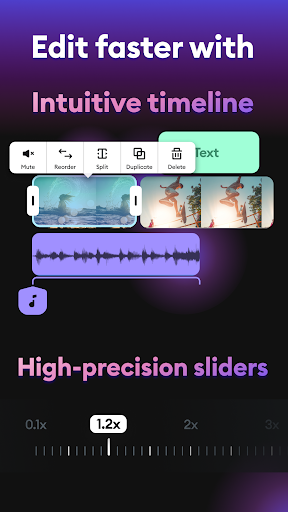
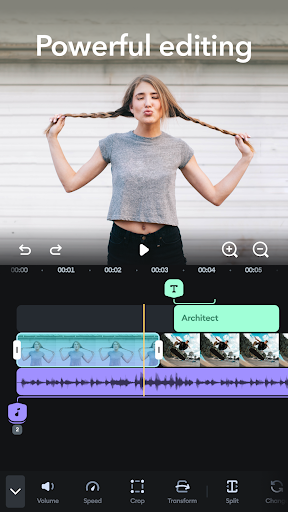
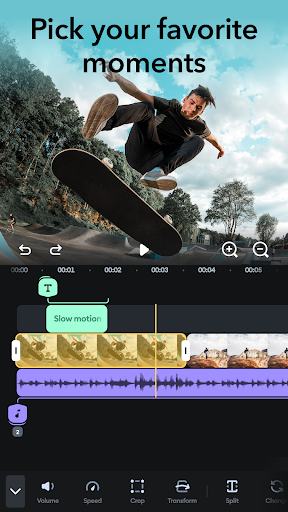
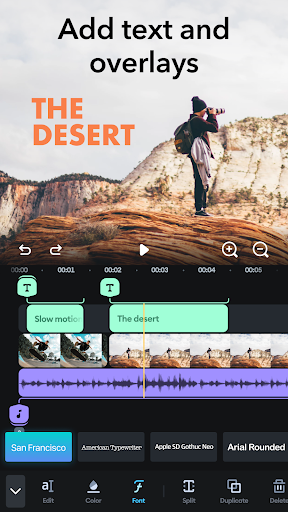
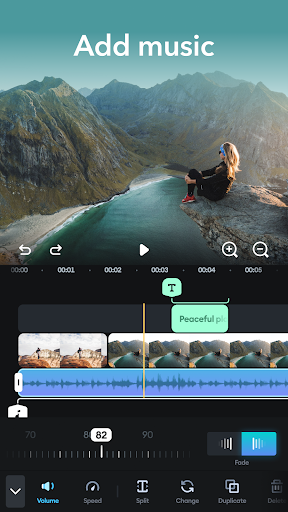
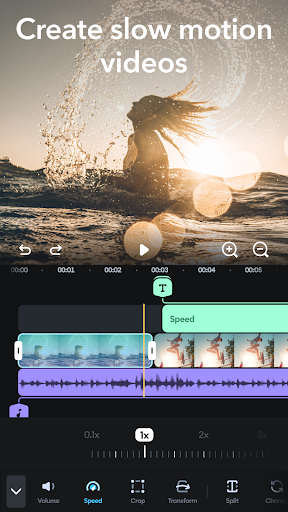
Splice is a mobile video editor focused on fast, pro-looking edits from your phone. It offers trimming, splitting and merging, multi-clip timelines, speed controls (slow/fast/timelapse), aspect-ratio presets for social platforms, built-in music and SFX library, text/overlays, filters/effects, and high-quality exporting without watermark on the free tier.
Verdict
Verdict: A capable, beginner-friendly mobile editor with strong free exports, but stability hiccups and paywalled extras may frustrate power users.
Who is it for
Best for:
- Beginners and casual creators who want quick, polished edits on mobile
- Social media posts (Reels, TikTok, Shorts) needing fast aspect-ratio presets and music
- On-the-go editors who value an intuitive timeline and no-watermark exports
Not ideal for:
- Advanced editors needing keyframes, masking, speed ramp graphs, or deep color controls
- Users sensitive to occasional crashes or audio desync on certain devices
Real-world User Experience
Users like it:
Very easy to learn; intuitive timeline with quick splice/cut tools; no watermark and 1080p+ exports on the free plan; rich built-in music/SFX and text/overlay options; preserves quality and handles short-form social edits well; frequent updates improving features like music fades.
Users complain about:
Intermittent crashes and audio sync lag for some; premium effects can block export if used without subscription; limited pro features (no keyframes/masks/graph editor), no custom fonts; some report larger-than-expected export file sizes and desire for finer audio tools (waveforms, defaults).
Is it Worth Paying For?
The free tier is strong for most casual projects thanks to watermark-free, high-quality exports and a decent asset library. A subscription makes sense if you rely on its premium effects, broader music catalog, and want to avoid export blocks after trying premium items. If you need advanced controls (keyframes/masking) or absolute stability, evaluate the trial first or consider pro-focused alternatives.
How it Compares to Alternatives
Compared to CapCut and VN, Splice is similarly simple and social-first, with a cleaner workflow and strong free exports, but fewer advanced controls (keyframes/masks) and occasional stability issues. Against InShot, it’s comparable for quick edits and social formats; InShot can feel more template/asset-driven, while Splice leans into an editor-like timeline. Adobe Premiere Rush and PowerDirector/KineMaster offer more pro features and cross-device workflows, but typically add watermarks or push subscriptions sooner and have steeper learning curves.
Summary
Splice - Video Editor & Maker delivers fast, polished mobile edits with an approachable timeline, flexible trimming/merging, speed changes, social aspect ratios, and a solid stock music/SFX set. Users praise its ease of use, watermark-free exports, and overall quality, making it well-suited to Reels/TikTok/Shorts and simple YouTube projects. Downsides include occasional crashes and audio desync, plus paywalled effects that can prevent export if used without subscribing, and a lighter pro toolset lacking keyframes and masking. If you prioritize speed and simplicity for social content, the free version is compelling; consider subscribing only if the premium assets and effects are central to your workflow or if you outgrow the free library.
Ratings
Trending APP












Alternative to this app









