
Copyright 2026 © swekartor. All Rights Reserved.




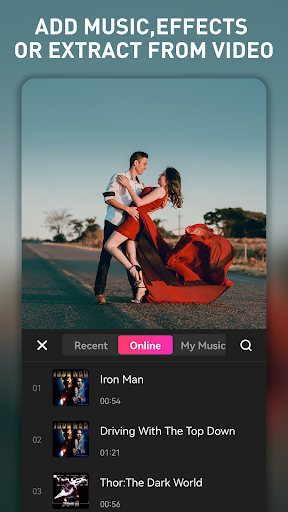

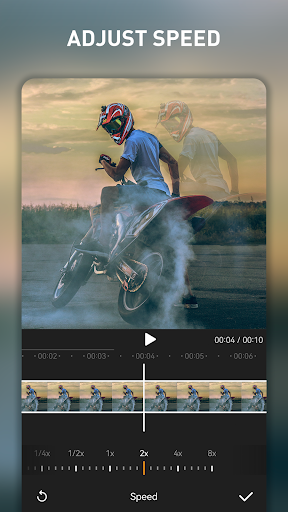
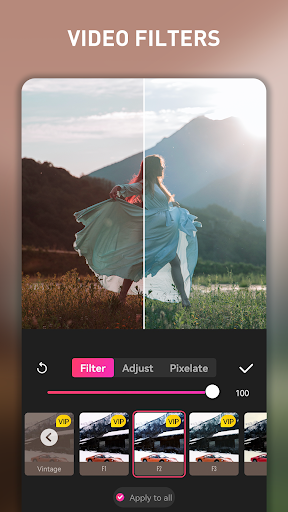
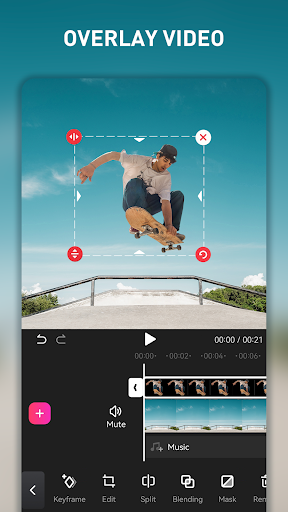

App Feature
EasyCut is a mobile video and photo editor focused on fast, template-driven creation. It offers trimming, cutting, merging, filters, transitions, text/stickers, music/voice-over, photo editing, collages, aspect-ratio/background tools, speed controls, and compression, with high‑quality export options for social platforms.
Verdict
Verdict: A capable, beginner-friendly CapCut alternative with generous free tools, but expect ads and occasional glitches.
Who is it for
Best for:
- Beginners and casual creators who want quick, template-based edits
- Social media editors who need watermark-free exports and easy sharing
- Android users seeking an all-in-one photo/video editor with collages
Not ideal for:
- Power users needing desktop-grade precision or complex multi-track workflows
- Anyone who dislikes ads, online asset fetching, or occasional app hiccups
Real-world User Experience
Users like it:
Very easy to use with a clean UI; strong selection of templates, effects, filters, and text; watermark removal without paying (often via an ad); good results for short edits and highlight reels; surprisingly capable for a free app; exports that meet social media needs.
Users complain about:
Frequent ads; occasional glitches like white screens, slow image import, template mismatches, and minor cropping/letterboxing issues; some assets/features behind VIP or require watching ads; limited offline assets; music search/library could be better.
Is it Worth Paying For?
The free tier is generous (including watermark removal via ads), making it sufficient for many users. Paying for VIP mainly removes ads and unlocks premium assets/templates. If you edit frequently, want smoother, ad-free workflow, and need more built-in resources, the subscription can be worthwhile; otherwise, the free version delivers strong value.
How it Compares to Alternatives
Positioned as a CapCut substitute, EasyCut matches the core template-first workflow and ease of use. Compared to InShot, it’s more flexible on watermark removal and feels friendlier for quick social edits. VN offers robust, more manual editing for creators who want finer control, while KineMaster targets pro-style multi-track editing at the cost of a steeper learning curve. EasyCut wins on simplicity and free access, but lags alternatives in stability consistency and offline resources.
Summary
EasyCut - Video Editor & Maker brings quick, social-ready video creation to Android with an approachable interface, trendy templates, and a surprisingly complete toolset for trimming, effects, text, music, and exports. With tens of millions of installs and a strong rating, it shines for beginners and casual creators who want fast results and watermark-free sharing without paying. Trade-offs include frequent ads, occasional performance glitches, and some VIP-gated assets. If you value speed and simplicity over granular control, EasyCut is an excellent choice; heavy editors or those sensitive to ads may prefer paying for VIP or considering VN/KineMaster for more advanced workflows.
Ratings
Trending APP












Alternative to this app









