
Copyright 2026 © swekartor. All Rights Reserved.


Information about Switch Access
App Feature
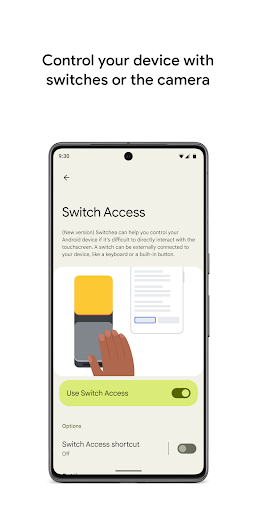
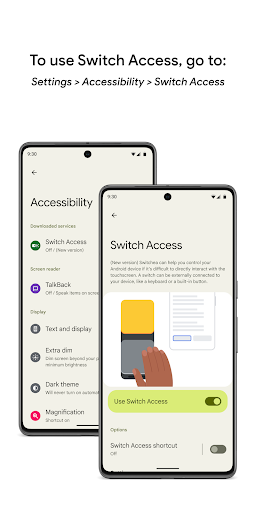
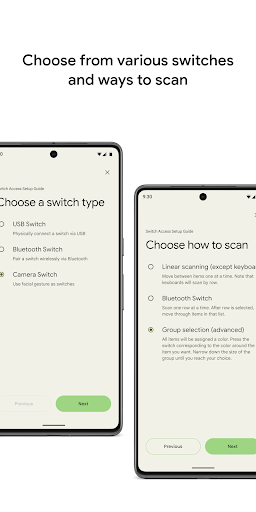
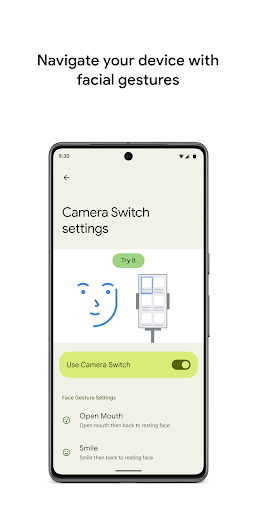
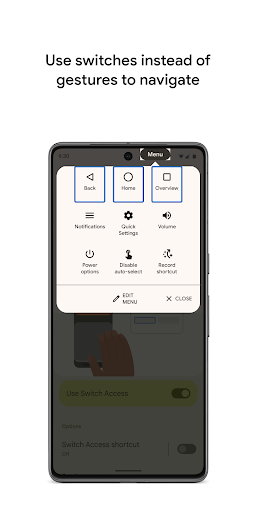
Switch Access is an Android accessibility service that lets users control their device using external switches, on‑device buttons, keyboards, or facial gestures via the front camera. It supports multiple scanning methods (linear, row‑column, point, group), customizable gestures and sensitivities, on‑screen action menus (select, scroll, copy/paste, system controls), and recorded touch shortcuts for complex actions.
Verdict
Verdict: A powerful, system-level accessibility tool for switch and camera-based navigation, best for users with mobility needs but unnecessary for most others.
Who is it for
Best for:
- People with limited mobility who need switch or gesture-based control
- Users who rely on customizable scanning and shortcuts to navigate Android
- Caregivers or rehab professionals setting up accessible Android workflows
Not ideal for:
- Users expecting a typical app experience (it’s a system accessibility service)
- Anyone concerned by broad accessibility permissions without understanding their purpose
- People wanting voice-only control (consider Voice Access instead)
Real-world User Experience
Users like it:
Highly customizable controls, reliable scanning methods, and effective support for external switches and camera gestures. Many appreciate that it’s part of Android’s modular system (Project Mainline), gets updates without full OS upgrades, and meaningfully improves independence for users with mobility impairments.
Users complain about:
Confusion about its purpose, preinstallation, and extensive permissions leads some to label it bloatware or invasive. Setup can be nontrivial, and it must be enabled before emergencies like a broken screen. A few niche complaints about accidental triggering and uncertainty around handling sensitive input.
Is it Worth Paying For?
Free with no ads or in‑app purchases; as a built‑in accessibility service from Google, it offers substantial value at no cost.
How it Compares to Alternatives
Compared to Android Voice Access, Switch Access targets hardware switches and facial gestures versus voice commands; both can complement each other. Versus TalkBack, which is primarily a screen reader for visually impaired users, Switch Access focuses on input and navigation for motor accessibility. Third‑party options like Tecla integrate with specialized hardware but require extra equipment and setup; Switch Access is broadly available, deeply integrated, and maintained by Google. On iOS, the closest equivalent is Switch Control, with comparable scanning; feature parity varies by device and accessories.
Summary
Switch Access is a robust, system‑level accessibility service that lets users interact with Android via hardware switches, on‑device buttons, keyboards, and facial gestures. Its multiple scanning modes, configurable gesture sensitivities, and quick actions menu make comprehensive navigation possible without touch input. The ability to record complex touch shortcuts further streamlines frequent tasks. While some users misunderstand its permissions and preinstalled status, those using it for mobility access report meaningful improvements in usability and independence. As a free, maintained component of Android’s accessibility stack, it’s a strong choice for motor accessibility needs and pairs well with complementary tools like Voice Access or TalkBack depending on the user’s profile.
Ratings
Trending APP












Alternative to this app























