Copyright 2026 © swekartor. All Rights Reserved.



Information about Google Family Link
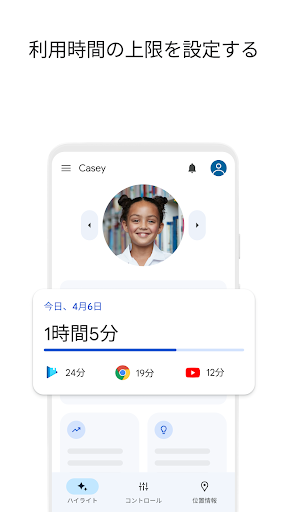
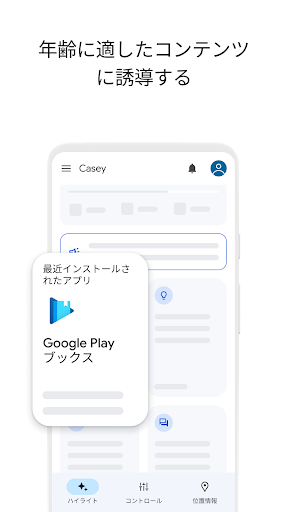
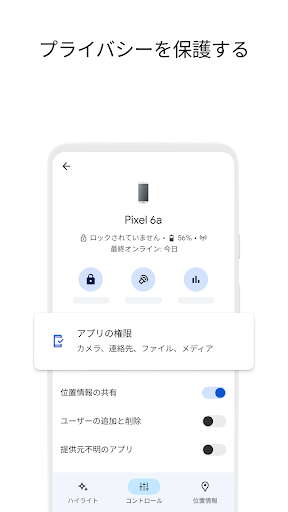
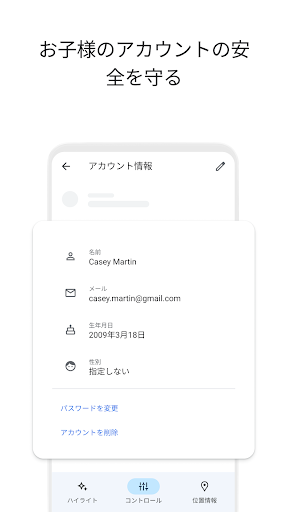
App Feature
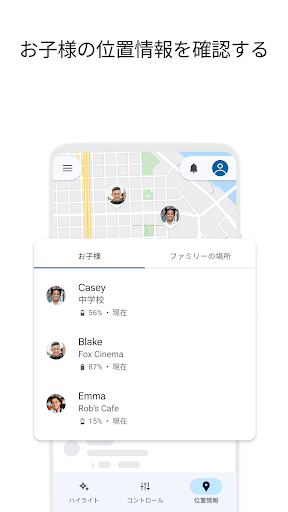
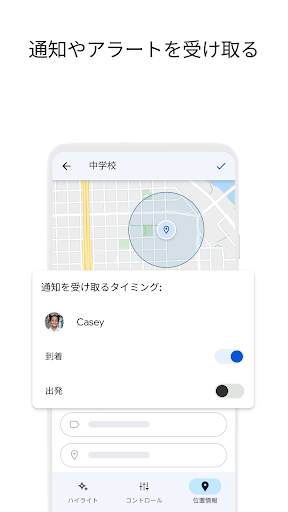
Google Family Link is a free parental controls suite for Android that helps caregivers set screen-time schedules (daily limits, school time, downtime), apply per‑app limits and approvals, manage content filters across Google services (Play, Chrome, Search, YouTube/YouTube Kids), view and secure a child’s Google account, and track device location with geofencing-style arrival/departure alerts and battery status.
Verdict
Verdict: A powerful, free parental control tool for Android families, best if you live in Google’s ecosystem but less ideal for advanced monitoring needs.
Who is it for
Best for:
- Families using Android/Google accounts who want time limits, app approvals, and basic web/app filtering.
- Parents needing reliable device location, alerts, and easy remote locks/rewards.
- Caregivers prioritizing privacy/account controls within Google’s ecosystem without subscription fees.
Not ideal for:
- Parents who need call/SMS monitoring, whitelist/blacklist telephony controls, or detailed browsing history.
- Households with many non‑Android devices or those wanting granular YouTube/video‑by‑video approvals.
- Users sensitive to UI changes who prefer extensive customization and offline enforcement guarantees.
Real-world User Experience
Users like it:
Consistently praised for accurate location tracking, quick remote lock/unlock, customizable daily/bedtime limits and per‑app timers, robust app approval workflow that prevents unapproved installs or purchases, and overall reliability at scale (supports multiple kids/devices). Many appreciate using it as a positive reward system (bonus time), the device finder/ring feature, and that it’s free and ad‑free.
Users complain about:
Recent UI changes made common tasks slower; time limit entry via +/- taps (no typed entry) frustrates some. Always‑allowed apps can’t bypass bedtime in some cases (e.g., meditation apps). Occasional delays in approval notifications and challenges re‑locking devices offline or after bedtime. Limited controls for calls/texts (no whitelist/blacklist), difficulty allowing specific YouTube videos, location may stall without data, and some preinstalled apps can’t be disabled.
Is it Worth Paying For?
There’s nothing to pay—no ads and no IAP. For most Android families, the free feature set (screen time, app approvals, filters, account and location controls) delivers excellent value. If you require premium features like call/SMS monitoring, cross‑platform parity, or advanced web history/AI alerts, you may need a paid alternative.
How it Compares to Alternatives
Compared to Microsoft Family Safety, Family Link integrates deeper with Android/Google services and is similarly free, but Microsoft’s cross‑platform coverage can be stronger for Windows/iOS households. Versus Qustodio, Norton Family, or Bark, Family Link lacks advanced reporting, SMS/call monitoring, and rich web history/alerting, but it’s far cheaper (free) and more seamless for Google accounts. Life360 excels at family location and driving features, yet it doesn’t replace Family Link’s app approvals and device governance.
Summary
Google Family Link delivers a comprehensive, no‑cost foundation for managing kids’ Android devices: set total and per‑app screen time, schedule downtime/school time, approve or block apps, apply Google‑service content filters, secure accounts, and track devices with location and battery alerts. Reviews highlight dependable controls and location accuracy, easy remote locks, and a strong approval flow that curbs unapproved usage. Some pain points remain—UI regressions, delayed notifications, limited telephony controls, and imperfect offline/bedtime exceptions—plus it lacks advanced monitoring (call/SMS logs, detailed browsing history) found in paid suites. If your family runs on Android and you want robust, privacy‑aware controls without subscriptions, Family Link is a top pick; power users needing deeper oversight may supplement it with a premium solution.
Ratings
Trending APP












Alternative to this app