Copyright 2026 © swekartor. All Rights Reserved.



Information about Samsung My Files
App Feature
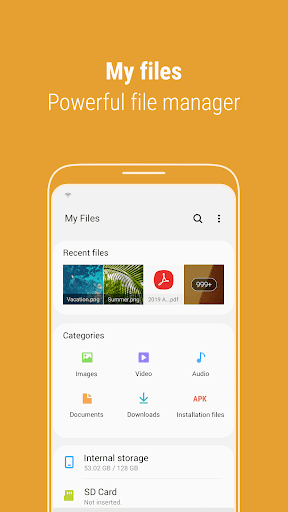
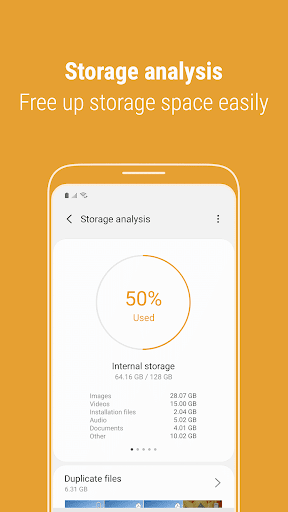
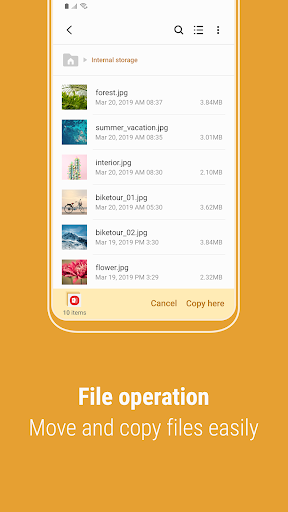
Samsung My Files is a free, ad‑free file manager for Android that lets you browse, search, move, copy, compress/decompress, and organize files across internal storage, SD cards, USB drives, and connected cloud services (Google Drive, OneDrive). It adds conveniences like Recent files, file-type Categories, home screen shortcuts, and a Storage Analysis tool to find large or duplicate items and free up space.
Verdict
Verdict: A fast, capable file manager—excellent on Samsung devices—though cloud and move/copy UX hiccups can surface.
Who is it for
Best for:
- Samsung users who want a clean, built‑in manager with deep system integration
- Anyone needing straightforward local + cloud browsing and storage cleanup
- Users who prefer a free, ad‑free tool with familiar desktop‑style navigation
Not ideal for:
- Power users needing advanced features like granular conflict/overwrite rules, root access, or extensive network protocols
- People who rely heavily on OneDrive/Samsung Cloud if intermittent connector issues occur on their device
- Those wanting automation, bulk renaming rules, or plugin ecosystems found in premium managers
Real-world User Experience
Users like it:
Consistently praised for speed, reliability, and a simple, intuitive layout. Storage Analysis and large-file discovery are standout features. Built‑in ZIP support, easy folder creation and shortcuts, and smooth Google Drive integration (once fixes rolled out) earn high marks. Many users report it’s the most stable, no‑nonsense manager without ads or nags.
Users complain about:
Some experienced OneDrive sync/browse failures (later updates reportedly fixed for many), missing Samsung Cloud access, and earlier regressions such as the removal of search when selecting a move/copy destination and awkward duplicate/overwrite handling. A few note that drag‑and‑drop can copy instead of move and that bulk moves can feel tedious without destination search.
Is it Worth Paying For?
It’s free with no ads and no in‑app purchases; there’s nothing to pay for, and the value is excellent as‑is.
How it Compares to Alternatives
Compared to Files by Google, My Files offers tighter Samsung integration, richer local navigation, and robust on‑device storage analysis, while Google’s app excels at smart cleanup suggestions and Nearby Share. Versus premium managers like Solid Explorer or FX, My Files is simpler and free but lacks advanced features (dual‑pane, fine‑grained conflict resolution, encryption vaults, extensive SMB/FTP options). If you want a dependable, stock‑like experience—especially on Samsung—My Files is the easier pick; power users may still prefer paid alternatives.
Summary
Samsung My Files is a polished, no‑frills file manager that covers daily tasks—browsing, organizing, compressing, and cleaning up storage—across local, removable, and popular cloud locations. Its speed, clarity, and Storage Analysis make it ideal for keeping devices tidy, and its ad‑free, built‑in nature suits Samsung owners especially well. While some users report intermittent OneDrive or legacy Samsung Cloud issues and occasional UX quirks with moving files and overwrite behavior, recent updates have addressed several pain points. If you want a dependable, free manager that just works, it’s an easy recommendation; if you need pro‑grade workflows, consider a paid alternative.
Ratings
Trending APP












Alternative to this app