Copyright 2026 © swekartor. All Rights Reserved.



Information about Video Downloader
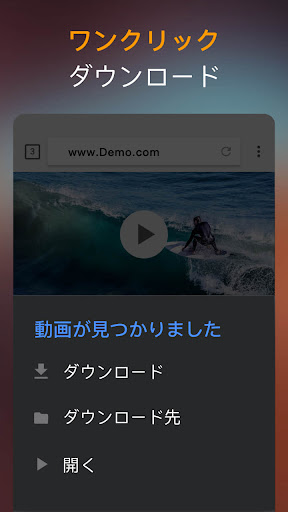
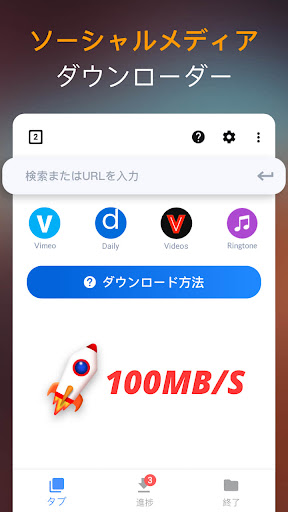
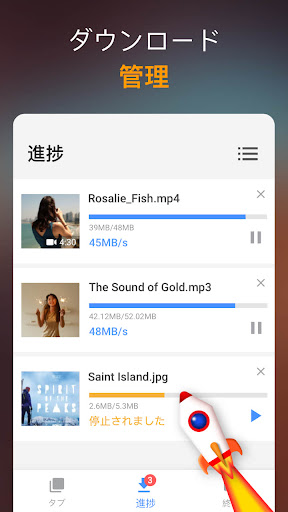
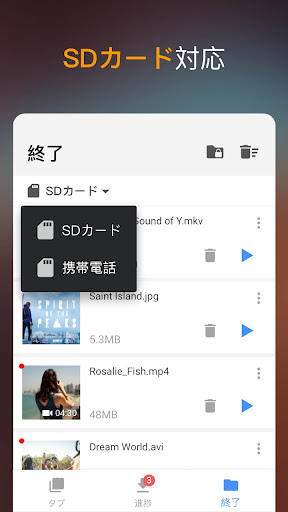
App Feature
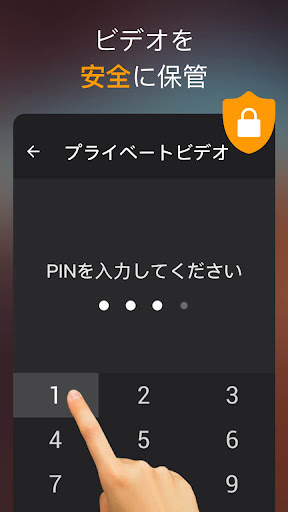
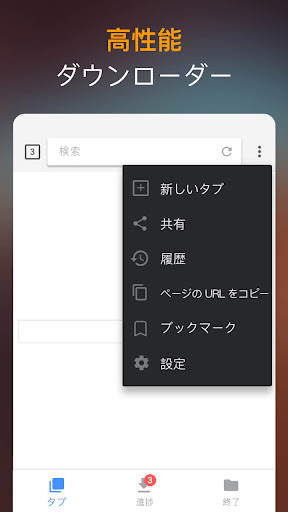
Video Downloader is a free Android app from InShot Inc. that lets you discover, detect, and download videos, music, and images from the web via an in‑app browser. It supports multiple formats (e.g., MP4, MP3, M4A) and large files, offers a built‑in player, background and parallel downloads with pause/resume, optional password‑protected folders, progress tracking, and SD card support.
Verdict
Verdict: A fast, straightforward web video downloader with a solid manager and heavy ads, best if you don’t need YouTube support.
Who is it for
Best for:
- Users who want quick, one‑tap downloads from most websites via a built‑in browser
- People who need background, multi‑file, and large‑file downloads with pause/resume
- Anyone who values a simple interface and basic privacy (password‑protected folder)
Not ideal for:
- Those expecting YouTube/Twitter downloads or sites that restrict third‑party downloaders
- Users who dislike frequent or occasionally intrusive ads
- Power users needing advanced features like subtitle capture or granular folder targeting
Real-world User Experience
Users like it:
Consistently praised for being easy and fast, with reliable auto‑detection and one‑click downloads across many sites. The download manager handles multiple and large files smoothly, background downloads work well, and the secure/private folder is handy. Many report daily use with minimal bugs and quick turnaround from tapping play to saving.
Users complain about:
Ads are frequent and sometimes uncloseable or long; some users report tab resets/closed sessions. No support for YouTube (and often Twitter), occasional ad traps requiring an app reload, and limited options like choosing a target directory or downloading to SD directly on some devices. Lacks subtitle downloading and a few UI refinements (e.g., quicker media‑tab downloads).
Is it Worth Paying For?
Yes for frequent users: there is a one‑time in‑app purchase to remove ads (price varies by region and promotions). Given the heavy ad load, the upgrade meaningfully improves the experience and is good value if you download regularly; the free version remains fully functional if you can tolerate ads.
How it Compares to Alternatives
Compared to popular download managers like ADM or 1DM, Video Downloader emphasizes auto‑detect simplicity and an integrated browser/player over deep customization. It’s more polished than many ad‑heavy clones and benefits from a reputable developer. Like mainstream alternatives on Google Play, it does not support YouTube due to platform policies. Power users may prefer ADM/1DM for advanced rules, scheduling, and granular file management, while this app shines for quick, no‑fuss captures.
Summary
Video Downloader delivers what most people want from a mobile downloader: quick detection, fast saves, background and parallel downloads, and a simple workflow inside a built‑in browser. It handles many formats and big files, lets you secure content in a private folder, and generally works across a wide range of sites, though platforms like YouTube (and sometimes Twitter) are off‑limits. The main trade‑off is advertising—frequent and occasionally stubborn—offset by a worthwhile one‑time ad‑removal upgrade for heavy users. If you need a dependable, easy downloader rather than advanced power‑user controls or subtitle support, this is an excellent pick.
Ratings
Trending APP











Alternative to this app